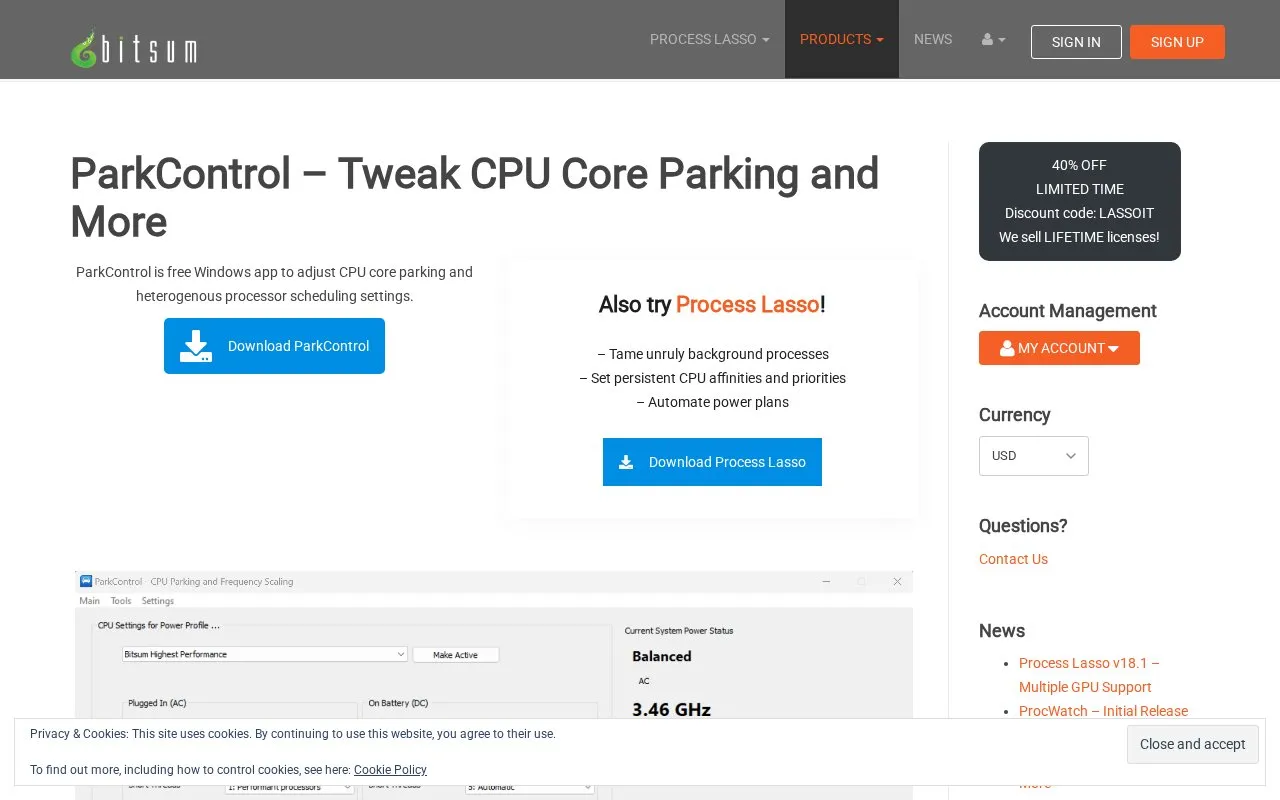
ParkControl is a Windows utility for displaying and adjusting CPU core parking, processor frequency scaling and hybrid CPU scheduling settings, so users can change them without hand-editing hidden power plan settings. Settings are stored per power plan and can be configured separately for AC (plugged-in) and DC (battery) power states, with changes applied through the interface in real time.
Beyond core parking and frequency scaling, it exposes a heterogeneous parking policy for hybrid CPUs such as Intel 12th-generation and later, options for how short and long running threads are scheduled, and an advanced parking percentage. Pro editions add Bitsum Dynamic Boost, which switches between active and idle power plans automatically, and notifications when a process changes the active power plan. The software is Windows-only.
Key features
Enable or disable CPU core parking in a selected power plan
Enable or disable CPU frequency scaling per power plan
Separate settings for AC (plugged-in) and DC (battery) states
Heterogeneous parking policy for hybrid CPUs such as Intel 12th+ gen
Short and long thread scheduling choices on heterogeneous systems
Dynamic Boost switches active and idle power plans (Pro)
Best for: Windows users who want to tune CPU core parking, frequency scaling and hybrid scheduling without editing hidden power plan settings by hand.
Good for
Described as free software for core parking and frequency scaling adjustments
Supports both AC and DC power states per power plan
Includes heterogeneous CPU policies and thread scheduling options
Watch out for
Windows-only utility
Dynamic Boost and power plan change notifications are listed as Pro benefits
The source notes that how much disabling core parking helps depends on the situation
The utility is described as free software. Pro editions are offered as Single PC annual or lifetime licenses and an Entire Home lifetime license; Entire Home licenses allow installation on up to 5 PCs in the same home for non-commercial use, and lifetime licenses include future updates.
Can settings differ between a plugged-in laptop and one running on battery?
Yes. CPU core parking and frequency scaling parameters can be set for both the AC (plugged-in) and DC (battery) power states of a device.
What does Bitsum Dynamic Boost do?
It automatically switches power plans when the PC enters and leaves the idle state. It is listed among the Pro benefits.
Is something wrong or out of date?
Tell us and an editor will check it.
Own this website?
Claim the listing and suggest updates yourself. An editor checks every claim first.