PDF Bookmark Editor
PDF Bookmark Editor lets users add or edit bookmarks in a PDF, search and import bookmarks, and perform page actions such as rotation and extraction.
About PDF Bookmark Editor
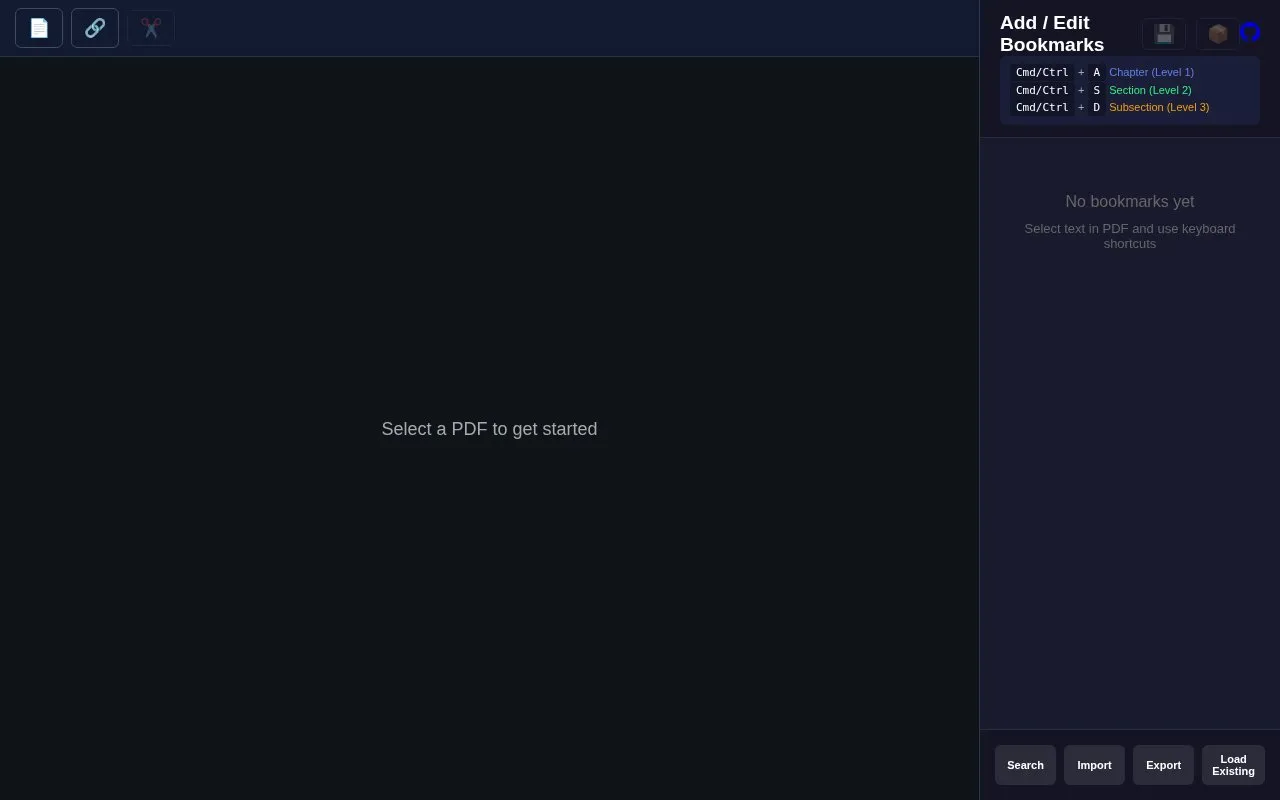
PDF Bookmark Editor is a browser tool for working with bookmarks in a PDF. After you select a PDF, you can add Chapter, Section and Subsection bookmarks using keyboard shortcuts on selected text or through the bookmark panel, and search a bookmark list with fuzzy matching or prefix search. Bookmarks can be imported, exported and loaded from existing files.
The same interface handles page-level work: selecting pages by all, none, even, odd, invert, range or selection, rotating them by 90 or 180 degrees, deleting or extracting them, and merging several PDFs with drag-to-reorder. An undo shortcut and an Apply Changes button are provided. Pricing, account requirements and whether files are processed in the browser or uploaded to a server are not stated on the homepage.
Key features
- Add Chapter, Section, Subsection bookmarks via Cmd/Ctrl shortcuts
- Search bookmarks with fuzzy matching or prefix search
- Import, export and load existing bookmark sets
- Rotate pages 90 or 180 degrees
- Delete or extract pages by range or selection
- Merge PDFs with drag-to-reorder before merging
Best for: People who need to build or clean up a PDF outline and make related page edits without installing desktop software.
Good for
- Keyboard shortcuts map directly to three bookmark levels
- Bookmarks can be imported, exported and reloaded from existing files
- Bookmark editing and page actions such as rotation, extraction and merging sit in one interface
Watch out for
- Pricing and any account requirements are not stated on the homepage
- The homepage does not say whether PDFs are processed locally or uploaded to a server
- It is a web-only tool, so use depends on browser access
PDF Bookmark Editor at a glance
- Category
- Online Tools › PDF & Document Tools
- Type
- Online tool
- Pricing
- Not confirmed. Check the site
- Platforms
- Web
- Open source
- Not stated
- Language
- English
- Last checked
- Oct 6, 2026 · Online when checked
- Listed
- Oct 5, 2026
Guides for PDF & Document Tools
PDF Bookmark Editor alternatives
Tools and sites you could use instead, ranked by how closely they match.

Add or edit PDF bookmarks and merge files with PDF Bookmark Editor, which also supports importing and exporting bookmark data.
Popular in PDF & Document Tools
Well-known listings from the same topic.
2OCR2ocr.com2PDFConverter2pdfconverter.comAlt Enginesgithub.com/hiroi-sora/Umi-OCR_pluginsBentopdfgithub.com/alam00000/bentopdfOCRToolocrtool.netPDFCoffeepdfcoffee.com


PDF Bookmark Editor FAQ
Can I bring in bookmarks I already have?
The bookmark panel includes Import, Export and Load Existing options alongside Search.
How are bookmark levels assigned?
Cmd/Ctrl + A creates a Chapter (Level 1), Cmd/Ctrl + S a Section (Level 2) and Cmd/Ctrl + D a Subsection (Level 3), using text selected in the PDF.
Can I combine several PDFs?
Yes. A Merge PDFs dialog lets you drag files to reorder them before merging.
Is something wrong or out of date?
Tell us and an editor will check it.
Own this website?
Claim this listing
Claim the listing and suggest updates yourself. An editor checks every claim first.