

Quicko Pro helps tax consultants create an online store, take bookings and payments, and track business earnings.
Receiptor AI
Receiptor AI finds invoices and receipts in email, messaging apps, or uploads and files categorized documents into accounting software.
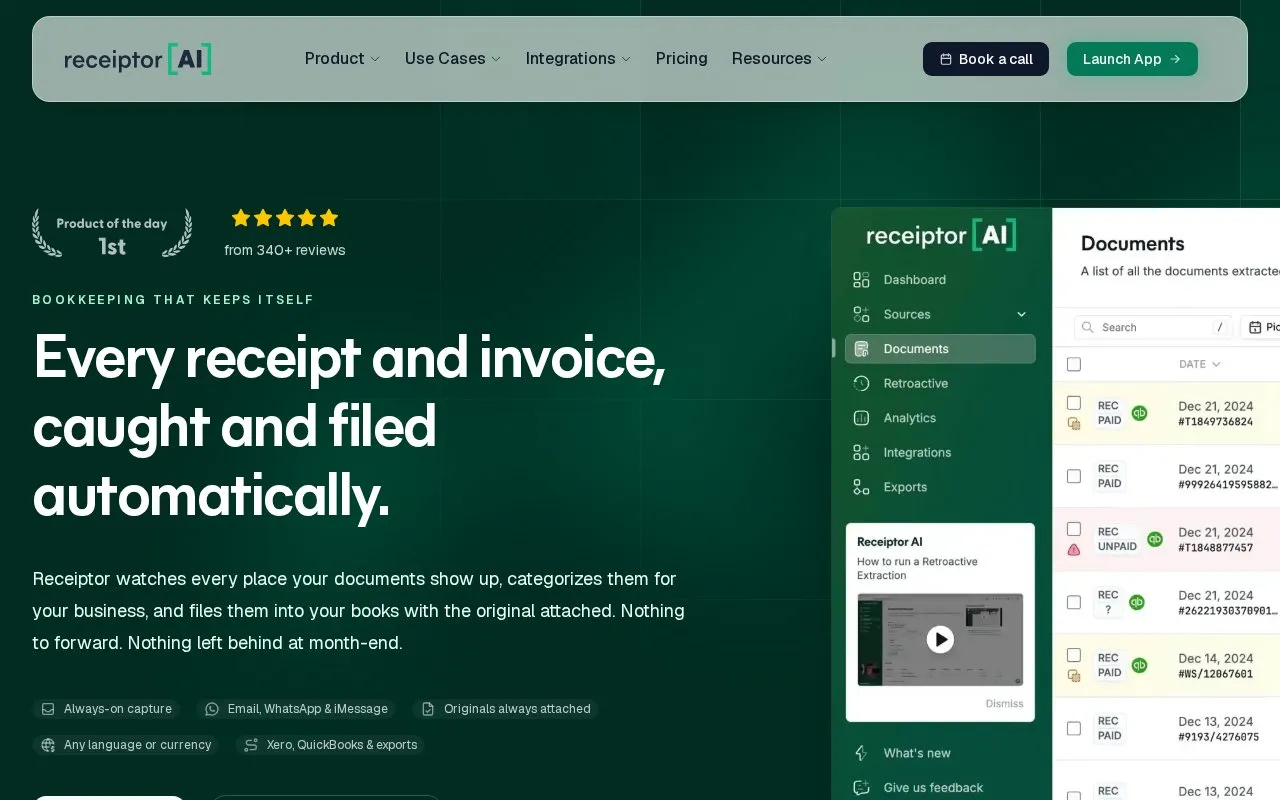
About Receiptor AI
Receiptor AI collects receipts and invoices from connected Gmail, Outlook and IMAP inboxes, WhatsApp, iMessage, and bulk uploads. It extracts data and categorizes documents against a chart of accounts, including assignment to different legal entities sharing an inbox.
It publishes results to Xero or QuickBooks with the original file attached, or exports to Drive, Dropbox, email, CSV, PDF, or ZIP. When additional context is needed, it asks through WhatsApp or an in-app review queue and uses the reply to complete categorization.
Key features
- Finds receipts and invoices across connected email and messaging sources
- Extracts data and categorizes against chart of accounts
- Publishes to Xero or QuickBooks with original attached
- Exports to Drive, Dropbox, email, CSV, PDF, or ZIP
- Asks for context via WhatsApp or in-app review queue
- Matches documents to entities sharing an inbox
Best for: Business owners, finance teams, accountants and bookkeepers handling receipts from multiple sources and entities.
Good for
- Connects to email, WhatsApp, iMessage and bulk uploads for capture
- Keeps original document attached when publishing or exporting
- Supports multiple entities with separate accounting contexts
Receiptor AI at a glance
- Website
- receiptor.ai
- Category
- AI & Machine Learning › AI Business Tools
- Type
- Online tool
- Pricing
- Not confirmed. Check the site
- Platforms
- Web
- Open source
- Not stated
- Language
- English
- Last checked
- Oct 5, 2026 · Online when checked
- Listed
- Oct 5, 2026
Receiptor AI alternatives
Tools and sites you could use instead, ranked by how closely they match.

ReceiptsAI extracts data from receipts, invoices, bank statements, and emails for expense tracking and bookkeeping.

Tailride collects invoices and receipts from email and vendor portals, with inbox scanning, integrations and reconciliation tools.

Mailsuite tracks email opens in Gmail and provides read receipts for sent messages.

Dext captures and categorizes receipts, invoices, and expenses for small-business bookkeeping.
Free trial

Aidelly helps agencies manage clients’ social accounts by publishing posts and replying to messages through AI tools.
Popular in AI Business Tools
Well-known listings from the same topic.
Linearlinear.appFollow Up Bossfollowupboss.comHoverNoteshovernotes.ioTypeThink AItypethink.aiAiSDRaisdr.comInsight Healthinsighthealth.ai


Receiptor AI FAQ
What sources can Receiptor AI connect to?
Gmail, Outlook, any IMAP inbox, WhatsApp, iMessage, plus bulk uploads.
Where can processed documents be sent?
Xero or QuickBooks with the original attached, or to Drive, Dropbox, email, CSV, PDF, or ZIP.
What happens when a receipt needs more context to categorize?
It sends a focused question through WhatsApp or the in-app review queue and uses the reply to finish categorization.
Is something wrong or out of date?
Tell us and an editor will check it.
Own this website?
Claim this listing
Claim the listing and suggest updates yourself. An editor checks every claim first.