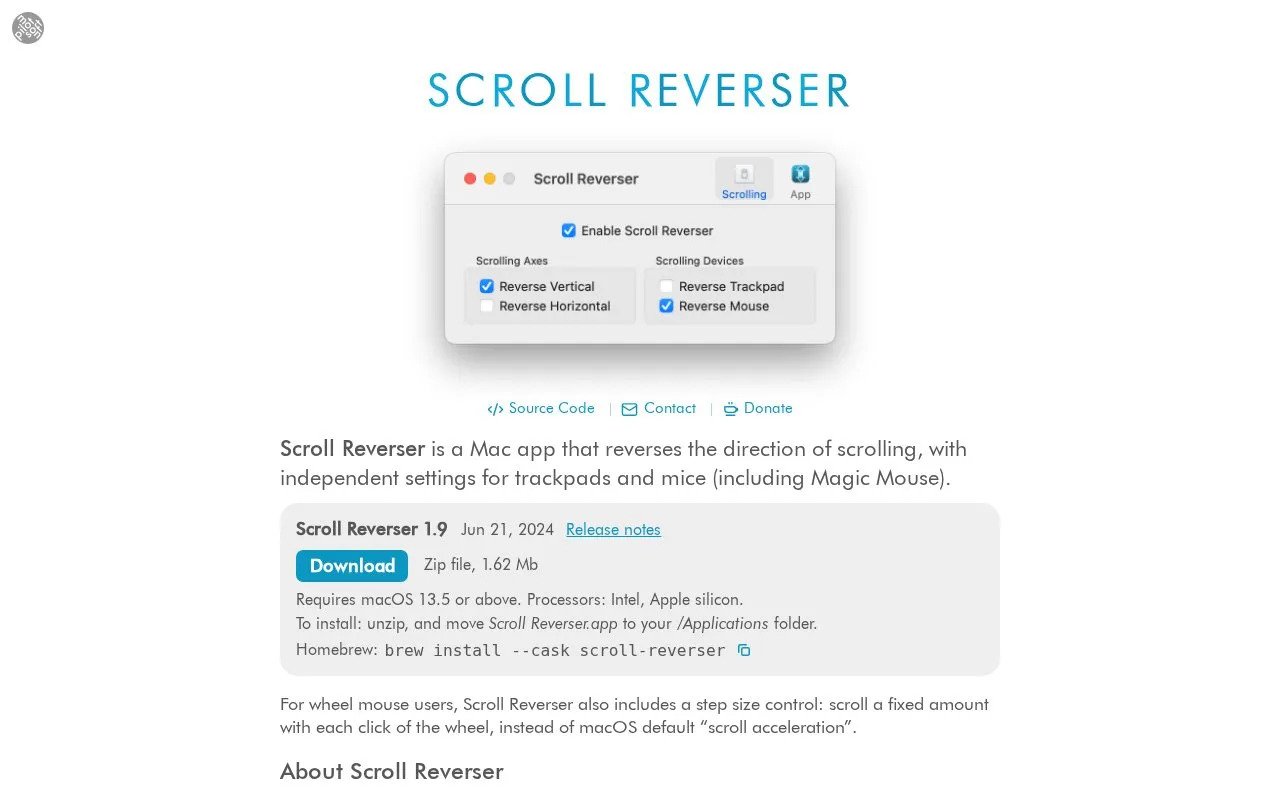
Scroll Reverser is a Mac app that sets scroll direction separately for trackpads and mice, including Magic Mouse. A common setup is natural scrolling for the trackpad with classic scrolling for the mouse. For wheel mice it adds a step size slider that sets how many lines scroll per wheel click.
Version 1.9 requires macOS 13.5 or later on Intel or Apple silicon, with older downloads available for earlier systems. It cannot reverse swipe gestures and does not work in iPhone Mirroring or the Calendar app, which use gesture-based scrolling.
Key features
Independent scroll reversal for trackpad and mouse
Step size control for non-continuous wheel-mouse scrolling
Install by moving app to Applications folder or Homebrew
Start at login option
Older versions for macOS 10.4 to 10.12.6
Translated interface in multiple languages
Best for: Mac users who want natural scrolling on a trackpad and classic scrolling on a mouse.
Good for
Self-contained app that uninstalls by quitting and moving to Trash
No, this is not possible. Swipe direction follows the Scroll Direction: Natural setting in System Preferences.
Why does it see my trackpad as a mouse?
Turn off Accessibility > Zoom > Advanced > Controls > Use trackpad gesture to zoom. Older Macs without multi-touch trackpads and some third-party trackpads are also seen as a mouse.
How do I uninstall it?
Quit the app and move it to Trash. You can also delete ~/Library/Preferences/com.pilotmoon.scroll-reverser.plist.
Is something wrong or out of date?
Tell us and an editor will check it.
Own this website?
Claim the listing and suggest updates yourself. An editor checks every claim first.