
Stirling PDF
The Stirling PDF project describes an editing application that can run on infrastructure selected by the user.
About Stirling PDF
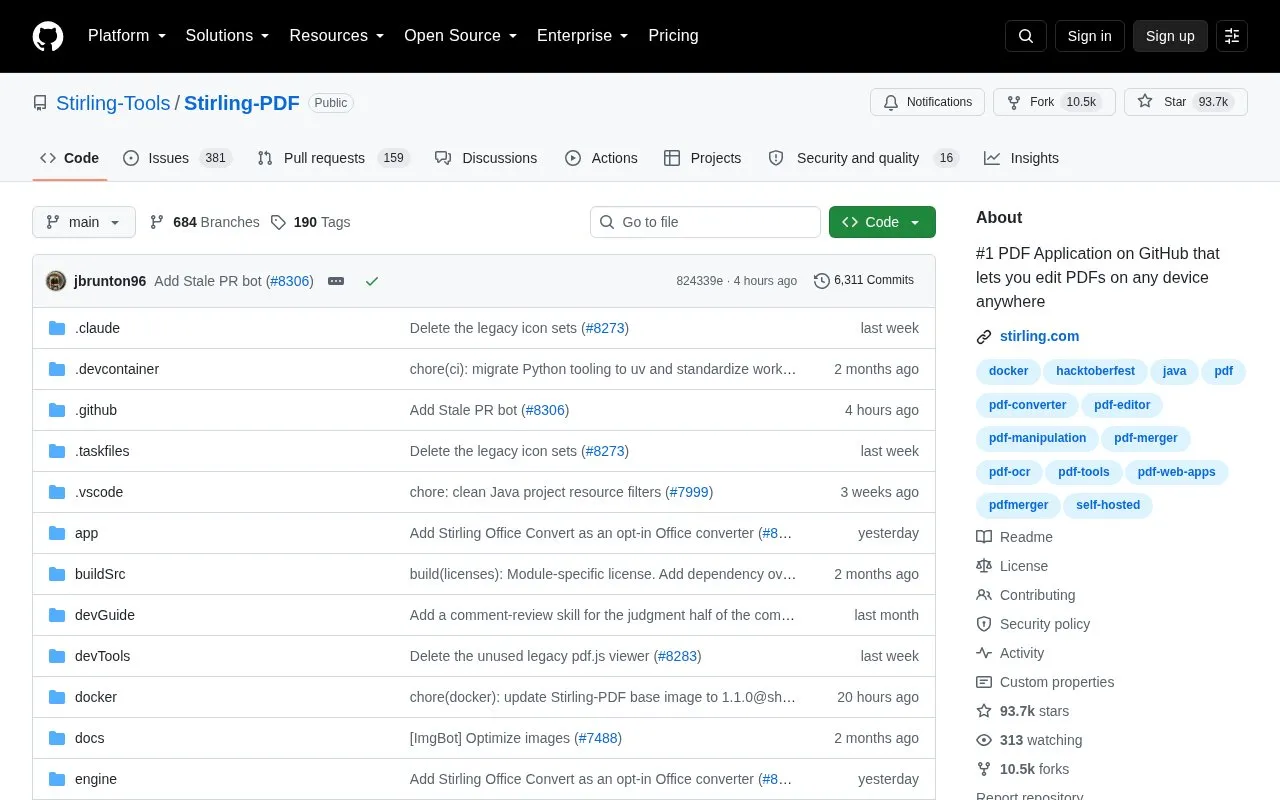
Stirling PDF is a PDF editing platform distributed as a GitHub repository. The homepage describes it as an open-source application that can run as a personal desktop app, in a web browser, or on the user's own servers with a private API. Its listed tools include editing, signing, redacting, converting, OCR, compressing, and merging or splitting PDFs. The homepage states that documents can be edited without being sent to external services.
The homepage describes the project as open-core and refers to the LICENSE file for details. Enterprise capabilities such as SSO, auditing, and on-premises deployment are listed under a separate enterprise heading, and the homepage links to a Server Plan page for them. The quick start uses Docker and opens a local address, and the homepage points to the documentation for other installation options, including desktop and Kubernetes.
Key features
- Desktop client, browser interface, and self-hosted server with a private API
- More than 50 PDF tools, including merge, split, sign, redact, convert, OCR, and compress
- No-code automation pipelines built in the user interface, with APIs for processing
- REST APIs available for nearly all tools to integrate with other systems
- SSO, auditing, and on-premises deployment, listed under enterprise capabilities
- User interface available in more than 40 languages
Best for: Users and organizations that want to edit and process PDFs on their own devices or servers, and developers who need to add PDF processing to existing systems through a REST API.
Good for
- Can run on infrastructure chosen by the user, including a personal desktop or private servers
- The homepage states that documents are edited without being sent to external services
- Offers a REST API for nearly all tools, according to the homepage
Watch out for
- The homepage describes the project as open-core, so licensing terms should be checked in the LICENSE file
- Enterprise features such as SSO and auditing are listed separately and may depend on the plan or deployment
- The homepage points to external documentation for the full feature list and installation options
Stirling PDF at a glance
- Category
- Online Tools › PDF & Document Tools
- Type
- Open-source project
- Pricing
- Not confirmed. Check the site
- Open source
- Not stated
- Language
- English
- Last checked
- Oct 6, 2026 · Online when checked
- Listed
- Oct 5, 2026
Guides for PDF & Document Tools
Stirling PDF alternatives
Tools and sites you could use instead, ranked by how closely they match.

Electronic document signing is the focus of OpenSign, an open-source project presented as a DocuSign alternative.

OCRmyPDF adds an OCR text layer to scanned PDF files, making their text searchable, according to its project description.
Open source
11 alternatives
Stirling PDF is a PDF editor that can be run on user-provided infrastructure, according to its project description.
Popular in PDF & Document Tools
Well-known listings from the same topic.
2OCR2ocr.com2PDFConverter2pdfconverter.comAlt Enginesgithub.com/hiroi-sora/Umi-OCR_pluginsBentopdfgithub.com/alam00000/bentopdfOCRToolocrtool.netPDFCoffeepdfcoffee.com


Stirling PDF FAQ
How do I run Stirling PDF quickly?
The homepage gives a Docker quick start: run the docker command with port 8080 mapped, then open http://localhost:8080 in a browser.
Does Stirling PDF send documents to external services?
The homepage says PDFs can be edited without sending documents to external services. This describes the project's stated design, and the homepage does not address other integrations or services a particular setup might use.
Does Stirling PDF have an API?
The homepage says REST APIs are available for nearly all tools, and it links to API documentation.
Is something wrong or out of date?
Tell us and an editor will check it.
Own this website?
Claim this listing
Claim the listing and suggest updates yourself. An editor checks every claim first.