
SubjectiveSort
SubjectiveSort ranks a list through repeated one-to-one comparisons, then lets users view and download the sorted result.
About SubjectiveSort
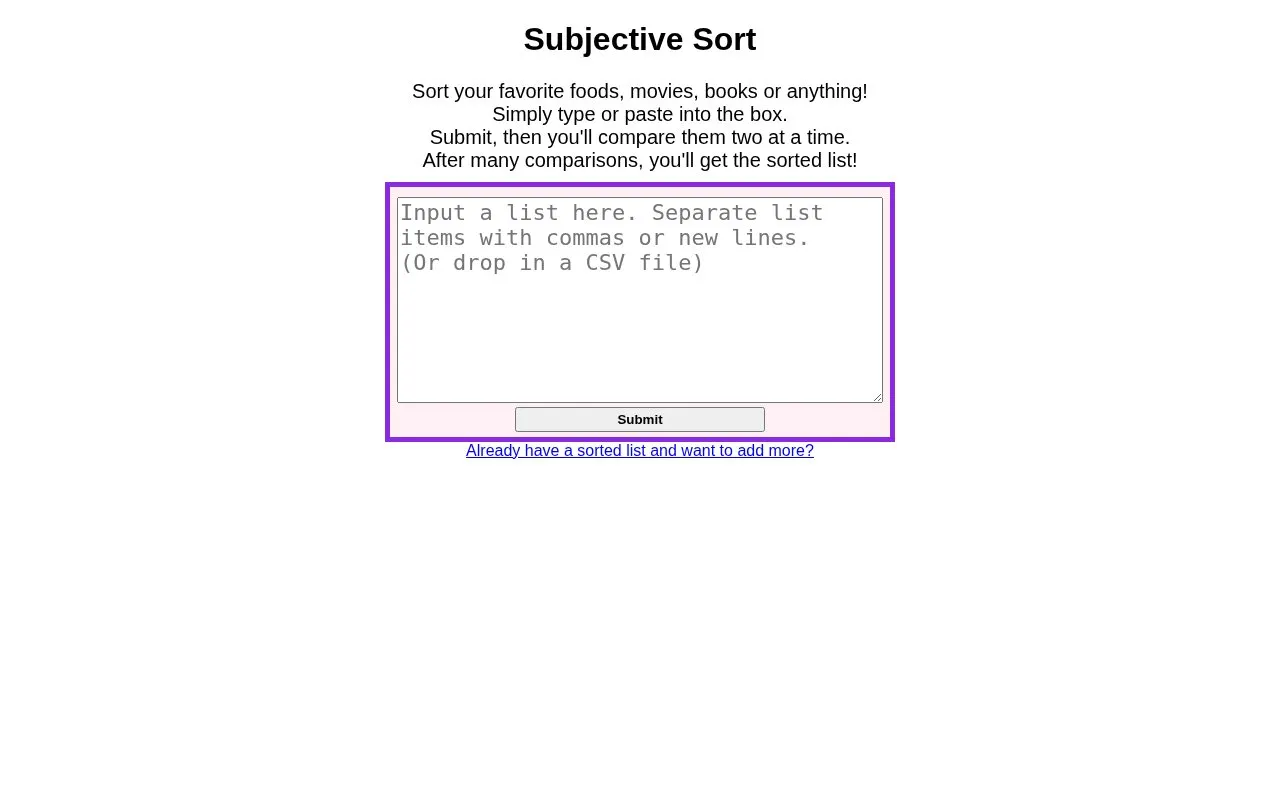
SubjectiveSort ranks a user-provided list through repeated one-to-one comparisons. Users type or paste items into a box, submit them, then compare items two at a time, and after many comparisons receive a sorted list. Results can be viewed in descending or ascending order and downloaded as CSV, with options to add items to an existing sorted list or restart with a new list.
Key features
- Type or paste items into input box
- Compare list items two at a time
- Add new items to existing sorted list
- Restart sorting with a new list
- View results in descending or ascending order
- Download sorted results as CSV
Best for: People who want to rank foods, movies, books, or other personal lists by pairwise comparison.
Good for
- Accepts typed or pasted lists
- Supports adding to an already sorted list
- Provides results as a CSV download
Watch out for
- Requires many two-at-a-time comparisons to produce a result
SubjectiveSort at a glance
- Category
- Software & Utilities › Text Editors
- Type
- Website
- Pricing
- Not confirmed. Check the site
- Platforms
- Web
- Open source
- Not stated
- Language
- English
- Last checked
- Oct 5, 2026 · Online when checked
- Listed
- Oct 5, 2026
Guides for Text Editors

Popular in Text Editors
Well-known listings from the same topic.
Google Docsgoogle.com/docs/aboutProton Docsproton.me/drive/docsVertex42vertex42.comdDocsdocs.fileverse.ioNotepad++notepad-plus-plus.orgLibreOfficelibreoffice.org


SubjectiveSort FAQ
How does SubjectiveSort sort a list?
Type or paste items into the box, submit, then compare items two at a time until the sorted list appears.
Can I save the sorted list?
Yes, results can be downloaded as CSV.
Can I add items to a list I already sorted?
The page includes an option for adding more items to an already sorted list.
Is something wrong or out of date?
Tell us and an editor will check it.
Own this website?
Claim this listing
Claim the listing and suggest updates yourself. An editor checks every claim first.