Convert PNG and JPG images into SVG graphics with SVGFast, which offers unlimited conversions and a beta API.
Tom's Editor
Tom's Editor offers browser-based image editing and conversion for 500 image formats.
About Tom's Editor
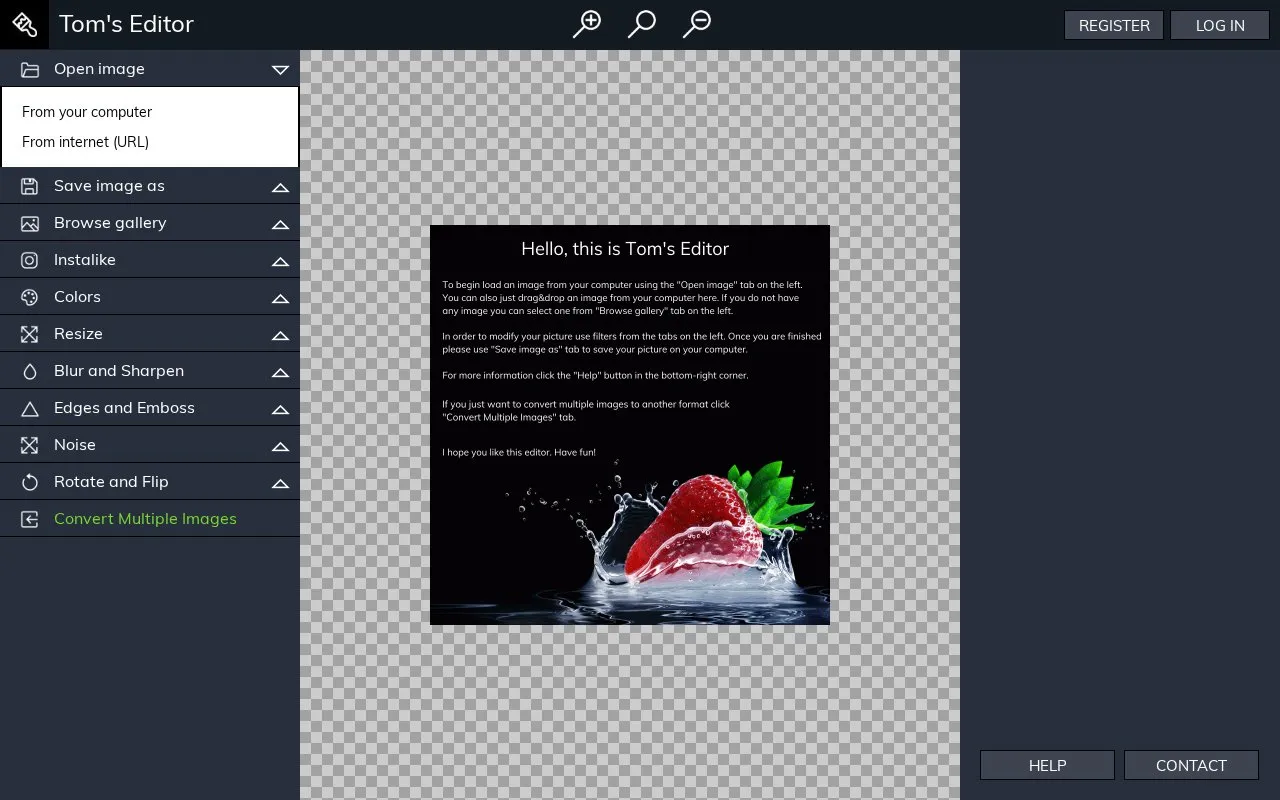
Tom's Editor is a browser-based image editor and converter that can open images in almost 500 formats. It provides editing tools such as resize and canvas changes, blur, sharpen, noise removal, rotate and flip, color adjustments including sepia, grayscale, negate, contrast, brightness and gamma, and a set of filters inspired by Instagram. Images can be opened from a computer or from a URL and saved in formats including BMP, JPG, PNG, GIF, DDS, PCX, TGA, FLIF, WEBP, PSD, PDF, PNM and SVG. A gallery of Pixabay images licensed under CC0 is available to open directly. The site uses cookies to display ads and gather statistical data, and it is supported by ads; no company or sponsor is behind it. Account registration and login options are present.
Key features
- Open images from a computer or from a URL
- Save to formats including BMP, JPG, PNG, GIF, WEBP, PSD, PDF and SVG
- Resize, change resolution, and change canvas size
- Blur, smart blur, despeckle, sharpen and unsharp mask
- Color tools: sepia, grayscale, negate, contrast, gamma, brightness
- Rotate, flip, mirror and kaleidoscope transforms
Best for: Anyone who needs to convert or make basic edits to images in a wide range of formats directly in a web browser.
Good for
- Opens images in almost 500 different formats
- Includes both editing tools and format conversion
- Gallery images from Pixabay are CC0 and usable for commercial purposes
Watch out for
- Cookies are used to display ads and gather statistical data
- The service relies on advertising to pay for its server and stay maintained
Tom's Editor at a glance
- Website
- tomseditor.com/editor
- Category
- Design & Creative › Image Creation & Editing
- Type
- Online tool
- Pricing
- Not confirmed. Check the site
- Platforms
- Web
- Open source
- Not stated
- Language
- English
- Last checked
- Oct 6, 2026 · Online when checked
- Listed
- Oct 5, 2026
Tom's Editor alternatives
Tools and sites you could use instead, ranked by how closely they match.

This browser-based batch image processor converts formats, compresses images, adds watermarks, resizes, rotates, crops, and renames files.

This is the source repository for Inkscape, a free, open-source vector graphics editor for Windows, macOS and Linux that uses SVG as its main file format.
FreeOpen source
24 alternatives
Ezgif edits animated GIFs and images and can create, convert, crop, resize, reverse, and optimize GIF, WebP, and APNG files.

Convert, compress and resize images in a browser with UpperPix's collection of online tools.

Create, edit, and export SVG graphics as SVG or PNG with this browser-based vector editor.
Popular in Image Creation & Editing
Well-known listings from the same topic.
Canvacanva.comGIMPgimp.orgGreenScreenMemesgreenscreenmemes.comMeme Townmeme.townKRESKA.artkreska.artPixelartVillagepixelartvillage.com


Tom's Editor FAQ
Which formats can I save an image as?
Options include BMP, JPG, PNG, GIF, DDS, PCX, TGA, FLIF, WEBP, PSD, PDF, PNM and SVG.
Where can I open images from?
From your computer or from an internet URL. A gallery of Pixabay images can also be browsed and opened.
Does Tom's Editor use cookies?
Yes. Cookies are used to display ads and gather statistical data, and they can be disabled in your browser's configuration.
Is something wrong or out of date?
Tell us and an editor will check it.
Own this website?
Claim this listing
Claim the listing and suggest updates yourself. An editor checks every claim first.