
Tray Support
Syncthing Tray adds a tray icon and platform integration for Syncthing, with support focused on Linux, Windows, and Android.
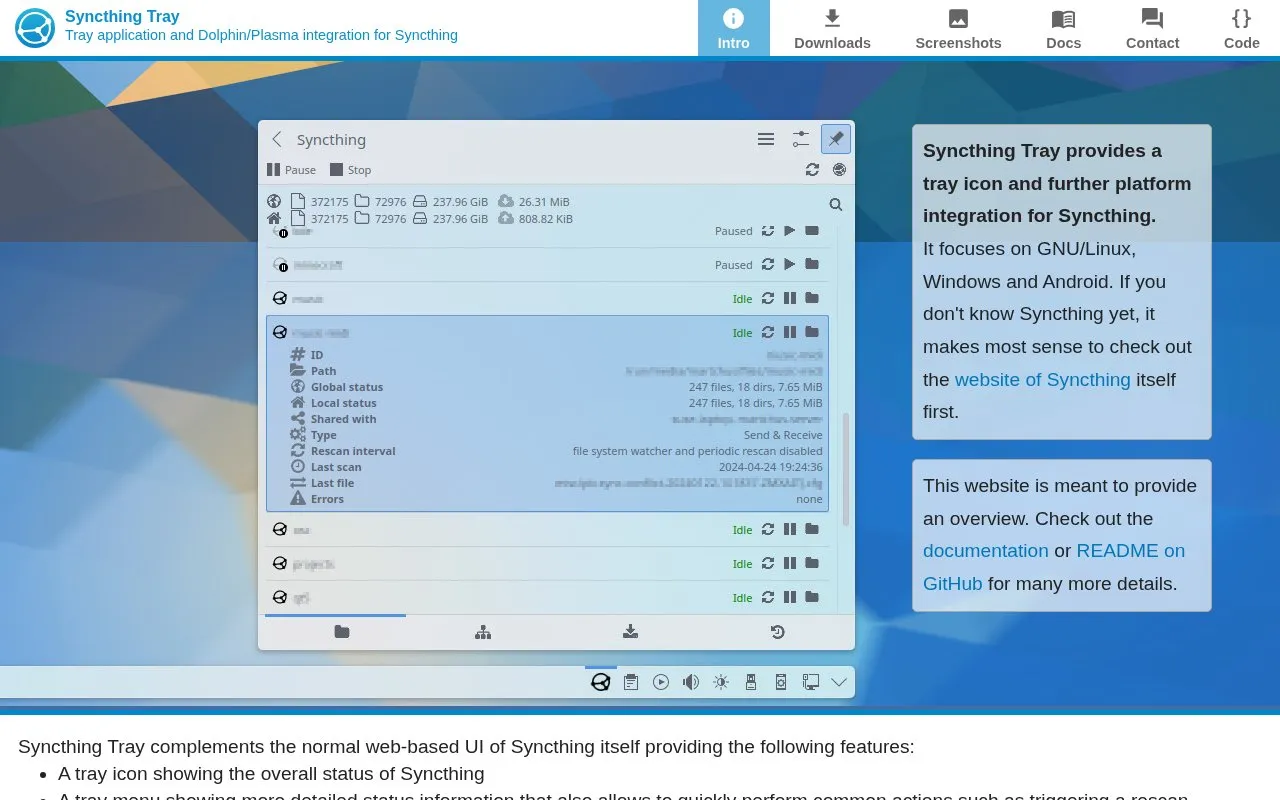
About Tray Support
Syncthing Tray provides a tray icon and platform integration for Syncthing, focusing on GNU/Linux, Windows and Android. It complements Syncthing's normal web-based UI with status display, quick actions such as triggering a rescan, suspension on metered connections, and a launcher. Generic Linux builds require glibc>=2.26, OpenGL and libX11 and do not include the Plasma applet, Dolphin integration, or built-in web view. Windows downloads require Windows 10 version 1809 or newer, and Windows on ARM builds are largely untested.
Key features
- Tray icon showing overall Syncthing status
- Tray menu with detailed status and rescan actions
- Quick access to Syncthing web-based UI
- Suspend sync when network connection is metered
- Launcher for Syncthing to avoid console window on Windows
- Dolphin file manager context menu for folder status
Best for: People who use Syncthing on Linux, Windows, or Android and want tray status and quick actions.
Good for
- Works alongside Syncthing's normal web-based UI
- Provides distribution-specific packages for Arch Linux, openSUSE and Fedora
- Official downloads are signed with a published GPG key, except OBS-hosted files
Watch out for
- Generic GNU/Linux downloads exclude Plasma applet and Dolphin integration
- Generic GNU/Linux downloads lack built-in web view and need Chromium app mode
- Windows on ARM builds are largely untested and crash in certain cases
Tray Support at a glance
- Category
- Software & Utilities › File Utilities
- Type
- Website
- Pricing
- Not confirmed. Check the site
- Platforms
- Android, Linux, Web, Windows
- Open source
- Not stated
- Last checked
- Oct 5, 2026 · Online when checked
- Listed
- Oct 5, 2026
Guides for File Utilities
Popular in File Utilities
Well-known listings from the same topic.
SDeletelearn.microsoft.com/en-us/sysinternals/downloa…PowerRenamelearn.microsoft.com/en-us/windows/powertoys/po…robocopylearn.microsoft.com/windows-server/administrat…VERTvert.shNanaZipnanazip.orgPhotonphotondev.netlify.app


Tray Support FAQ
What Windows versions are supported?
The oldest supported version is Windows 10, version 1809.
What is required for the generic GNU/Linux builds?
They require glibc>=2.26, OpenGL and libX11. On Debian/Ubuntu the packages libglx0, libopengl0 and libegl1 need to be installed.
Why does Windows block the file?
Windows SmartScreen will likely block execution with a "Windows protected your PC" message; right-click the executable, select properties and tick the checkbox to allow execution.
Is something wrong or out of date?
Tell us and an editor will check it.
Own this website?
Claim this listing
Claim the listing and suggest updates yourself. An editor checks every claim first.