

Unrar online
Unrar Online extracts files from RAR archives through a browser-based service.
About Unrar online
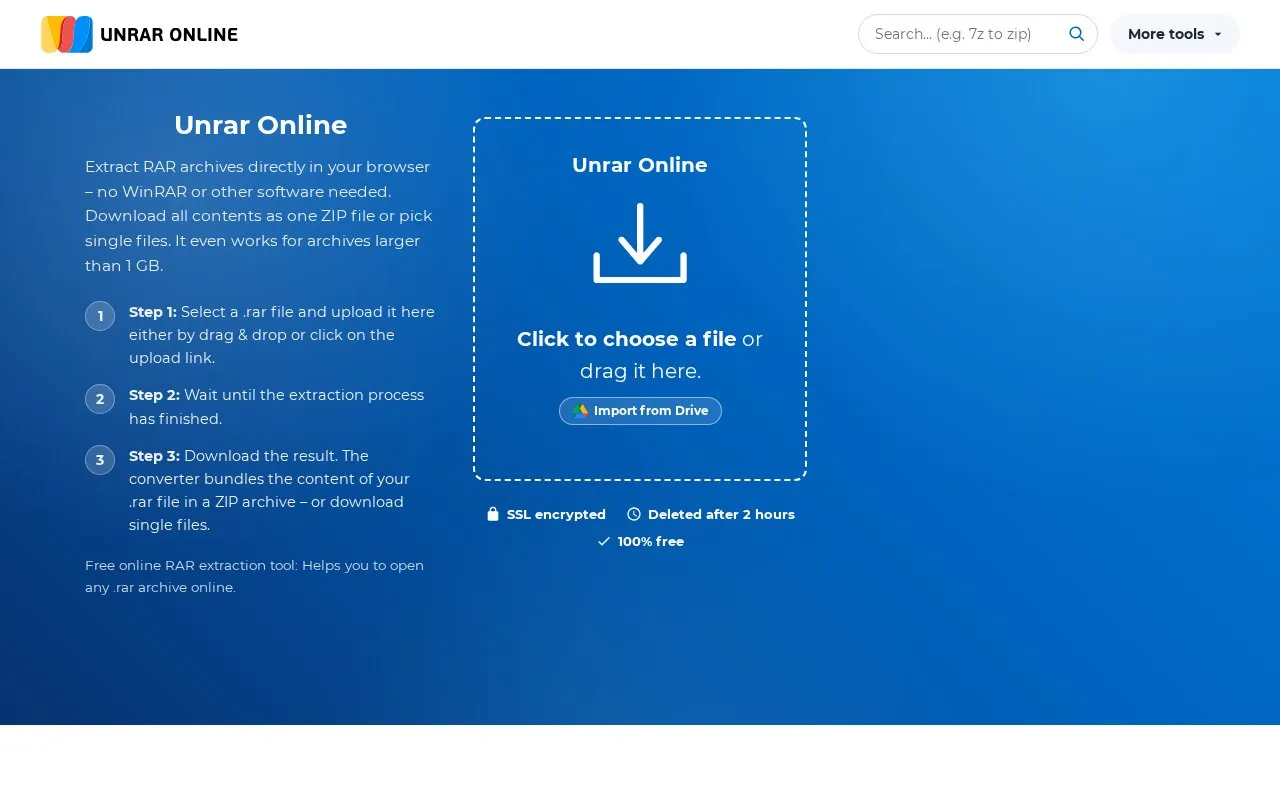
Unrar Online extracts RAR archives in a web browser without installed archiving software. Users upload a .rar file by drag and drop or file selection, then download the contents as one ZIP file or as individual files. It supports archives larger than 1 GB and password-protected RAR5 and RAR4 archives, including those with encrypted file names.
The service is free and does not require sign-up. Uploaded files are sent to a remote server for temporary processing. The site states transfers use SSL encryption and files are deleted automatically after two hours, with an option to delete them sooner.
Key features
- Extract RAR archives directly in the browser
- Download all extracted contents as one ZIP file
- Download individual files from an archive separately
- Handle archives larger than 1 GB
- Extract password-protected RAR5 and RAR4 archives
- Delete uploaded files manually with Delete all button
Best for: People who occasionally need to open RAR files without installing archiving software.
Good for
- Free to use with no sign-up required
- Supports archives larger than 1 GB and password-protected RAR4 and RAR5 files
- Files are deleted after two hours with SSL-encrypted transfers and manual delete option
Watch out for
- Requires uploading archive contents to a remote server for processing
Unrar online at a glance
- Website
- unrar.online
- Category
- Software & Utilities › File Utilities
- Type
- Website
- Pricing
- Free
- Platforms
- Web
- Open source
- Not stated
- Language
- English
- Last checked
- Oct 5, 2026 · Online when checked
- Listed
- Oct 5, 2026
Guides for File Utilities
Unrar online alternatives
Tools and sites you could use instead, ranked by how closely they match.

unzip-online extracts ZIP and RAR archives through a web service, without requiring WinZip or WinRAR installation.
Free
7 alternatives7-Zip is a free file archiver for creating and extracting archives, with a Windows app and command-line versions for Linux and macOS.
FreeOpen source
11 alternatives
File Roller is GNOME's archive manager for opening, extracting and creating archives. Available formats depend on installed archive support.
FreeOpen source
16 alternatives
Ark is KDE's archive manager, integrated with the KDE desktop and Dolphin for browsing, extracting and creating supported archives. Creation options depend on the installed format support.
FreeOpen source
19 alternativesPopular in File Utilities
Well-known listings from the same topic.
SDeletelearn.microsoft.com/en-us/sysinternals/downloa…PowerRenamelearn.microsoft.com/en-us/windows/powertoys/po…robocopylearn.microsoft.com/windows-server/administrat…VERTvert.shNanaZipnanazip.orgPhotonphotondev.netlify.app


Unrar online FAQ
How do I open a RAR file online?
Click the upload box or drag the .rar file onto it. The archive is extracted automatically and contents appear in a file browser for download as single files or as one ZIP file.
Can I extract password-protected RAR files?
Yes. If the archive is encrypted, a password prompt appears. Enter the password to extract the files, and try again if the password is wrong.
Can I convert RAR to ZIP?
Yes. After extraction, use the “Download all as ZIP” button to get all contents of the RAR archive as one ZIP file.
Is something wrong or out of date?
Tell us and an editor will check it.
Own this website?
Claim this listing
Claim the listing and suggest updates yourself. An editor checks every claim first.