
TailBlend blends uploaded images using selectable blend modes, color settings, crop controls, and image export options.
Vervette
Paint with fluid dynamics in Vervette, a browser sandbox with brush settings and animation controls.
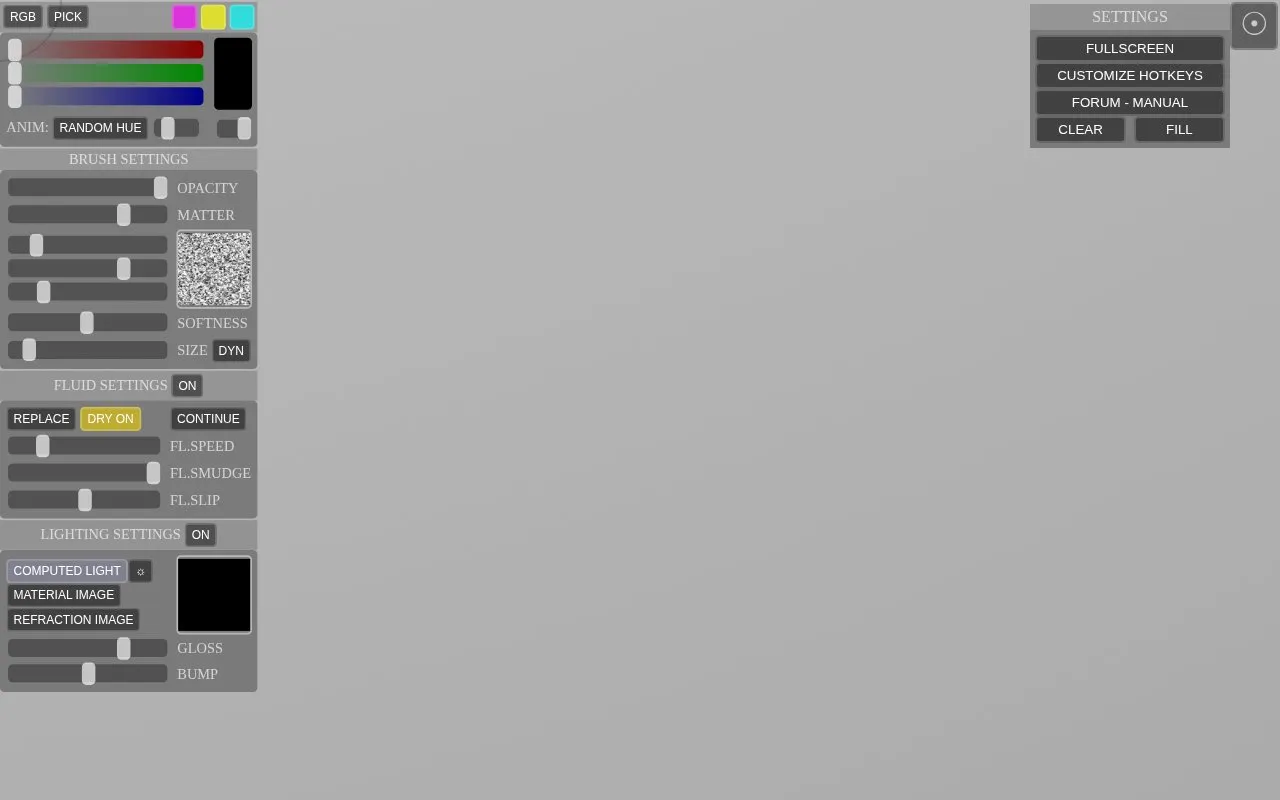
About Vervette
Vervette is a browser-based painting sandbox that uses fluid dynamics to simulate how paint moves on the canvas. Users can adjust brush opacity, matter, softness, size, and dynamics, along with fluid speed, smudge, and slip settings. Lighting controls, five paint modes, and an animated random hue option are also listed. Finished images can be saved as PNG or JPG files.
The homepage describes Vervette as an online version of Verve Painter by Taron, and the page describes the project as still in development. The source does not state pricing, platform limits beyond web browsers, or whether the software is open source. Pricing is listed as unknown.
Key features
- Fluid simulation brush with flow speed, smudge, and slip controls
- Brush settings for opacity, matter, softness, size, and dynamics
- Lighting settings including computed light, bump, distance, and refraction image
- Paint modes: replace, add, multiply, overlay, and colorize
- Customizable keyboard hotkeys for brush, color, fluid, and view actions
- Export of finished artwork as PNG or JPG files
Best for: People who want to experiment with fluid-based digital painting directly in a web browser.
Good for
- Fluid simulation with adjustable flow, smudge, and slip controls
- Keyboard hotkeys can be customized for many brush and view actions
- Finished work can be saved as PNG or JPG files
Watch out for
- The homepage describes this online version as still in development
Vervette at a glance
- Website
- taron.de/Vervette/sandbox
- Category
- Design & Creative › Image Creation & Editing
- Type
- Website
- Pricing
- Not confirmed. Check the site
- Platforms
- Web
- Open source
- Not stated
- Language
- English
- Last checked
- Oct 6, 2026 · Online when checked
- Listed
- Oct 5, 2026
Vervette alternatives
Tools and sites you could use instead, ranked by how closely they match.

Krita is a free, open-source painting app with brushes, layers and animation tools. It runs on Windows, macOS and Linux, with an Android version for tablets.
FreeOpen source
9 alternativesSmoothDraw is Windows drawing software with brushes, retouching tools, and layers for painting and editing pictures.

Paint online with Kleki using natural brushes and layers, or import, edit, and save images.

An open-source bitmap painting application for pixel art, indexed palettes and animation work.
FreeOpen source
10 alternativesPopular in Image Creation & Editing
Well-known listings from the same topic.
Canvacanva.comGIMPgimp.orgGreenScreenMemesgreenscreenmemes.comMeme Townmeme.townKRESKA.artkreska.artPixelartVillagepixelartvillage.com


Vervette FAQ
Can I change the keyboard shortcuts?
Yes. The homepage includes a hotkey customization section where brush size, colors, fluid controls, and paint modes can each be assigned a hotkey.
What file formats can I save my artwork in?
The homepage lists two save options: PNG and JPG.
Is something wrong or out of date?
Tell us and an editor will check it.
Own this website?
Claim this listing
Claim the listing and suggest updates yourself. An editor checks every claim first.