

VideoSmaller
Reduce video file sizes online with a free converter that supports MP4, AVI, MOV and MPEG formats.
About VideoSmaller
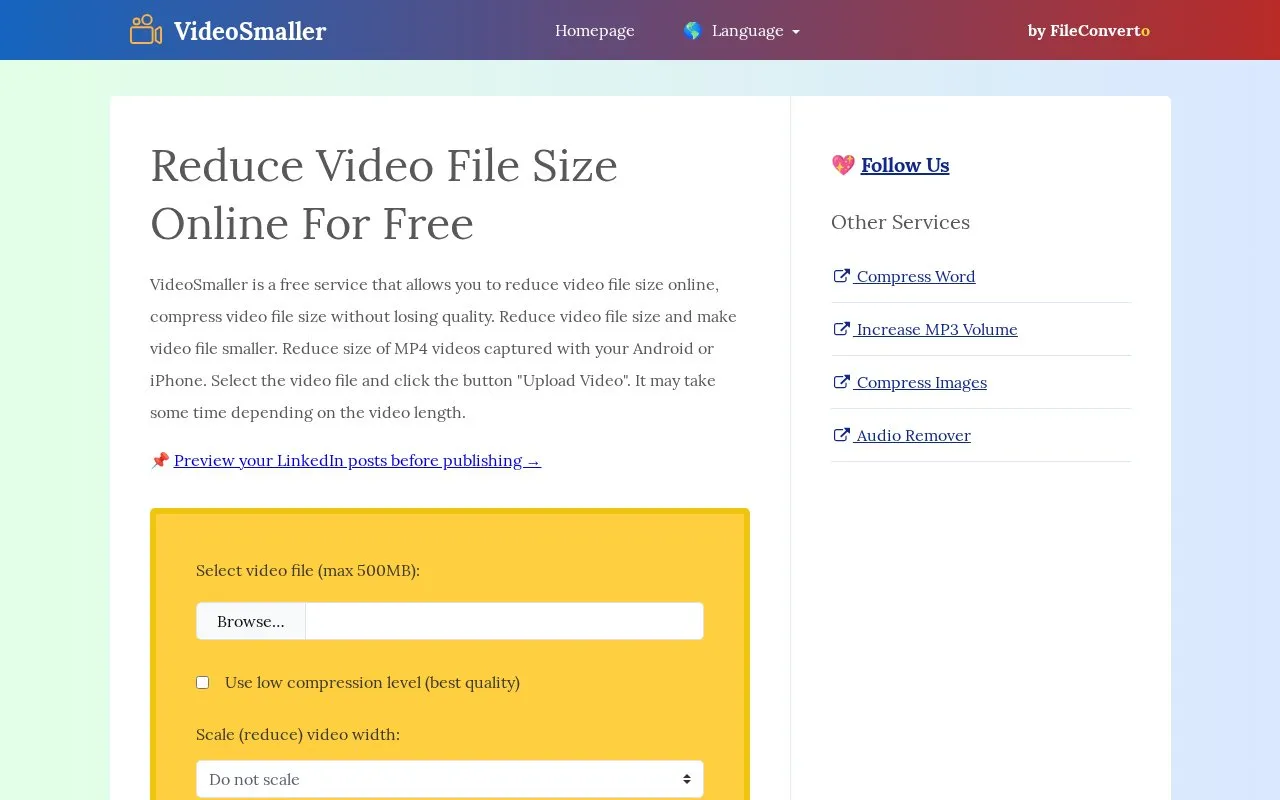
VideoSmaller is a free web-based tool for reducing the file size of video files. You select a video in MP4, AVI, MOV or MPEG format, upload it, wait for processing, and then download the compressed file from a link. The homepage lists common reasons to shrink a video, such as saving storage space, meeting upload limits on forums or web forms, sending files by email or messaging apps, and improving page load times when a video is embedded on a website.
The service has several limits. Uploads are capped at 500 MB. The browser must stay open until processing finishes, and processing time depends on the size of the original file. Uploaded files are stored on the service's servers and are stated to be removed automatically after 3 hours. The homepage says files cannot be recovered after deletion. The site describes its connection as HTTPS, but this does not guarantee the security or privacy of uploaded content.
Key features
- Compresses MP4, AVI, MOV and MPEG video files through a browser
- Option to remove audio from the video to reduce file size
- Option to reduce video width, for example from 4K to 1920
- Automatically selects compression settings for each uploaded video
- Accepts video uploads of up to 500 MB
- Compresses MP4 videos recorded on Android or iPhone devices
Best for: People who need to make a single video smaller for email, messaging, a forum or a web form and do not want to install software.
Good for
- Free to use according to the homepage, with no installation needed
- Offers audio removal and width reduction, which can make files smaller
- States that uploaded files are removed automatically after 3 hours
Watch out for
- Uploads are limited to 500 MB per file
- The browser must stay open until compression finishes
- Uploaded files are sent to the service's servers
VideoSmaller at a glance
- Website
- videosmaller.com
- Category
- Design & Creative › Video Editing & Animation
- Type
- Website
- Pricing
- Not confirmed. Check the site
- Platforms
- Android, iOS, Web
- Open source
- Not stated
- Language
- English
- Last checked
- Oct 6, 2026 · Online when checked
- Listed
- Oct 5, 2026
Guides for Video Editing & Animation

VideoSmaller alternatives
Tools and sites you could use instead, ranked by how closely they match.

Use Restream's free online video and audio tools, including a webcam test and format converter.
Free

HandBrake is a free, open-source video converter for Windows, macOS and Linux. It converts video files into commonly supported formats and codecs.
FreeOpen source
8 alternatives
Windows video and audio converter with a large format list, device presets, batch jobs and basic editing. Free.
Free
5 alternativesPopular in Video Editing & Animation
Well-known listings from the same topic.
Animakeranimaker.com8mb.video8mb.videoCuttrcuttr.inASM Lessonsgithub.com/FFmpeg/asm-lessonsVideo Cuttervideo-cutter-js.comMotionPlacesmotionplaces.com


VideoSmaller FAQ
What is the maximum file size I can upload?
The homepage states that video uploads of up to 500 MB are accepted.
What happens to my video after it is compressed?
The homepage states that uploaded files are automatically removed from the servers after 3 hours and cannot be recovered after deletion.
Do I need to keep the browser open during compression?
Yes. The homepage advises keeping the web browser open while the video is being compressed, although other tasks can be done in the meantime.
Is something wrong or out of date?
Tell us and an editor will check it.
Own this website?
Claim this listing
Claim the listing and suggest updates yourself. An editor checks every claim first.