

wide.video
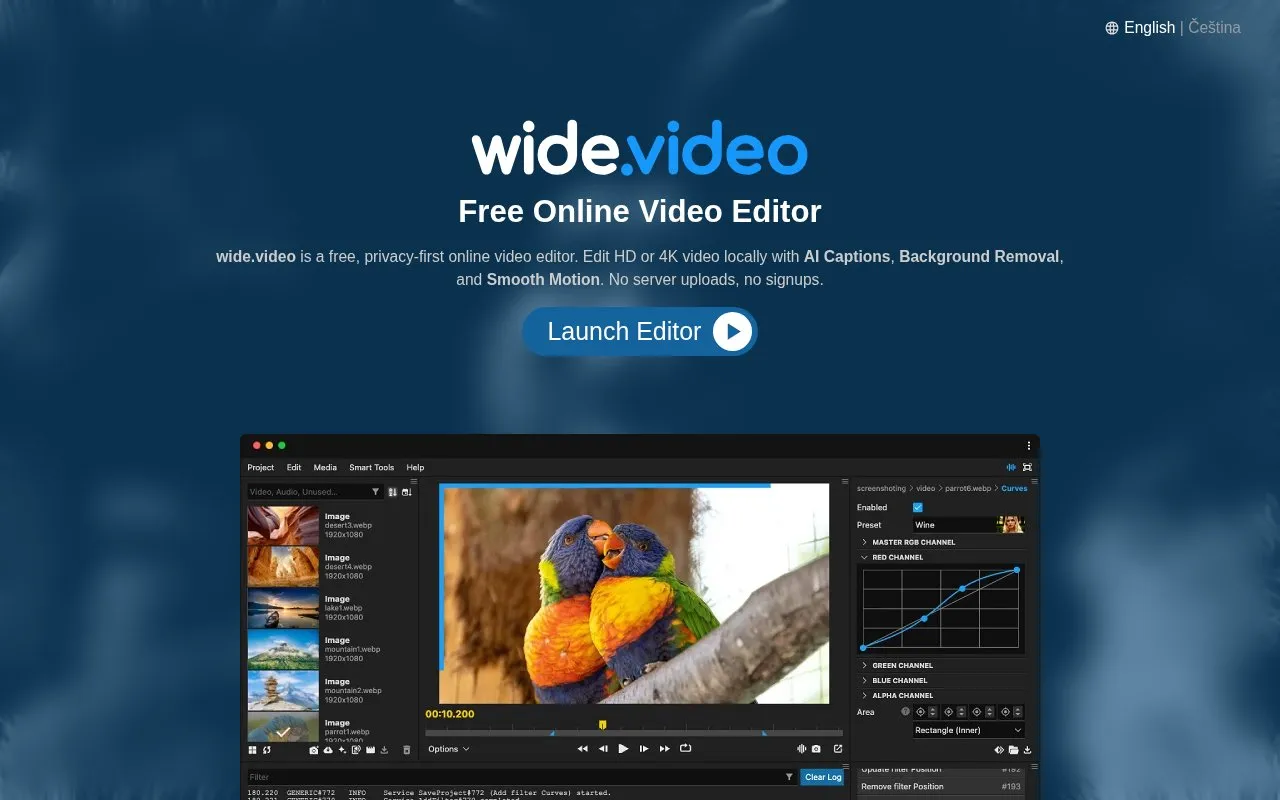
wide.video edits HD and 4K video locally in the browser, with AI captions, background removal, and smooth-motion tools listed on its site.
About wide.video
wide.video is a free, browser-based online video editor for editing HD and 4K video. The homepage says it runs locally on the user's computer and works on Mac, PC, and Chromebook through a web browser. The directory also lists Android. The homepage describes the editor as having no server uploads and no signups, and it says media can be accessed from the user's file system without cloud server communication.
The editor includes AI Captions, Background Removal, and Smooth Motion, along with tools for stabilization, noise reduction, silence removal, multicam synchronization, and text-based editing. The homepage describes the AI tools as local. It does not say which features are available in every case, and the pricing status is not confirmed.
Key features
- Edits HD and 4K video locally in the browser
- AI Captions, Background Removal, and Smooth Motion tools
- Layered timeline for graphics, background videos, and audio tracks
- Project settings for Full HD, 4K, portrait, landscape, or square; 60 or 120 FPS
- Search for royalty-free stock videos, images, and motion graphics
- Video stabilizer, noise reduction, silence remover, and multicam synchronization
Best for: People who want to edit HD or 4K video in a web browser without installing software or creating an account.
Good for
- Media is accessed from the local file system, and the homepage says no server uploads are needed
- The homepage states there are no signups, logins, or passwords required
- The homepage describes the service as free, without paywalls or ads
wide.video at a glance
- Website
- wide.video
- Category
- Design & Creative › Video Editing & Animation
- Type
- Online tool
- Pricing
- Not confirmed. Check the site
- Platforms
- Android, Web
- Open source
- Not stated
- Language
- English
- Last checked
- Oct 6, 2026 · Online when checked
- Listed
- Oct 5, 2026
Guides for Video Editing & Animation

wide.video alternatives
Tools and sites you could use instead, ranked by how closely they match.

For web and video, Friction supports vector and raster animation through its motion graphics application.

Create 2D and 3D motion graphics and visual effects with Autograph, which is available for free.

MKVToolNix provides tools for creating and working with Matroska files, with source and release information on Codeberg.

Convert video, audio and image files online with this web-based media converter built around FFmpeg.

LosslessCut edits video and audio without re-encoding, with the project source available on GitHub.
Open source
24 alternatives
Pikimov offers free browser-based motion design and video editing, processes files locally, and supports projects up to 4K resolution.
Popular in Video Editing & Animation
Well-known listings from the same topic.
Animakeranimaker.com8mb.video8mb.videoCuttrcuttr.inASM Lessonsgithub.com/FFmpeg/asm-lessonsVideo Cuttervideo-cutter-js.comMotionPlacesmotionplaces.com


wide.video FAQ
Does wide.video upload my video files to a server?
The homepage says the editor runs locally and does not require server uploads. It does not describe how the stock media search or other online resources handle data.
Do I need to create an account to use it?
The homepage says no signup, login, or password is required.
Is something wrong or out of date?
Tell us and an editor will check it.
Own this website?
Claim this listing
Claim the listing and suggest updates yourself. An editor checks every claim first.