

Ffmpeg
Convert video, audio and image files online with this web-based media converter built around FFmpeg.
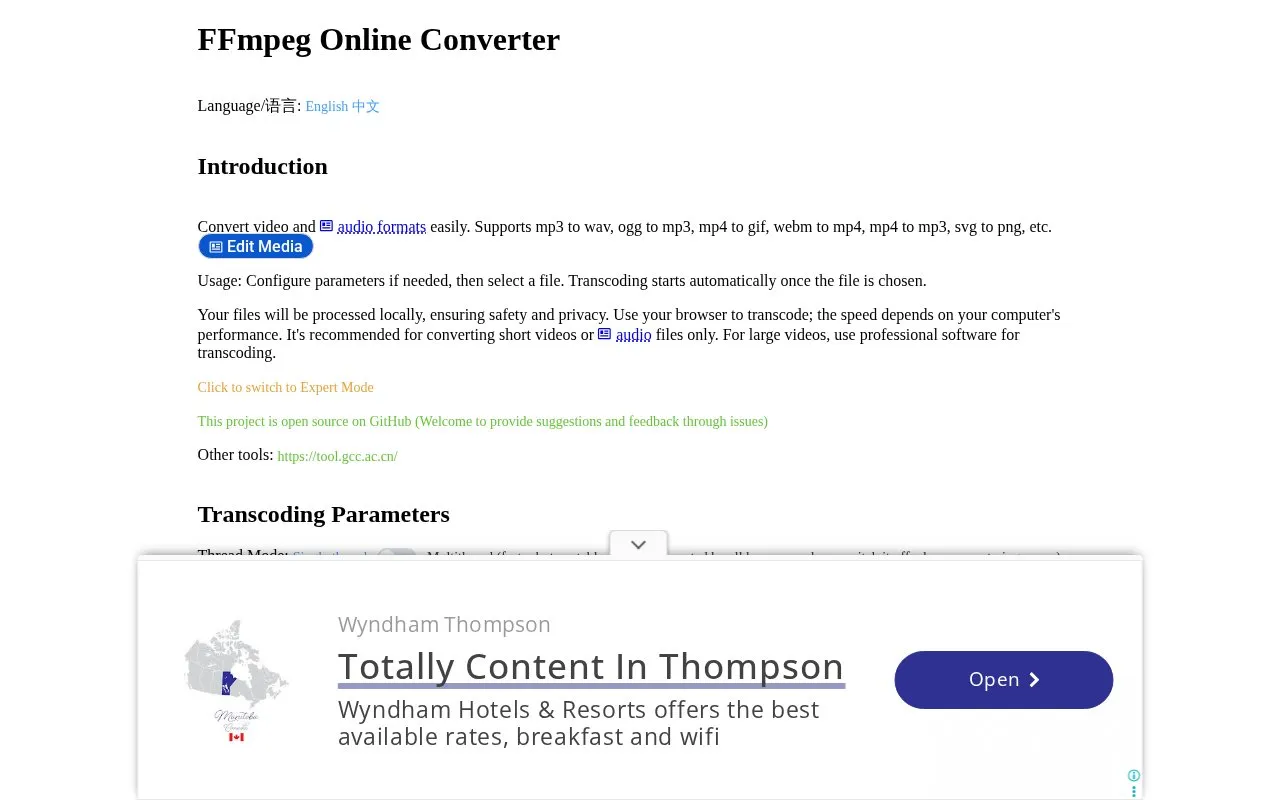
About Ffmpeg
FFmpeg Online Converter is a web-based media converter that runs FFmpeg in the browser via WebAssembly. Users configure transcoding parameters and an output filename, then select a file to start conversion automatically. It supports video, audio, and image conversions such as mp4 to gif, webm to mp4, mp4 to mp3, mp3 to wav, ogg to mp3, and svg to png.
The site states files are processed locally without upload to a server, and conversion speed depends on the computer. It is recommended for short videos or audio files only, and the site advises using professional software for large videos.
Key features
- Converts video, audio, and image files using browser-based FFmpeg
- Supports conversions such as mp4 to gif and webm to mp4
- Supports conversions such as mp3 to wav and svg to png
- Sets output format through output filename extension
- Adjustable video bitrate, audio bitrate, and thread mode
- Offers Expert Mode for additional transcoding parameters
Best for: People converting short video, audio, or image files who want processing to stay on their device.
Good for
- Processes files locally in the browser without server upload, according to the site
- Starts transcoding automatically once a file is selected
- Output format is set by the output filename extension
Watch out for
- Recommended for short videos or audio files only
- Conversion speed depends on the computer's performance
- Large videos require professional software instead
Ffmpeg at a glance
- Website
- ffmpeg.gcc.ac.cn
- Category
- Design & Creative › Video Editing & Animation
- Type
- Online tool
- Pricing
- Not confirmed. Check the site
- Platforms
- Web
- Open source
- Not stated
- Language
- English
- Last checked
- Oct 5, 2026 · Online when checked
- Listed
- Oct 5, 2026
Guides for Video Editing & Animation

Ffmpeg alternatives
Tools and sites you could use instead, ranked by how closely they match.

Convert video and audio files with ffmpeg-web, a web and desktop interface for FFmpeg.

MKVToolNix provides tools for creating and working with Matroska files, with source and release information on Codeberg.

wide.video edits HD and 4K video locally in the browser, with AI captions, background removal, and smooth-motion tools listed on its site.

For web and video, Friction supports vector and raster animation through its motion graphics application.

Create 2D and 3D motion graphics and visual effects with Autograph, which is available for free.

CorridorKey Runtime provides an AI keying runtime and OFX plugin for DaVinci Resolve.
Popular in Video Editing & Animation
Well-known listings from the same topic.
Animakeranimaker.com8mb.video8mb.videoASM Lessonsgithub.com/FFmpeg/asm-lessonsCuttrcuttr.inVideo Cuttervideo-cutter-js.comFreeMoCapfreemocap.org


Ffmpeg FAQ
How to convert MP4 to GIF without uploading?
Enter "output.gif" as Output Filename, then select an MP4 file. Conversion starts automatically in the browser and the GIF is saved to the device by download.
How to extract audio from video?
Enter "output.mp3" as Output Filename, then select a video file. Conversion starts automatically in the browser and the MP3 is saved to the device by download.
Is something wrong or out of date?
Tell us and an editor will check it.
Own this website?
Claim this listing
Claim the listing and suggest updates yourself. An editor checks every claim first.