

Visual Studio Code
Visual Studio Code is Microsoft's free code editor for Windows, macOS and Linux, with debugging, version control and extensions. A browser version is also available.
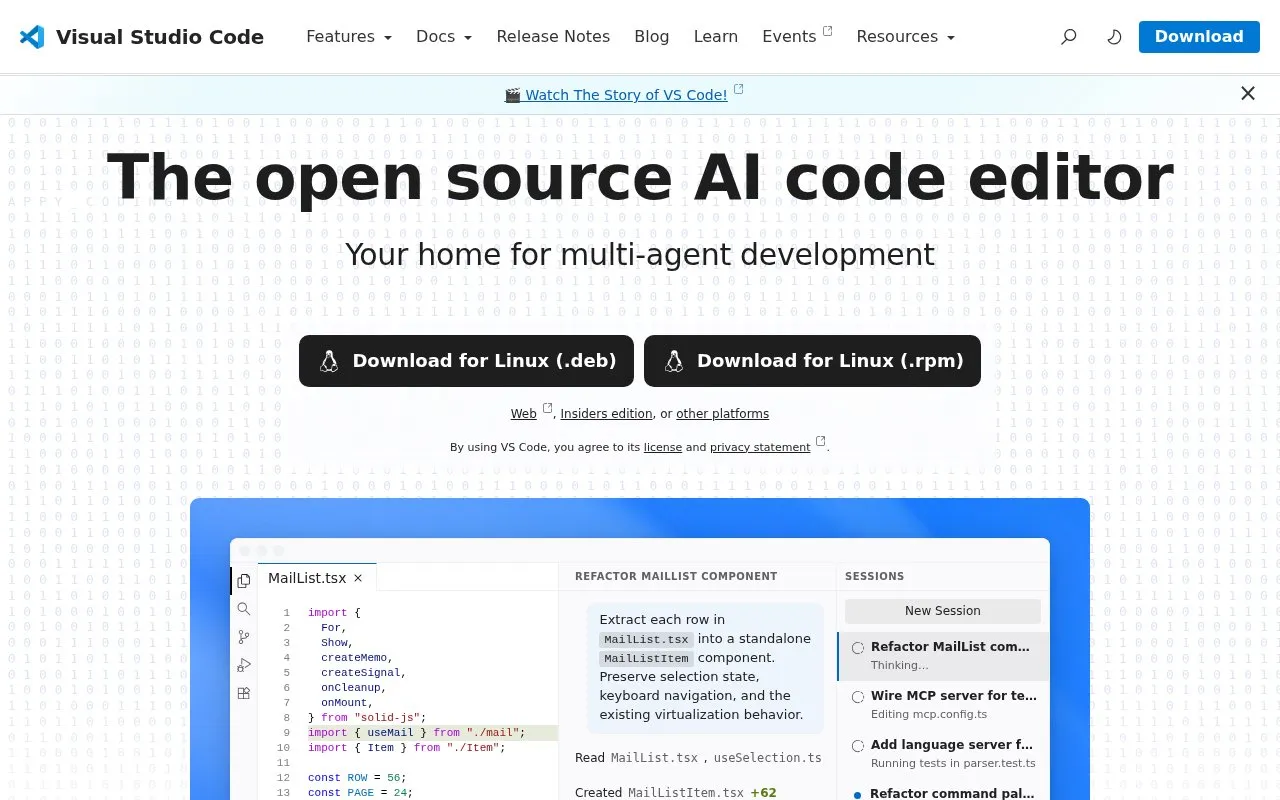
About Visual Studio Code
Visual Studio Code is Microsoft's free code editor for Windows, macOS and Linux, with a browser edition for working on supported projects without the desktop app. It includes debugging, version control integration and an extension library.
The Microsoft distribution and the Code - OSS source repository have different licenses. The official FAQ describes the product as built on open source because the distribution includes Microsoft-specific proprietary components. The core editor can be used without an account; optional AI services have their own access and plan requirements.
Key features
- Code editing and debugging
- Version control integration
- Extensions and a browser edition
Best for: Developers who want an extensible editor with desktop and browser options.
Good for
- Free core editor
- Desktop editions for Windows, macOS and Linux
Watch out for
- The Microsoft distribution uses a different license from Code - OSS
- Optional AI services have separate plan and access requirements
Visual Studio Code at a glance
- Website
- code.visualstudio.com
- Category
- Software & Utilities › Text Editors
- Type
- App
- Pricing
- Free
- Platforms
- Linux, macOS, Web, Windows
- Details verified
- Oct 20, 2026 · Official source
- Open source
- Not stated
- Last checked
- Oct 7, 2026 · Online when checked
- Listed
- Oct 7, 2026
Guides for Text Editors

Visual Studio Code alternatives
Tools and sites you could use instead, ranked by how closely they match.

Edit code, markup, and prose with Sublime Text, which offers versions for Windows, Linux, and Mac.
Convert an image into a text version using Braille characters as one-bit pixels, with controls for dithering and brightness.
Visual Studio Code comparisons

Featured in
 8 sites


Best of
8 Best Free Git GUI Clients in 2026
I would start with GitHub Desktop for ordinary commits and pushes, then choose a deeper history tool when the project…
 8 sites


Best of
8 Best Free Code Editors for Web Projects and Quick Edits
I'd choose VS Code for a website project and Notepad++ for quick Windows edits. The best free code editors solve…
 8 sites


Best of
8 Best Free Markdown Editors for Articles and Notes
The best free Markdown editors let you write a document and hand someone an ordinary file afterward. I'd start with…
Popular in Text Editors
Well-known listings from the same topic.
Google Docsgoogle.com/docs/aboutProton Docsproton.me/drive/docsVertex42vertex42.comNotepad++notepad-plus-plus.orgLibreOfficelibreoffice.orgdDocsdocs.fileverse.io


Visual Studio Code FAQ
Is the Microsoft download identical to Code - OSS?
No. The official FAQ distinguishes the MIT-licensed source repository from the Microsoft distribution and its proprietary additions.
Do I need an account for the core editor?
No. The official FAQ says you can install VS Code and use its core editor without signing in.
Is something wrong or out of date?
Tell us and an editor will check it.
Own this website?
Claim this listing
Claim the listing and suggest updates yourself. An editor checks every claim first.