

ArchiveBox saves pages, bookmarks, feeds, social posts, media, and source code in durable formats through a self-hosted web archive.
Archivebox
ArchiveBox is self-hosted web archiving software that saves pages, browser history, bookmarks, PDFs, media, and related content.
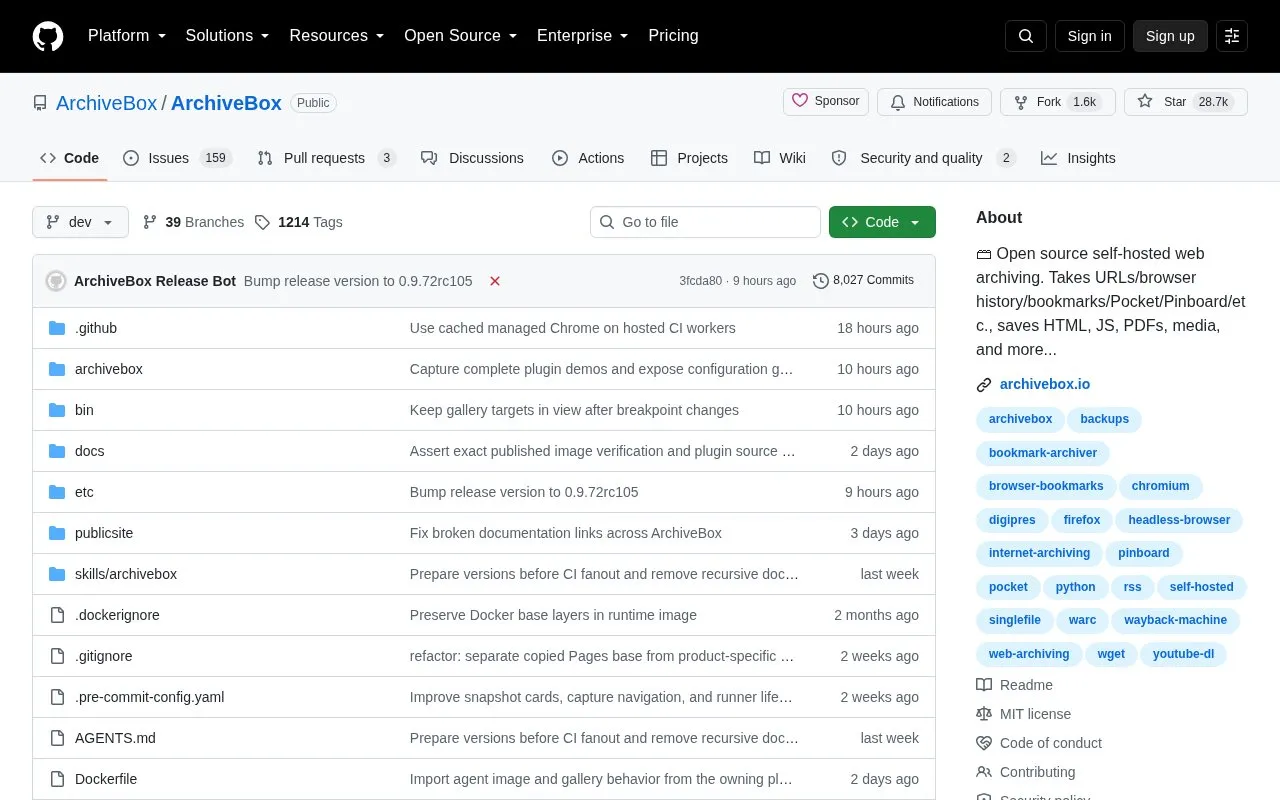
About Archivebox
ArchiveBox is open source, self-hosted web archiving software. It takes URLs one at a time, or scheduled imports from browser history, bookmarks, Pocket, Pinboard, social media feeds, RSS, and its browser extension. For each URL it saves snapshots in several formats, including HTML, PNG, PDF, TXT, JSON, WARC, and SQLite. It also detects content embedded in pages and extracts it into folders, such as media from YouTube and SoundCloud or repositories from GitHub and GitLab links.
It can run as a Docker web app for managing snapshots, or be used through a command line interface, a Python API, or the file system. The project states that it uses standard tools such as Chrome, wget, and yt-dlp. Installation is described through pip on Linux or macOS, or through Docker. The project states that it can archive both public and private web content while the user keeps control of the data.
Key features
- Imports single URLs, browser history, bookmarks, Pocket, and Pinboard links
- Schedules regular imports from bookmarks, history, social media feeds, or RSS
- Saves HTML, PNG screenshots, PDF, WARC, TXT, JSON, and SQLite output
- Extracts YouTube and SoundCloud media as MP3 or MP4 files with metadata
- Clones Git source code from GitHub and GitLab links
- Offers a CLI, REST API, webhooks, and Python API for integrations
Best for: Individuals and organizations that want to keep self-hosted copies of web content, such as research papers, bookmarks, or evidence, in open file formats.
Good for
- Saves content in standard formats such as HTML, PDF, JSON, and SQLite that other programs can read.
- Stores data in ordinary files and folders, so the data can be read without running ArchiveBox.
- Can be used through a web interface, CLI, Python API, or directly from the file system.
Watch out for
- Must be installed and hosted by the user, with setup through Docker or pip.
- Pip installation is listed for Linux and macOS only, and Docker is listed for Linux and macOS.
- Depends on external tools such as Chrome, wget, and yt-dlp.
Archivebox at a glance
- Category
- Search & Reference › Web Archives
- Type
- Open-source project
- Pricing
- Not confirmed. Check the site
- Open source
- Yes · Source code
- Language
- English
- Last checked
- Oct 6, 2026 · Online when checked
- Listed
- Oct 5, 2026
Archivebox alternatives
Tools and sites you could use instead, ranked by how closely they match.

Scoop provides a browser-based library and command-line tool for high-fidelity archiving of individual webpages.
Open source
24 alternatives
This curated list helps readers get started with web archiving, with additional resources collected in the repository.
Open source
24 alternatives
WAIL provides a graphical interface for one-click, user-initiated web preservation through multiple archiving tools.
Open source
24 alternatives
ArchiveWeb.page captures webpages interactively in a browser and lets users replay the resulting web archives with ReplayWeb.page.
WAIL provides a desktop interface for web archiving tools, including Heritrix for crawling and OpenWayback for replaying saved sites.
Popular in Web Archives
Well-known listings from the same topic.
Internet Archivearchive.orgWayback Machineweb.archive.orgHTTrackhttrack.comCachedViews.comcachedviews.comArchivematicaarchivematica.orgWebrecorderwebrecorder.net


Archivebox FAQ
How can content be added to ArchiveBox?
URLs can be added one at a time, or imported on a schedule from bookmarks, browser history, social media feeds, RSS, Pocket, Pinboard, and the browser extension.
Where is the saved data stored?
Data is stored in ordinary files and folders, and the project states that it is readable without running ArchiveBox.
How is ArchiveBox installed?
It can be installed with pip on Linux or macOS, or run with Docker. The project's quickstart shows Docker Compose and plain Docker commands.
Is something wrong or out of date?
Tell us and an editor will check it.
Own this website?
Claim this listing
Claim the listing and suggest updates yourself. An editor checks every claim first.