
Bulk Image Crop crops and resizes multiple images to different resolutions in a browser without uploading files or signing up.
AutoCropper
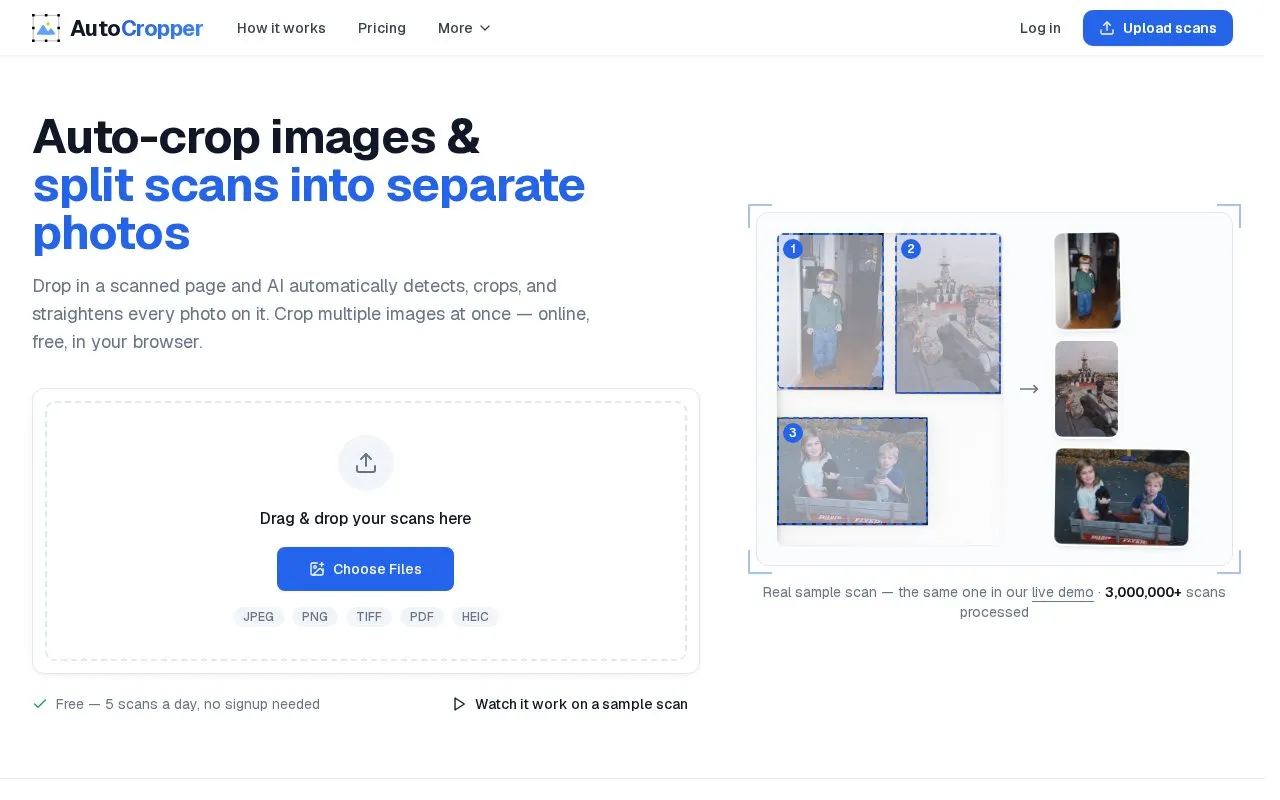
AutoCropper detects and crops multiple photos from a scan, with options to straighten and split the images online.
About AutoCropper
AutoCropper is a web-based tool for splitting scanned pages into separate photos. Users upload a scan, such as an album page, a pile of loose prints, or a binder page of cards. The tool detects each photo, draws a numbered box around it, and lets the user drag, resize, or rotate any box before export. Each photo is saved as its own file, named after the source page.
The site also includes tools for batch work. Users can place one crop on every image in a batch and keep those crops linked, save crop layouts as templates for later batches, and use a film strip mode for evenly spaced crops across negatives or photo booth strips. The site also states that it can encode metadata such as title, description, tags, and dates. The free tier allows 5 scans per day with no signup. The homepage does not state pricing details, and it does not say which features are limited to paid versions. Scans are uploaded to the site, so the homepage does not describe local-only processing.
Key features
- Detects and crops each photo on a scan automatically
- Straightens and rotates detected photos
- Exports each photo as a separate full-resolution file
- Accepts JPEG, PNG, TIFF, PDF, and HEIC uploads
- Syncs one crop layout across all images in a batch
- Film strip mode for evenly spaced crops on negatives
Best for: People digitizing batches of scanned photos, such as family album pages, loose prints, or trading card binder pages.
Good for
- Free tier with 5 scans per day and no signup
- Each detected photo is saved as its own file
- Detected boxes can be dragged, resized, or rotated before export
Watch out for
- The free tier is limited to 5 scans per day
- Scans are uploaded to the site for processing
AutoCropper at a glance
- Website
- autocropper.io
- Category
- Design & Creative › Image Creation & Editing
- Type
- Website
- Pricing
- Not confirmed. Check the site
- Platforms
- Web
- Open source
- Not stated
- Language
- English
- Last checked
- Oct 6, 2026 · Online when checked
- Listed
- Oct 5, 2026
AutoCropper alternatives
Tools and sites you could use instead, ranked by how closely they match.

Crop profile images for multiple sites with this small Avatar Cropper webpage.

TailBlend blends uploaded images using selectable blend modes, color settings, crop controls, and image export options.
Popular in Image Creation & Editing
Well-known listings from the same topic.
Canvacanva.comGIMPgimp.orgGreenScreenMemesgreenscreenmemes.comMeme Townmeme.townKRESKA.artkreska.artPixelartVillagepixelartvillage.com


AutoCropper FAQ
How many scans can be processed for free?
The homepage states 5 free scans per day, with no signup needed.
Which file types can be uploaded?
The homepage lists JPEG, PNG, TIFF, PDF, and HEIC.
How are crops handled across a batch of images with the same layout?
Sync crops place an identical crop on every uploaded image and keep them linked, so adjusting one updates all. Crop templates save a layout for use in future batches.
Is something wrong or out of date?
Tell us and an editor will check it.
Own this website?
Claim this listing
Claim the listing and suggest updates yourself. An editor checks every claim first.