

SoundSeer displays the current song in the macOS menu bar and lets users skip tracks or open the song directly.
CodexBar
CodexBar tracks AI coding-provider usage windows, credits, costs, and resets in the macOS menu bar across 106 providers.
About CodexBar
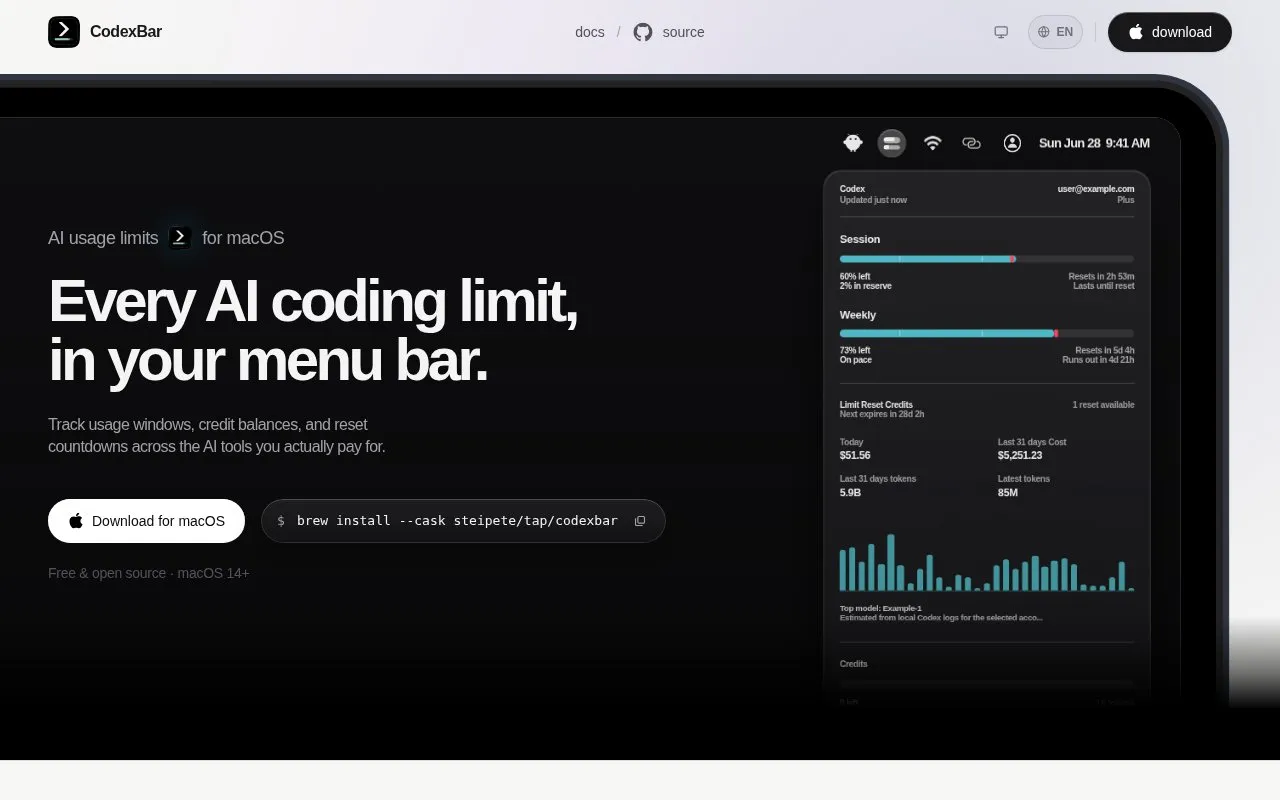
CodexBar is a macOS menu bar app that tracks usage windows, credits, costs, and reset times for AI coding-provider accounts. It shows session, weekly, and monthly windows with countdowns to the next reset, along with credit balances and spend where each provider exposes them. A bundled codexbar binary gives the same usage output for terminal checks and scripts. Its listed providers include Codex, OpenAI, Claude, Cursor, and Gemini, among many others.
Key features
- Tracks session, weekly, and monthly usage windows with reset countdowns
- Shows credit balances and monthly spend where providers expose them
- Shows provider status and incident badges in the menu bar
- Includes a bundled codexbar binary for terminal checks and scripts
- Offers WidgetKit widgets for usage windows, reset countdowns, and spend
- Reuses existing provider sessions without storing passwords on disk
Best for: Mac users who pay for AI coding tools and want to track usage limits and reset times.
Watch out for
- Requires macOS 14 or later
- Credit and spend data appears only where each provider exposes it
CodexBar at a glance
- Website
- codexbar.app
- Category
- Software & Utilities › Mac Apps
- Type
- App
- Pricing
- Free
- Platforms
- macOS
- Details verified
- Oct 22, 2026 · Official source
- Open source
- Yes · Source code
- Language
- English
- Last checked
- Oct 5, 2026 · Online when checked
- Listed
- Oct 5, 2026
CodexBar alternatives
Tools and sites you could use instead, ranked by how closely they match.
Popular in Mac Apps
Well-known listings from the same topic.
Adiumadium.imTheBoringNotchtheboring.nameThe Unarchivertheunarchiver.comOsaurusosaurus.aiBetter Shotbettershot.siteShotSolveshotsolve.com


CodexBar FAQ
How can I install CodexBar?
You can download it for macOS or install it with Homebrew using brew install --cask steipete/tap/codexbar. It requires macOS 14 or later.
Is something wrong or out of date?
Tell us and an editor will check it.
Own this website?
Claim this listing
Claim the listing and suggest updates yourself. An editor checks every claim first.