

Bear provides a Markdown editor for writing and organizing notes on Mac, iPhone, and iPad.
Highlights
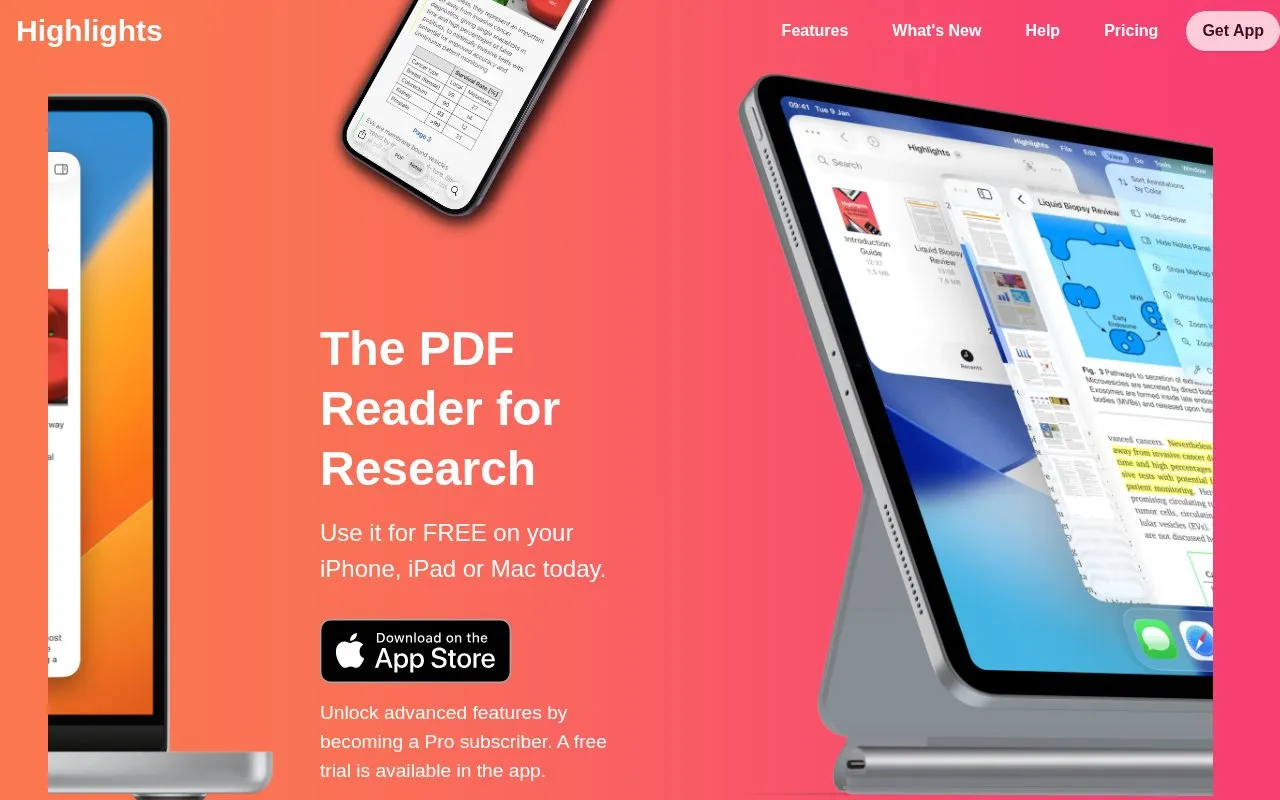
Highlights helps readers annotate PDFs and extract notes, images, tables, and citations on Mac, iPad, and iPhone.
About Highlights
Highlights is a PDF reader for research on Mac, iPad, and iPhone. It is designed for reading PDFs and adding annotations directly on the page.
With the app you can highlight text, extract annotations, images, tables, and citations, and export notes as Markdown, TextBundle, HTML, WebArchive, and PDF. It can find DOIs for scientific articles and download metadata, link citations to PDFs already on the device, and copy images as PNG, tables as CSV, and citations as BibTeX. It includes built-in on-device OCR for PDFs without searchable text, support for dark mode and custom accent colors, and file storage on device or in iCloud Drive, Dropbox, or other sync services with Handoff between devices.
It suits students, academics, and other readers who work with research PDFs and need to turn annotations into exportable notes.
Key features
- Annotate PDFs on Mac, iPad, and iPhone
- Extract annotations, images, tables, and citations
- Export notes as Markdown, HTML, PDF and more
- Look up DOIs and download article metadata
- Built-in on-device OCR for PDFs without searchable text
- Smart Copy tables as CSV and citations as BibTeX
Best for: Students, academics, and researchers who annotate research PDFs on Apple devices.
Good for
- Works on Mac, iPad, and iPhone with Handoff
- Exports to multiple file formats and note apps
- Keeps annotations as standard PDF annotations
- On-device OCR and table recognition
Watch out for
- Limited to Apple devices
- Advanced features require Pro subscription
Highlights at a glance
- Website
- highlightsapp.net
- Category
- Mobile Apps › iPhone & iPad Apps
- Type
- Website
- Pricing
- Free trial
- Platforms
- iOS, Web
- Open source
- Not stated
- Language
- English
- Last checked
- Oct 5, 2026 · Online when checked
- Listed
- Oct 5, 2026
Highlights alternatives
Tools and sites you could use instead, ranked by how closely they match.

Noteful combines note-taking and PDF markup in an iPad app for highlighting, writing, and studying.
Freemium

Keynote lets users design and present slide presentations on iPhone and iPad.
Freemium
14 alternatives
With NetNewsWire, users can read RSS feeds on iPhone and iPad and follow incoming news.

Google Gemini is an AI assistant app from Google, available on iPhone and iPad with optional in-app purchases.
Freemium
17 alternatives
Owaves: My BodyClock is a circadian calendar and tracker for iPhone and iPad.
Popular in iPhone & iPad Apps
Well-known listings from the same topic.
(Not Boring) Habitsapps.apple.com/app/id1593891243RoutineHubroutinehub.coShiroxshiroxapp.github.ioUTMgetutm.appCAPlaygroundcaplayground.vercel.appShareableshareable.vercel.app


Highlights FAQ
What is Highlights used for?
It is a PDF reader for reading and annotating research PDFs on Mac, iPad, and iPhone and turning annotations into exportable notes.
What devices does Highlights support?
It supports Mac, iPad, and iPhone, with file browsing in Finder or the iOS document browser and Handoff between devices.
Can I export notes from Highlights?
Yes, you can export as Markdown, TextBundle, HTML, WebArchive, and PDF, and send notes to apps such as Evernote, Bear, and DEVONthink.
Is Highlights free?
You can use it for free on iPhone, iPad, or Mac, with advanced features available through a Pro subscription and a free trial in the app.
Is something wrong or out of date?
Tell us and an editor will check it.
Own this website?
Claim this listing
Claim the listing and suggest updates yourself. An editor checks every claim first.