

JScreenFix runs a browser-based pixel exercise pattern intended to help repair stuck pixels on LCD and OLED displays.
Monitor
This site collects monitor utilities, including tools for custom resolutions, pixel clocks, and display configuration.
About Monitor
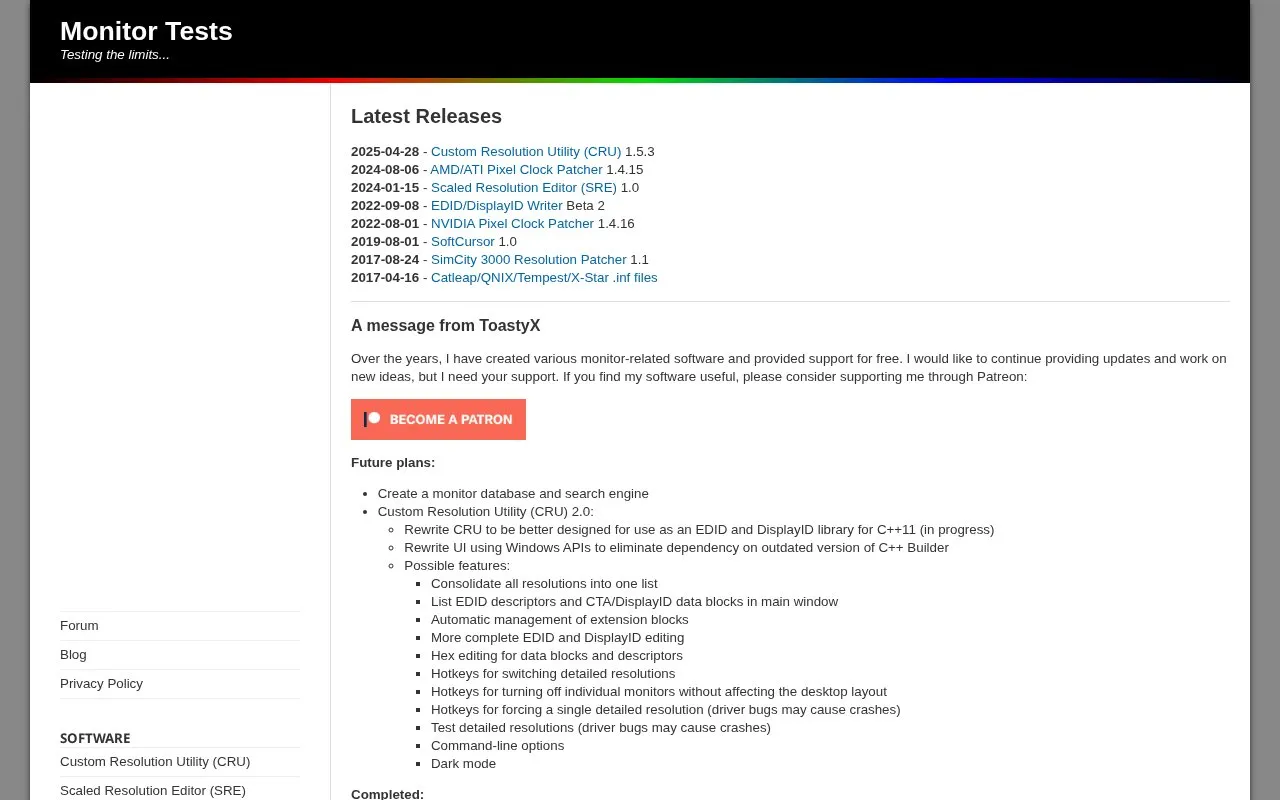
Monitor Tests is a download hub for Windows monitor utilities created by ToastyX. The collection includes the Custom Resolution Utility (CRU), the Scaled Resolution Editor (SRE), AMD/ATI and NVIDIA pixel clock patchers, an EDID/DisplayID Writer, the Strobelight LightBoost utility, SoftCursor, and a SimCity 3000 resolution patcher. The programs focus on custom resolutions, pixel clocks, EDID and DisplayID editing, and display configuration beyond what graphics drivers expose by default.
The site also hosts guides, release notes, and a section describing planned work, including a possible monitor database and search engine and a rewritten version of CRU. The software has been provided free, with the author asking for support through Patreon to fund continued updates. Several tools carry caveats: writing a new EDID or DisplayID requires a monitor that is not write-protected, and some planned resolution-testing features are noted as possibly triggering driver bugs that can cause crashes.
Key features
- Custom Resolution Utility (CRU) for custom resolutions and EDID overrides
- Scaled Resolution Editor (SRE) edits driver-added scaled resolutions, including custom VSR on AMD
- AMD/ATI and NVIDIA pixel clock patchers
- EDID/DisplayID Writer writes new EDID or DisplayID data to monitors
- Strobelight LightBoost utility
- SoftCursor works around mouse cursor corruption and matches the color profile
Best for: Windows users who need to modify resolutions, refresh rates, pixel clocks, or EDID data beyond the options the graphics driver normally provides.
Good for
- Tools are provided free, with updates funded through optional Patreon support
- Collection covers multiple display tasks: resolutions, pixel clocks, EDID/DisplayID, and cursor issues
- Release history shows continuing updates, including CRU 1.5.3 dated 2025-04-28
Watch out for
- The utilities are Windows programs rather than cross-platform tools
- Writing a new EDID or DisplayID requires a monitor that is not write-protected
- The author notes that some resolution-testing features may trigger driver bugs that can cause crashes
Monitor at a glance
- Website
- monitortests.com
- Category
- Software & Utilities › Hardware & Diagnostics
- Type
- Website
- Pricing
- Not confirmed. Check the site
- Platforms
- Web
- Open source
- Not stated
- Language
- English
- Last checked
- Oct 5, 2026 · Online when checked
- Listed
- Oct 5, 2026
Monitor alternatives
Tools and sites you could use instead, ranked by how closely they match.

EIZO Monitor Test offers checks for dead pixels, uniformity, color, gradients, sharpness, viewing angle, and response time.

Libre Hardware Monitor tracks computer temperature sensors, fan speeds, voltages, load, and clock speeds.
Open source
24 alternatives
Plan a multi-monitor setup by calculating PPI and screen dimensions, previewing wallpapers, and rearranging displays.

Virtual Display Driver adds virtual monitors to Windows 10 and 11 for use with VR, OBS, Sunshine, or desktop sharing.
Open source
24 alternativesPopular in Hardware & Diagnostics
Well-known listings from the same topic.
PC Managerpcmanager.microsoft.comDolby Accessapps.microsoft.com/detail/9n0866fs04w8RAMMaplearn.microsoft.com/en-us/sysinternals/downloa…AppControlappcontrol.comUNIGINE Benchmarksbenchmark.unigine.comVIAcaniusevia.com


Monitor FAQ
Does Monitor Tests charge for its software?
The author states the monitor-related software and support have been provided free, and asks users who find it useful to consider supporting development through Patreon.
What does the EDID/DisplayID Writer require?
It can write a new EDID or DisplayID to a monitor if the monitor is not write-protected.
What is the Scaled Resolution Editor for?
It edits the list of scaled resolutions automatically added by the graphics driver, and for AMD GPUs also allows custom VSR resolutions.
Is something wrong or out of date?
Tell us and an editor will check it.
Own this website?
Claim this listing
Claim the listing and suggest updates yourself. An editor checks every claim first.