KeyboardTest.io checks keyboard inputs and lists tools for identifying dead keys, ghosting, and input latency.
Mouse Tester
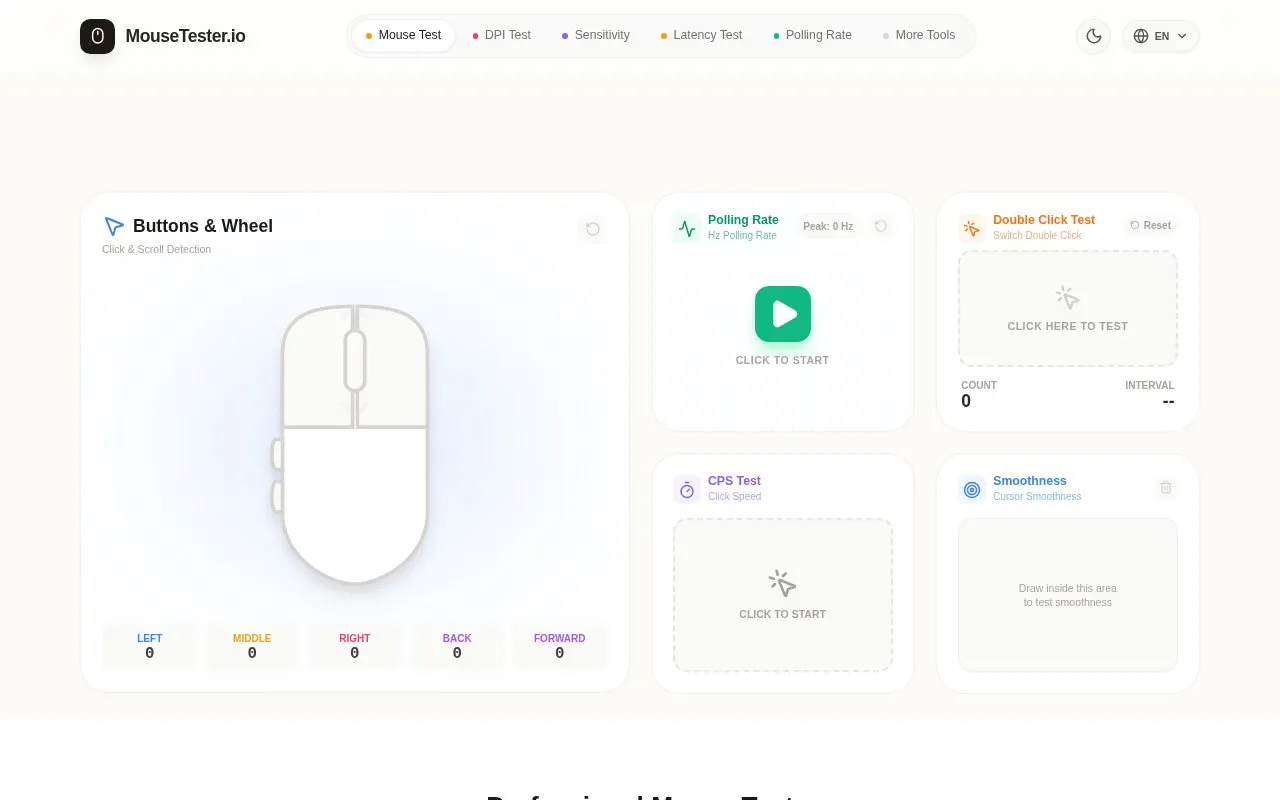
MouseTester.io checks mouse buttons and scrolling, and reports click timing, polling rate, and double-click behavior.
About Mouse Tester
MouseTester.io is a web-based tool for checking mouse input. It tests left, right, middle, back, and forward buttons, scroll behavior, clicks per second, double-click behavior, polling rate from 125Hz to 8000Hz, and cursor smoothness through a drawing area. It runs in the browser using the Pointer Events API without requiring drivers or software.
The site states that tests run locally in the browser without uploading click data or peripheral information. Readings can be affected by mouse driver settings, older browsers or power-saving mode, and mobile touch screens have limited button and polling-rate testing.
Key features
- Check left, right, middle, back, and forward buttons
- Measure polling rate from 125Hz to 8000Hz
- Detect abnormal double-clicks from switch wear
- Measure clicks per second (CPS) speed
- Test scroll for scrollback issues
- Draw to check cursor smoothness and sensor jitter
Best for: Gamers, designers, and others who want to check mouse buttons, polling rate, or possible switch wear.
Good for
- No driver or software installation is required to run the tests
- Site states all click data and calculations stay locally in the browser
- Supports polling-rate detection from 125Hz to 8000Hz with millisecond-level timestamps
Watch out for
- Older browsers or power-saving mode can limit event frequency and lower readings
- Screen refresh rate such as 60Hz can make cursor movement look laggy
- On mobile, touch sampling differs and button and polling-rate tests are limited
Mouse Tester at a glance
- Website
- mousetester.io
- Category
- Software & Utilities › Hardware & Diagnostics
- Type
- Website
- Pricing
- Not confirmed. Check the site
- Platforms
- Web
- Open source
- Not stated
- Language
- English
- Good for
- Gamers
- Last checked
- Oct 5, 2026 · Online when checked
- Listed
- Oct 5, 2026
Mouse Tester alternatives
Tools and sites you could use instead, ranked by how closely they match.

Microsoft PC Manager offers Windows tools for boosting PC performance, cleaning storage, and managing large files.
Pick
22 alternatives
REW measures and analyzes room acoustics, speakers, subwoofers, and audio devices.

TrueNAS provides storage appliances and a data platform for managing data across enterprise workflows.

TaskSlinger monitors and controls processes, services, startup apps, and resource usage in a native Windows task manager.

Process Lasso automates process settings with rules and provides real-time CPU optimization for PC responsiveness.
Popular in Hardware & Diagnostics
Well-known listings from the same topic.
Dolby Accessapps.microsoft.com/detail/9n0866fs04w8RAMMaplearn.microsoft.com/en-us/sysinternals/downloa…UNIGINE Benchmarksbenchmark.unigine.comAppControlappcontrol.comVIAcaniusevia.com


Mouse Tester FAQ
Why does a 1000Hz mouse show as 125Hz?
Check the mouse driver setting for high polling rate, connect power if in power-saving mode, and use a current browser, as older browsers can limit event frequency.
What does a red warning in the double-click test mean?
It can indicate physical wear of the mouse switch; the site suggests checking warranty coverage or cleaning with compressed air.
Are the results affected by screen refresh rate?
The site states backend data precision is unaffected, though a 60Hz display can create a visual impression of cursor lag.
Is something wrong or out of date?
Tell us and an editor will check it.
Own this website?
Claim this listing
Claim the listing and suggest updates yourself. An editor checks every claim first.