

AppControl tracks CPU, memory, disk, temperature, and GPU usage over time, with controls for managing applications.
NeoHtop
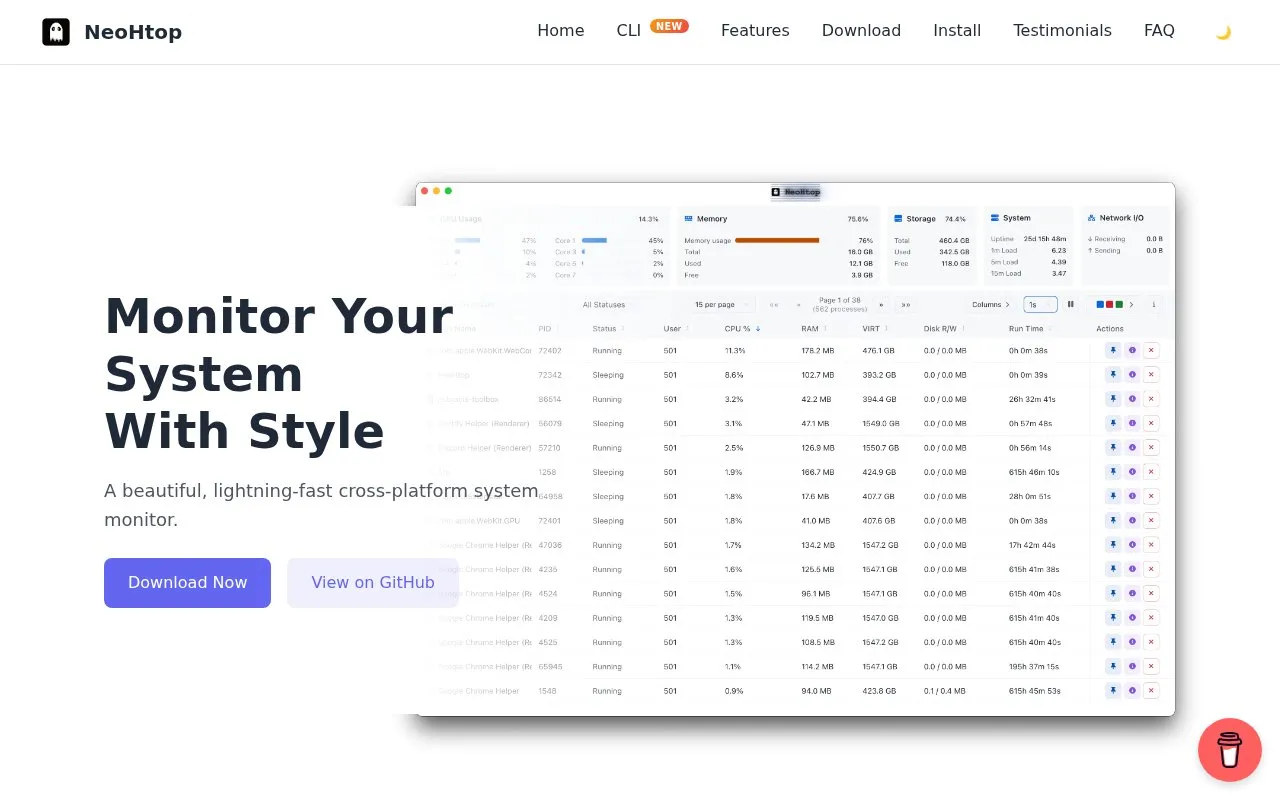
NeoHtop monitors processes, CPU, and memory usage in real time through a desktop system monitor.
About NeoHtop
NeoHtop is a desktop system monitor that tracks running processes, CPU usage, and memory usage in real time. It is built with Rust, Tauri, and Svelte and offers a graphical interface that follows the system's dark or light theme. Its listed capabilities include process pinning, process search with filtering options, and process management with detailed process information.
Downloads are listed for macOS, Windows, and Linux, with separate builds for Intel and Apple Silicon Macs and for x86_64 and ARM64 Linux systems. Minimum versions are macOS 10.15 on Intel, macOS 11.0 on Apple Silicon, and Windows 10. On first launch on a Mac, the installation guide says to right-click the app and choose Open to bypass Gatekeeper. A separate NeoHtop CLI for terminal use is also listed, installed through npm. Pricing is not stated on the homepage.
Key features
- Real-time monitoring of processes, CPU usage, and memory usage
- Process pinning to keep selected processes in view
- Process search with advanced filtering options
- Automatic dark and light theme detection
- Process tree view and CPU sparklines in the terminal CLI
- Separate NeoHtop CLI installable through npm
Best for: Desktop users who want a graphical process and resource monitor on macOS, Windows, or Linux, and who may also want a terminal version.
Good for
- Built with Rust, which the homepage describes as optimized for low resource usage
- Downloads listed for macOS, Windows, and Linux, including ARM64 Linux builds
- Linux packages offered as .deb, AppImage, and .rpm formats
Watch out for
- On first launch on macOS, the installation guide says to right-click and choose Open to bypass Gatekeeper
- Minimum operating system versions are macOS 10.15 on Intel, macOS 11.0 on Apple Silicon, and Windows 10
- Pricing is not stated on the homepage
NeoHtop at a glance
- Website
- abdenasser.github.io/neohtop
- Category
- Software & Utilities › Hardware & Diagnostics
- Type
- Website
- Pricing
- Not confirmed. Check the site
- Platforms
- Linux, macOS, Web, Windows
- Open source
- Not stated
- Language
- English
- Last checked
- Oct 6, 2026 · Online when checked
- Listed
- Oct 5, 2026
NeoHtop alternatives
Tools and sites you could use instead, ranked by how closely they match.

TaskSlinger monitors and controls processes, services, startup apps, and resource usage in a native Windows task manager.

Process Lasso automates process settings with rules and provides real-time CPU optimization for PC responsiveness.

Quick CPU monitors processor temperatures, voltages, frequencies, and usage, and includes tuning and stability testing tools.

System Informer monitors system resources, debugs software, and detects malware.
Open source
24 alternatives
REW measures and analyzes room acoustics, speakers, subwoofers, and audio devices.
Popular in Hardware & Diagnostics
Well-known listings from the same topic.
PC Managerpcmanager.microsoft.comDolby Accessapps.microsoft.com/detail/9n0866fs04w8RAMMaplearn.microsoft.com/en-us/sysinternals/downloa…UNIGINE Benchmarksbenchmark.unigine.comVIAcaniusevia.comTrueNAStruenas.com


NeoHtop FAQ
How does NeoHtop compare to Activity Monitor?
The homepage says NeoHtop offers a modern interface with additional features such as process pinning, smart search, and themes, while maintaining high performance through its Rust backend. It describes the tool as designed to be more user-friendly and efficient than traditional system monitors.
Is NeoHtop resource intensive?
The homepage says NeoHtop is built with Rust and optimized for minimal resource usage. It does not give a verified measurement in the text available for this entry.
Is there a terminal version?
The homepage lists a NeoHtop CLI that provides real-time CPU sparklines, memory bars, a process tree view, search, filters, and themes in the terminal. It is installed with npm install -g neohtop-cli and is listed as working on macOS, Linux, and Windows.
Is something wrong or out of date?
Tell us and an editor will check it.
Own this website?
Claim this listing
Claim the listing and suggest updates yourself. An editor checks every claim first.