
UNIGINE Benchmarks stress tests PC hardware and measures performance, including CPU, GPU, power supply, and cooling stability.
CCISOBench
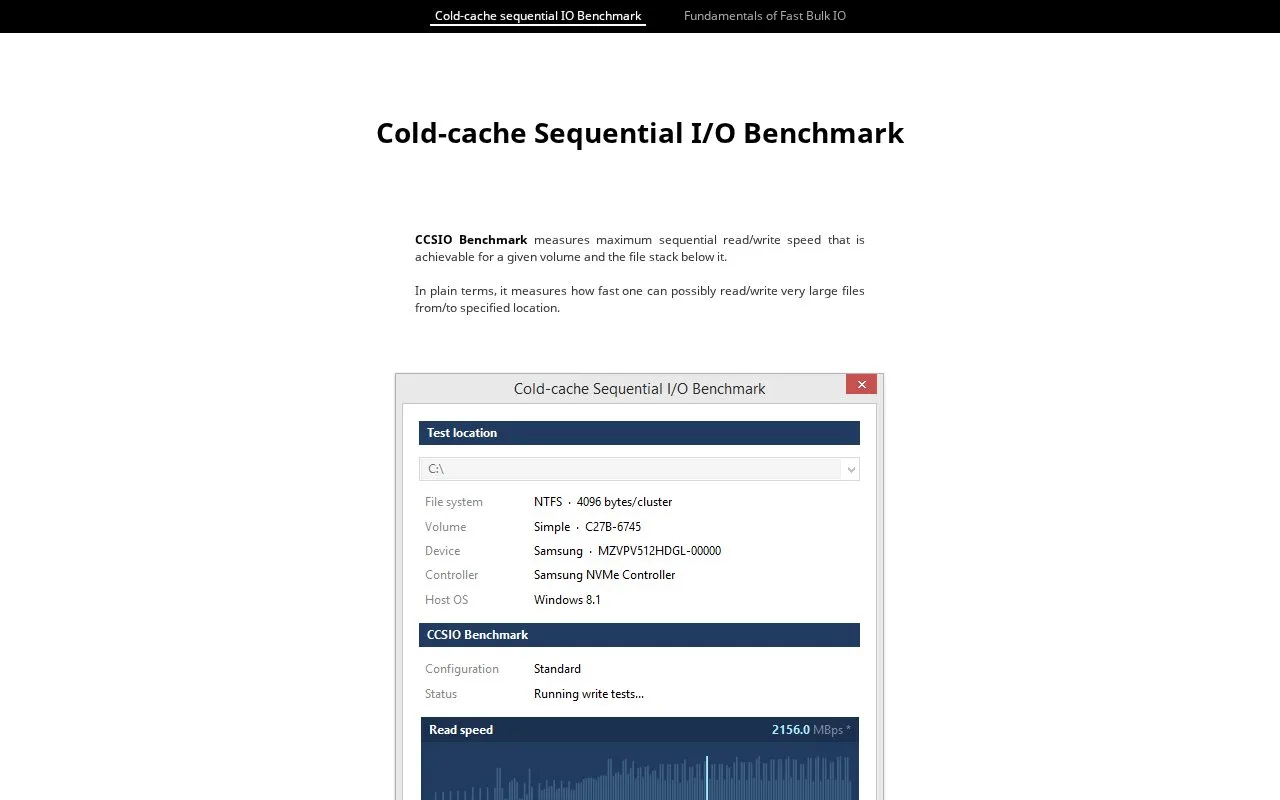
CCSIO Benchmark measures sequential read and write performance for a volume and its underlying file stack.
About CCISOBench
CCISOBench is a Windows program that measures the maximum sequential read and write speed achievable for a given volume and the file stack below it. It runs combinations of IO buffer count, buffer size and caching mode to find the combination that delivers the highest throughput, covering local drives, network shares, RAM disks and encrypted file containers.
By default, a benchmark consists of 300 tests, each limited to about one second, with a 64MB memory cap that skips tests exceeding it, leaving 285 tests and about 5 minutes total run time. Local volumes have the Windows file cache flushed before each test; remote volumes disable local file buffering. Tests use a large file at the test location root, defaulting to 2GB, and random data is used for SSD drives and remote volumes.
Key features
- Measures maximum sequential read/write speed for a volume and file stack
- Sweeps IO buffer sizes, buffer counts and caching modes
- Tests local drives, network shares, RAM disks and encrypted containers
- Flushes Windows file cache before each test on local volumes
- Disables local file buffering for remote volume tests
- Creates a test file at the test location root and removes it after
Best for: Windows users who need to assess the maximum sequential read and write throughput of local, remote or virtual storage volumes.
Good for
- Covers many combinations of buffer size, buffer count and caching mode
- Supports local drives, remote network shares, RAM disks and encrypted containers
- Applies cache control by flushing local file cache and disabling local buffering for remote volumes
Watch out for
- Runs only on Windows Vista or newer
- A 64MB memory cap skips tests with total buffer space above the limit
- Test file creation via valid data length can cause some SSDs to show faster read rates
CCISOBench at a glance
- Website
- ccsiobench.com
- Category
- Software & Utilities › Hardware & Diagnostics
- Type
- Website
- Pricing
- Not confirmed. Check the site
- Platforms
- Web, Windows
- Open source
- Not stated
- Last checked
- Oct 6, 2026 · Online when checked
- Listed
- Oct 5, 2026
CCISOBench alternatives
Tools and sites you could use instead, ranked by how closely they match.

CrystalDiskMark benchmarks disk performance and is available in Standard, Aoi, and Shizuku editions.
Free
18 alternatives
WizTree analyzes disk space on Windows by reading the Master File Table to locate files and folders.

Microsoft PC Manager offers Windows tools for boosting PC performance, cleaning storage, and managing large files.
Pick
22 alternatives
REW measures and analyzes room acoustics, speakers, subwoofers, and audio devices.

Universal x86 Tuning Utility lets users customize performance settings on x86 laptops and computers.
Popular in Hardware & Diagnostics
Well-known listings from the same topic.
Dolby Accessapps.microsoft.com/detail/9n0866fs04w8RAMMaplearn.microsoft.com/en-us/sysinternals/downloa…AppControlappcontrol.comMemTestmemtest.orgVIAcaniusevia.comTrueNAStruenas.com


CCISOBench FAQ
What does CCISOBench measure?
It measures the maximum sequential read and write speed achievable for a given volume and the file stack below it.
What are the system requirements?
It requires Windows Vista or newer and is a 238 KB download.
How long does a benchmark run?
With the default 64MB memory cap, 285 tests run in about 5 minutes. Each test is limited to about one second, which is a soft limit.
Is something wrong or out of date?
Tell us and an editor will check it.
Own this website?
Claim this listing
Claim the listing and suggest updates yourself. An editor checks every claim first.