

PNGQuant
Compress PNG files with pngquant, a command-line utility and library that preserves alpha transparency.
About PNGQuant
pngquant is a command-line utility and library for lossy compression of PNG images. It reduces file sizes, often by as much as 70%, while preserving full alpha transparency, with output stated as compatible with web browsers and operating systems.
It supports batch conversion, stdin/stdout chaining, custom output extensions, quality ranges, and speed settings. The code is available under the GPL or a commercial license, and the documentation suggests oxipng or ImageOptim for further size reduction.
Key features
- Lossy PNG compression that preserves full alpha transparency
- Batch conversion of multiple files, including recursive processing
- Stdin/stdout chaining for use in Unix-style pipelines
- Quality range setting from 0 to 100
- Speed setting from 1 to 10, default 3
- Custom output filename extension with --ext option
Best for: Developers and script or server-side users who process PNG files in bulk from the command line.
Good for
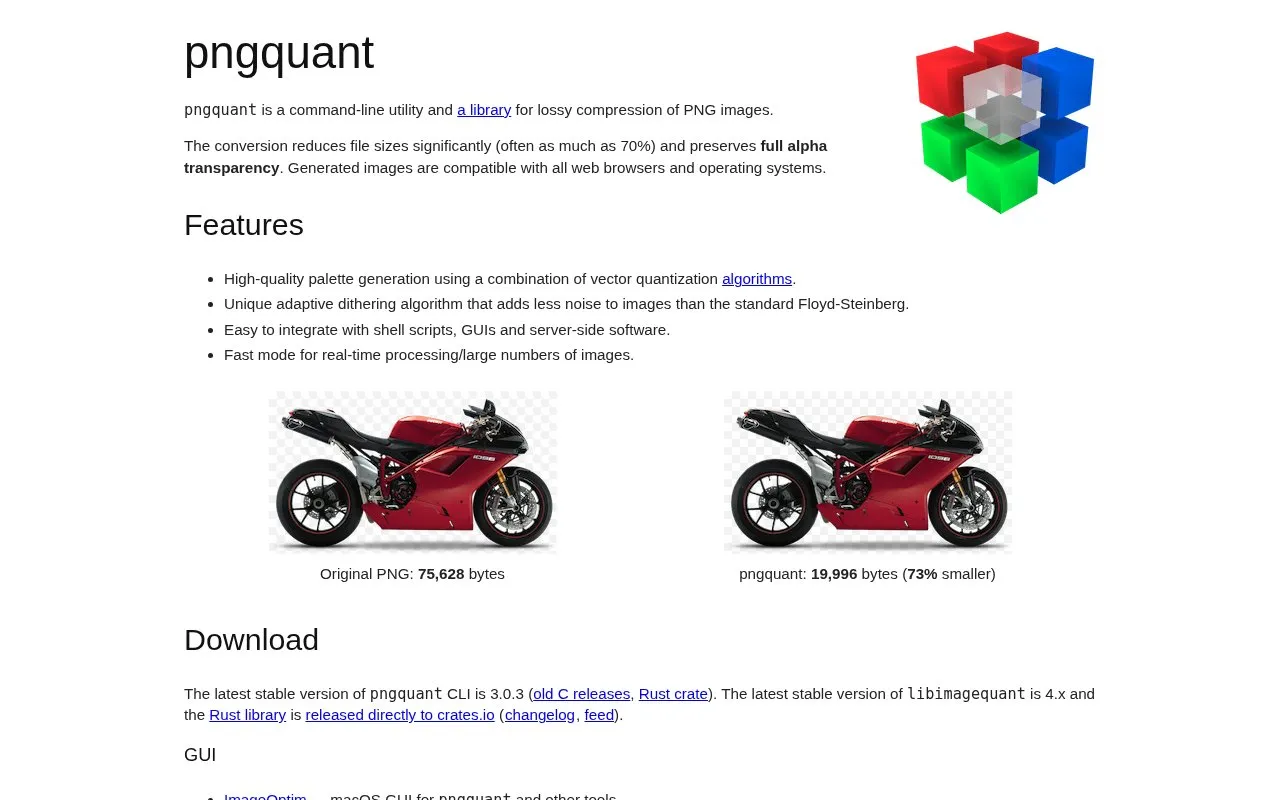
- Example reduction from 75,628 bytes to 19,996 bytes (73% smaller)
- Preserves full alpha transparency in compressed files
- Generated images are described as compatible with web browsers and operating systems
Watch out for
- Compression is lossy, so output differs from the original
- Files below the minimum --quality setting are not saved
- Documentation suggests using oxipng or ImageOptim for further reduction
PNGQuant at a glance
- Website
- pngquant.org
- Category
- Online Tools › Image Tools
- Type
- Online tool
- Pricing
- Not confirmed. Check the site
- Platforms
- Linux, macOS, Web, Windows
- Open source
- Not stated
- Last checked
- Oct 5, 2026 · Online when checked
- Listed
- Oct 5, 2026
Guides for Image Tools

PNGQuant alternatives
Tools and sites you could use instead, ranked by how closely they match.

pngquant reduces PNG file sizes by converting images to an 8-bit format while preserving alpha transparency.

Oxipng optimizes PNG and APNG files with lossless compression, and offers both a command-line interface and a library.
Open source
24 alternatives
G’MIC is an open-source image processing framework for 2D, 3D, and 3D+t images, with command-line and other interfaces.
Free
6 alternatives
Caesium Command Line Tools compresses images with lossy or lossless options.

FaceFusion provides face manipulation tools, with command-line usage instructions and installers for Windows and macOS.

tint recolors images using palettes, with command-line controls for applying a chosen theme palette.
Open source
24 alternativesPopular in Image Tools
Well-known listings from the same topic.
CamScannerapps.apple.com/us/app/camscanner-pdf-scanner-a…BeeRefbeeref.orgGreenshotgetgreenshot.orgLightshotapp.prntscr.comnomacsnomacs.orgConverseenconverseen.fasterland.net


PNGQuant FAQ
How much can pngquant reduce PNG file size?
Often as much as 70%. The example shows a reduction from 75,628 bytes to 19,996 bytes, or 73% smaller.
What happens if an image does not meet the minimum quality setting?
The image won't be saved. When outputting to stdout, the 24-bit original is output instead, and pngquant exits with status code 99.
How do I convert multiple files at once?
Use batch conversion, for example: pngquant 256 *.png.
Is something wrong or out of date?
Tell us and an editor will check it.
Own this website?
Claim this listing
Claim the listing and suggest updates yourself. An editor checks every claim first.