

Quick Copy
The Quick Copy browser extension helps users copy text from webpages, with the project page linking to its Chrome listing.
About Quick Copy
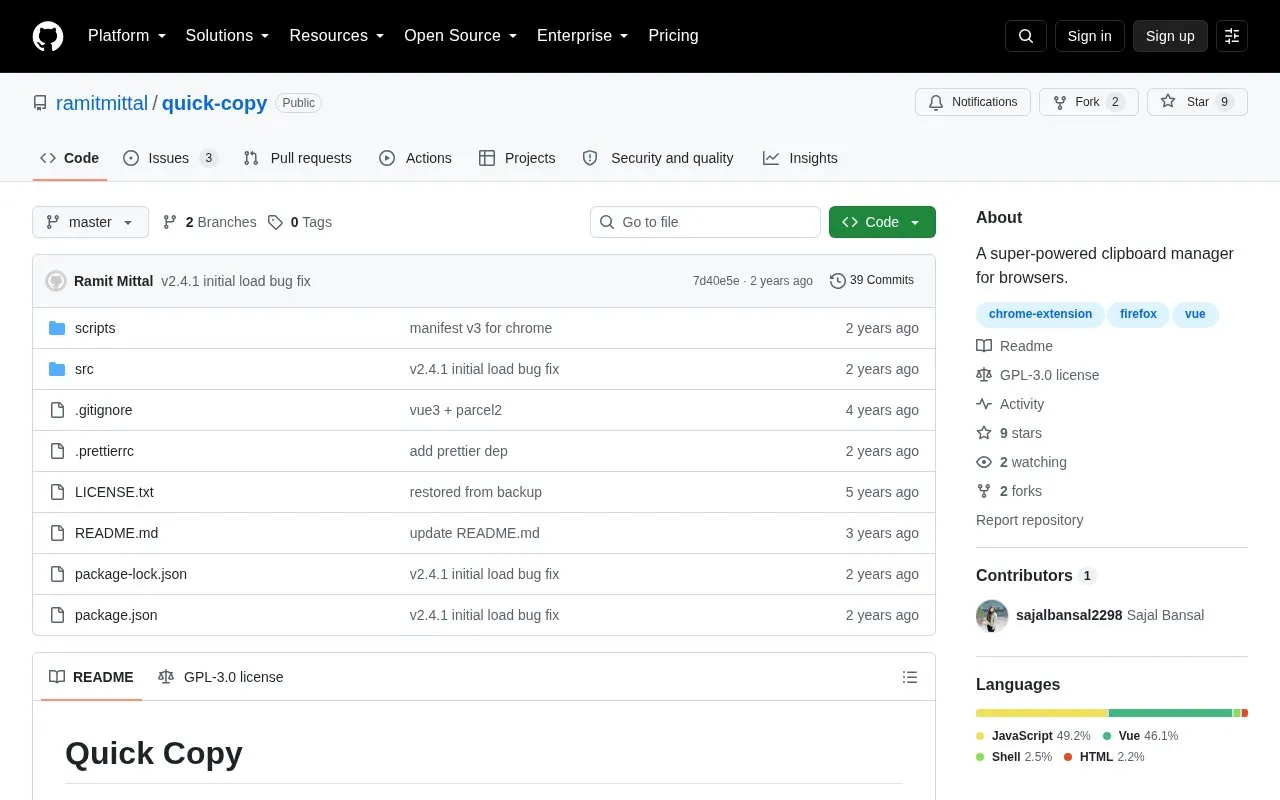
Quick Copy is a browser extension that makes copying text inside browsers easier. The GitHub repository describes it as a clipboard manager for browsers and states that it has more than 2000 active users on the Chrome Web Store. The project is maintained by Ramit Mittal and listed under browser extensions and open-source software.
The repository provides installation for Chrome or Firefox and instructions for building the extension from source with npm, using separate build commands for each browser. The source code is released under the GNU GPLv3 license. The repository does not describe specific clipboard features in detail, so the exact functions are not listed here.
Key features
- Makes copying text inside browsers easier
- Installable on Chrome or Firefox
- Separate npm development and build commands for Chrome and Firefox
- Source code released under the GNU GPLv3 license
- Repository topics list Vue as a related technology
Best for: Users who want an easier way to copy text in Chrome or Firefox, and developers who want to study or build an open-source browser extension.
Good for
- Source code is publicly available under the GNU GPLv3 license
- Includes instructions for installing on Chrome or Firefox
- Includes instructions for building the extension from source
Quick Copy at a glance
- Category
- Software & Utilities › Browser Extensions
- Type
- Open-source project
- Pricing
- Not confirmed. Check the site
- Open source
- Yes · Source code
- Language
- English
- Last checked
- Oct 6, 2026 · Online when checked
- Listed
- Oct 5, 2026
Guides for Browser Extensions
Quick Copy alternatives
Tools and sites you could use instead, ranked by how closely they match.

Copycat copies web content and can capture tab titles or links in formats such as plain text; the extension supports Chrome, Edge, and Firefox.
Open source
24 alternatives
Restyle websites with CSS themes using Stylus, a browser extension listing compatibility with Chrome, Firefox, and Chromium-based browsers.
Open source
24 alternatives
Save a complete web page as a single HTML file with SingleFile, a browser extension for keeping a copy of the page.
Open source
24 alternatives
Favicon Detector identifies website icons using the parse-favicon library, with support listed for Chrome, Edge, and Firefox.
Open source
24 alternatives
Custom Right-Click Menu adds user-defined links, scripts, stylesheets, and submenus to a browser context menu.
Open source
24 alternatives
Peek previews links to documents, videos, music, and supported services when the pointer hovers over them in a webpage.
Open source
24 alternativesPopular in Browser Extensions
Well-known listings from the same topic.
Popupblocker by Joofthanaddons.mozilla.org/firefox/addon/popupblockerallEnhancementscplx.appViolentmonkeyviolentmonkey.github.ioMomentummomentumdash.comMission Controlmission-control.appSession Buddysessionbuddy.com


Quick Copy FAQ
Which browsers does Quick Copy support?
The repository includes installation instructions for Chrome and Firefox, and its development scripts have separate targets for each browser.
Is the Quick Copy source code available?
Yes. The source is in the GitHub repository at github.com/ramitmittal/quick-copy and is distributed under the GNU GPLv3 license.
How can the extension be built from source?
Clone the repository, run npm install, and then run npm run build:chrome or npm run build:firefox, according to the README.
Is something wrong or out of date?
Tell us and an editor will check it.
Own this website?
Claim this listing
Claim the listing and suggest updates yourself. An editor checks every claim first.