

Formulas HQ generates Excel formulas, VBA macros, Python code, regular expressions, and Salesforce formulas from plain-English requests.
Runcell
Use Runcell, an AI agent in Jupyter, to write, execute, debug, and explain notebook code.
About Runcell
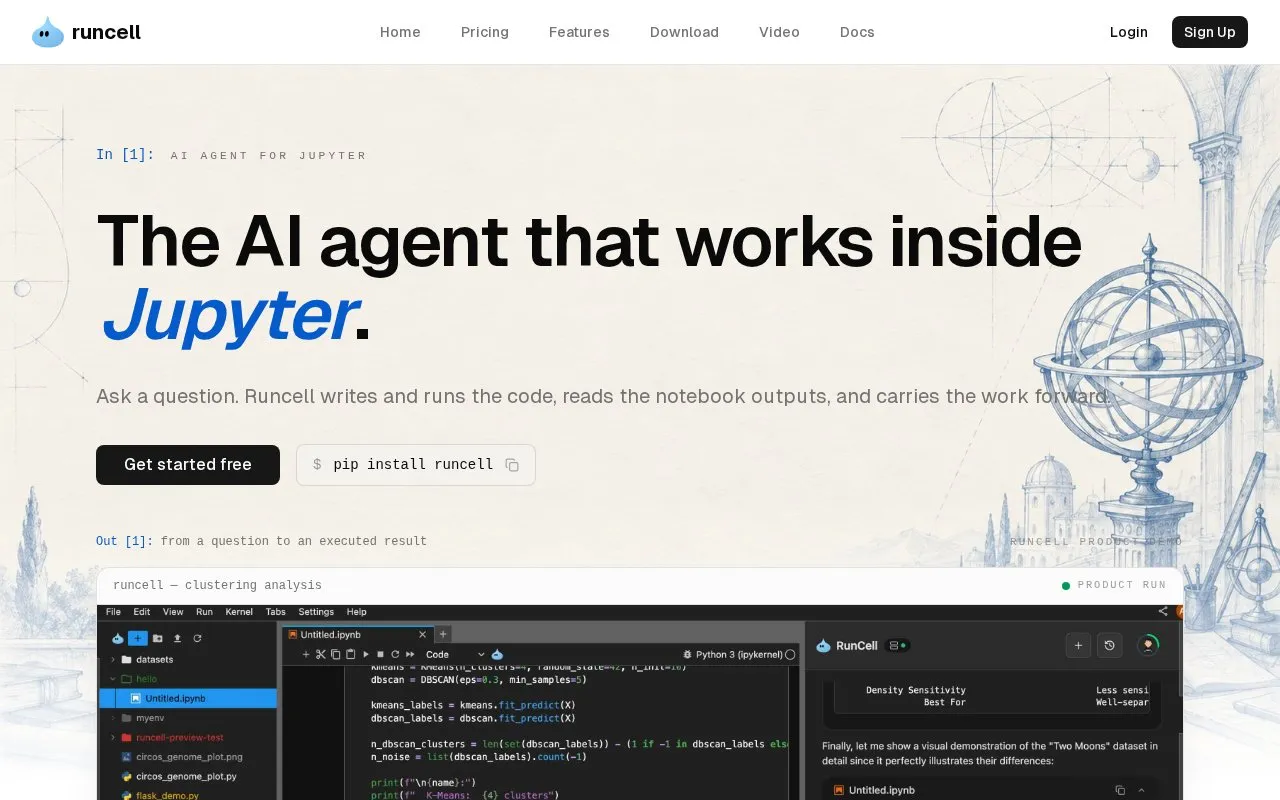
Runcell is an AI agent that works inside JupyterLab for notebook-based data work. It is designed for data analysis, data science, and research, and it operates on existing .ipynb files without requiring a new editor or an API key.
You can describe a question or result you need, and Runcell plans the notebook steps, writes Python, executes the cells, and fixes errors. It reads surrounding cells and outputs, including tables, charts, and statistics, to decide on the next step. You can also ask about a specific cell, transformation, or error, and compare analytical approaches with runnable experiments.
It suits analysts, data scientists, and researchers who work in Jupyter, including those in data analysis, data science, risk and quantitative finance, and research and experimentation.
Key features
- Runs inside JupyterLab on existing .ipynb files
- Writes and executes Python cells from questions
- Plans and runs multi-step notebook workflows
- Diagnoses errors and applies fixes in context
- Reads tables, charts and cell outputs
- No API key required
Best for: Analysts, data scientists, and researchers who do data analysis work in Jupyter notebooks.
Good for
- Works inside existing JupyterLab notebooks
- Executes cells and debugs errors
- Reads outputs to inform next steps
- No API key required
Watch out for
- Only works inside JupyterLab notebooks
- Focused on Python data analysis tasks
Runcell at a glance
- Website
- runcell.dev
- Category
- AI & Machine Learning › AI Coding Tools
- Type
- Website
- Pricing
- Not confirmed. Check the site
- Platforms
- Web
- Open source
- Not stated
- Language
- English
- Last checked
- Oct 5, 2026 · Online when checked
- Listed
- Oct 5, 2026
Runcell alternatives
Tools and sites you could use instead, ranked by how closely they match.

CodeFriends teaches Python, AI, web development, and automation through browser-based coding lessons and instant execution.

Potpie creates task oriented agents for codebases that assist with engineering work such as debugging and testing.
Blinky provides an open-source debugging agent inside Visual Studio Code to help developers inspect code issues.
Free
24 alternatives
Refact.ai provides an open-source coding agent for code generation, debugging, and testing with codebase context and on-premise deployment.

PR-Agent provides an open-source automated reviewer for pull requests and code changes.
Open source
24 alternativesPopular in AI Coding Tools
Well-known listings from the same topic.
LM Studiolmstudio.aiSampleApp.aisampleapp.aiCodeAnt AIcodeant.aiPoseTrackerposetracker.comOpenCodeopencode.aiHedyhedy.org


Runcell FAQ
What is Runcell?
Runcell is an AI agent for JupyterLab that writes, executes, debugs, and explains Python notebook code.
How do I install Runcell?
It installs with pip install runcell and runs inside JupyterLab on existing .ipynb files.
Does Runcell require an API key?
No. The site states that no API key is required to use it.
How is Runcell different from autocomplete tools?
Instead of predicting the next line, it plans multi-step workflows, runs cells, reads outputs, and continues the analysis.
Is something wrong or out of date?
Tell us and an editor will check it.
Own this website?
Claim this listing
Claim the listing and suggest updates yourself. An editor checks every claim first.