ShadowCopyView
ShadowCopyView lists snapshots of hard drives created by Windows Volume Shadow Copy on Windows 10, 8, 7, and Vista.
About ShadowCopyView
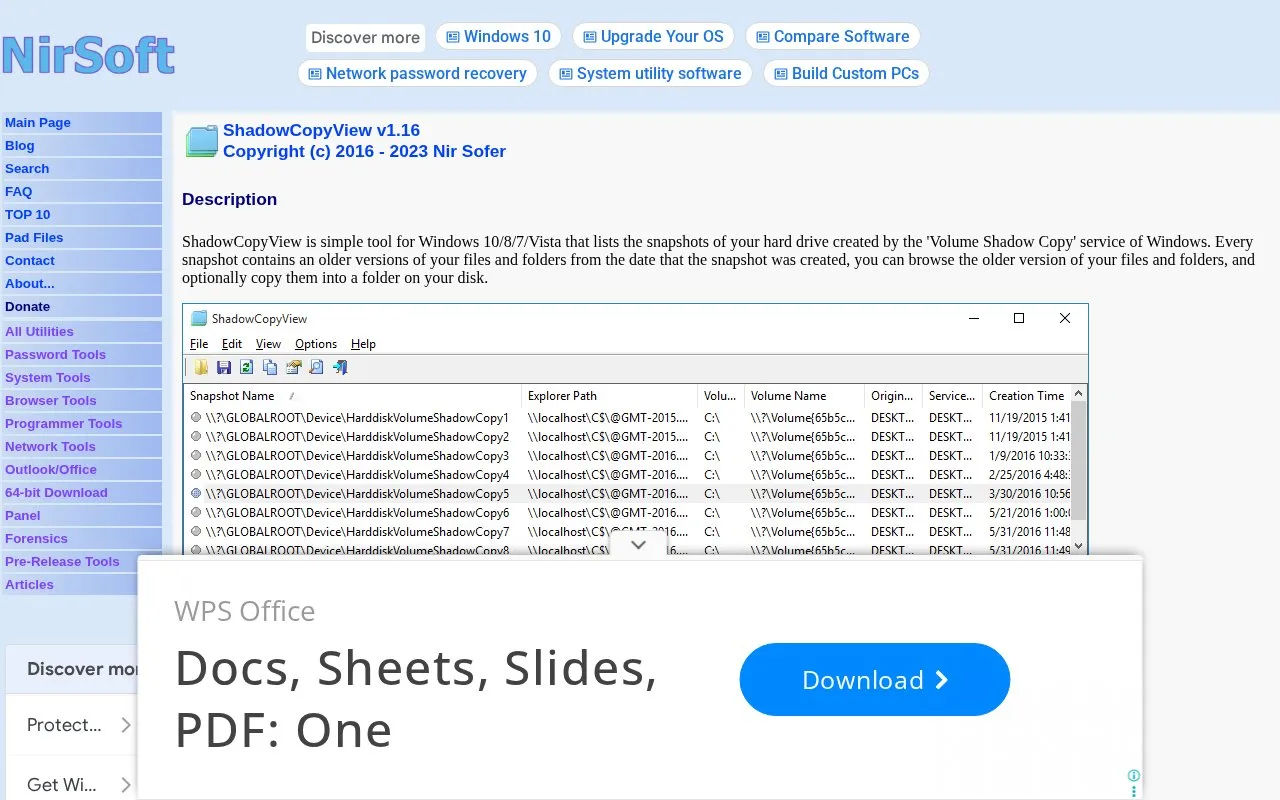
ShadowCopyView is a Windows utility by Nir Sofer that lists the snapshots of a hard drive created by the Volume Shadow Copy service. Each snapshot holds older versions of files and folders from the date it was created. Users can browse those older versions and optionally copy selected files or folders into a folder on their disk. The source states the tool needs no installation and can be run directly from its executable.
The source says ShadowCopyView runs with full administrator rights (as an elevated process) so it can access and extract any file. It works on Windows Vista through Windows 10. Windows XP is not supported. On 64-bit systems, the 64-bit version of the tool must be used. When copying, existing files are not overwritten; the copy is saved under another name.
Key features
- Lists Volume Shadow Copy snapshots of a hard drive in a separate pane
- Browses folders and files inside a selected snapshot
- Copies selected files from a snapshot to a chosen destination folder
- Displays all shadow copies, which Windows Previous Versions may omit
- Command-line options to export the snapshot list and copy a single file
- Snapshot paths can be used in SearchMyFiles and 7-Zip File Manager
Best for: Windows users on Vista through Windows 10 who want to browse or copy older file versions from Volume Shadow Copy snapshots.
Good for
- No installation process or additional DLL files are required; the executable can be run directly
- Shows all snapshots, while the Windows Previous Versions feature may omit some
- Does not overwrite existing files when copying; it uses another name instead
Watch out for
- Windows XP is not supported; the tool works from Windows Vista through Windows 10
- Runs with full administrator rights (elevated process)
- The F2 option to open a snapshot in Windows Explorer works only if Previous Versions supports that snapshot
ShadowCopyView at a glance
- Category
- Software & Utilities › Backup & Recovery
- Type
- Website
- Pricing
- Not confirmed. Check the site
- Platforms
- Web, Windows
- Open source
- Not stated
- Last checked
- Oct 6, 2026 · Online when checked
- Listed
- Oct 5, 2026
Guides for Backup & Recovery
ShadowCopyView alternatives
Tools and sites you could use instead, ranked by how closely they match.

ShadowExplorer provides a graphical interface for browsing Windows Volume Shadow Copies and restoring previous versions of deleted files.
Popular in Backup & Recovery
Well-known listings from the same topic.
UrBackupurbackup.orgAOMEI Backupperubackup.comWindows File Recoveryapps.microsoft.com/detail/9n26s50ln705Duplicatiduplicati.comKopiakopia.ioBorgborgbackup.org


ShadowCopyView FAQ
Does ShadowCopyView overwrite files when copying from a snapshot?
No. If a file or folder already exists in the destination folder, ShadowCopyView copies the item using another name instead of overwriting it.
How does ShadowCopyView differ from the Previous Versions feature in Windows?
According to the source, Previous Versions might omit some shadow copies, while ShadowCopyView displays all of them. Previous Versions also does not allow copying system files unless UAC is turned off.
Does ShadowCopyView need to be installed?
No. The source states it does not require an installation process or additional DLL files. Users run ShadowCopyView.exe directly.
Is something wrong or out of date?
Tell us and an editor will check it.
Own this website?
Claim this listing
Claim the listing and suggest updates yourself. An editor checks every claim first.