
Fluidwave manages tasks, email, calendars, and contacts in one AI-assisted workspace.
Timemator
Timemator automatically tracks work time by monitoring project files and applications on Mac and iPhone.
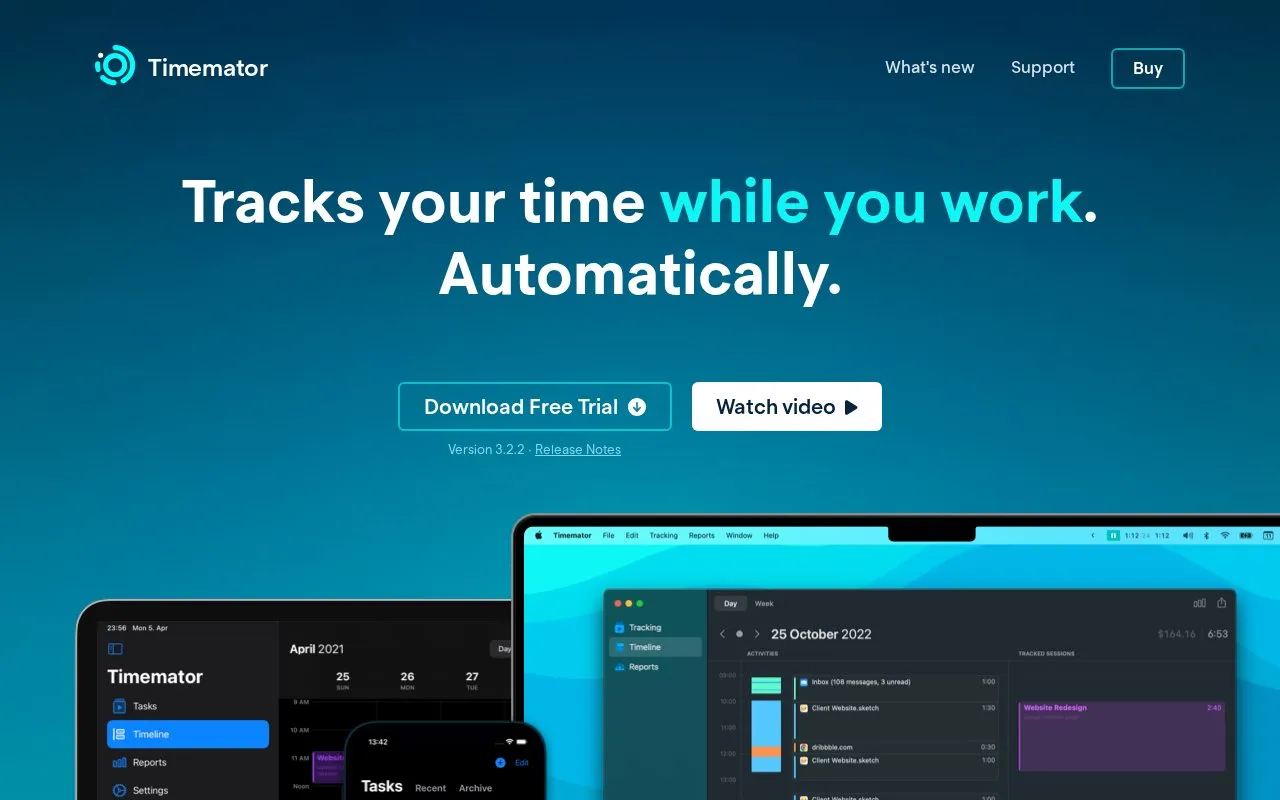
About Timemator
Timemator records working time automatically on Mac by monitoring the applications, project files and websites you use, so you can review what you worked on and assign recorded time to projects. Once rules are configured, tracking runs in the background, and a traditional start/pause timer, manual entries and session editing are available for time that is not captured automatically.
Key features
- Automatic tracking of apps, project files and websites, with rules (Mac only)
- Activity timeline for reviewing work and assigning time to projects
- Traditional start/pause timer, manual session entry and editing
- Tasks and folders for grouping time by project or client
- Hourly rates, revenue calculation and exportable reports
- iPhone, iPad and Apple Watch app with iCloud sync
Best for: Freelancers and other Mac-based professionals who want their working hours recorded automatically and turned into client-ready reports.
Good for
- Background auto-tracking starts the timer once rules are set up
- Works offline, with tracked sessions and revenue kept on the device
- CSV import recognizes existing time data and its format
Watch out for
- Auto-tracking and the activity timeline are Mac only, and the Mac and iOS apps are sold separately
- The Mac app requires macOS Catalina (10.15) or higher
- Timemator for Teams and Timemator for Windows are listed on the roadmap rather than available
Timemator at a glance
- Website
- timemator.com
- Category
- AI & Machine Learning › AI Business Tools
- Type
- Online tool
- Pricing
- Free trial
- Platforms
- iOS, Web
- Open source
- Not stated
- Language
- English
- Good for
- Designers
- Last checked
- Oct 6, 2026 · Online when checked
- Listed
- Oct 5, 2026
Timemator alternatives
Tools and sites you could use instead, ranked by how closely they match.

Memtime automatically records time spent in programs and displays a timeline of the workday for project tracking.

Timely automatically tracks time for consultancies, agencies, and SaaS teams for client reporting and billing.
Free trial
20 alternatives
Clockify tracks work hours across projects with a time tracker and timesheet app for teams.

Paymo combines time tracking, task management, project delivery, and invoicing for client work.

TimeCamp tracks work time and connects hours to projects, invoices, approvals, and profitability reports.
Popular in AI Business Tools
Well-known listings from the same topic.
Linearlinear.appFollow Up Bossfollowupboss.comHoverNoteshovernotes.ioTypeThink AItypethink.aiAiSDRaisdr.comInsight Healthinsighthealth.ai


Timemator FAQ
Does Timemator work without an internet connection?
Yes. It works in an office or on an airplane, and time tracking is not interrupted when there is no internet connection.
Where is tracked time data stored?
Tracked sessions, revenue and other private data stay on your device and are not sent anywhere. Automatic backups are created, and you can set a custom backup location such as Dropbox, Google Drive or iCloud Drive. iCloud sync keeps tasks, folders, sessions and auto-tracking rules in step across your Macs and iOS devices.
Can I move existing time data into Timemator?
Yes. You can import a CSV file, and Timemator recognizes your data and its format before you accept the import.
Is something wrong or out of date?
Tell us and an editor will check it.
Own this website?
Claim this listing
Claim the listing and suggest updates yourself. An editor checks every claim first.