

vscode-settings
Browse VS Code settings, extensions, snippets, and theme choices in this settings collection.
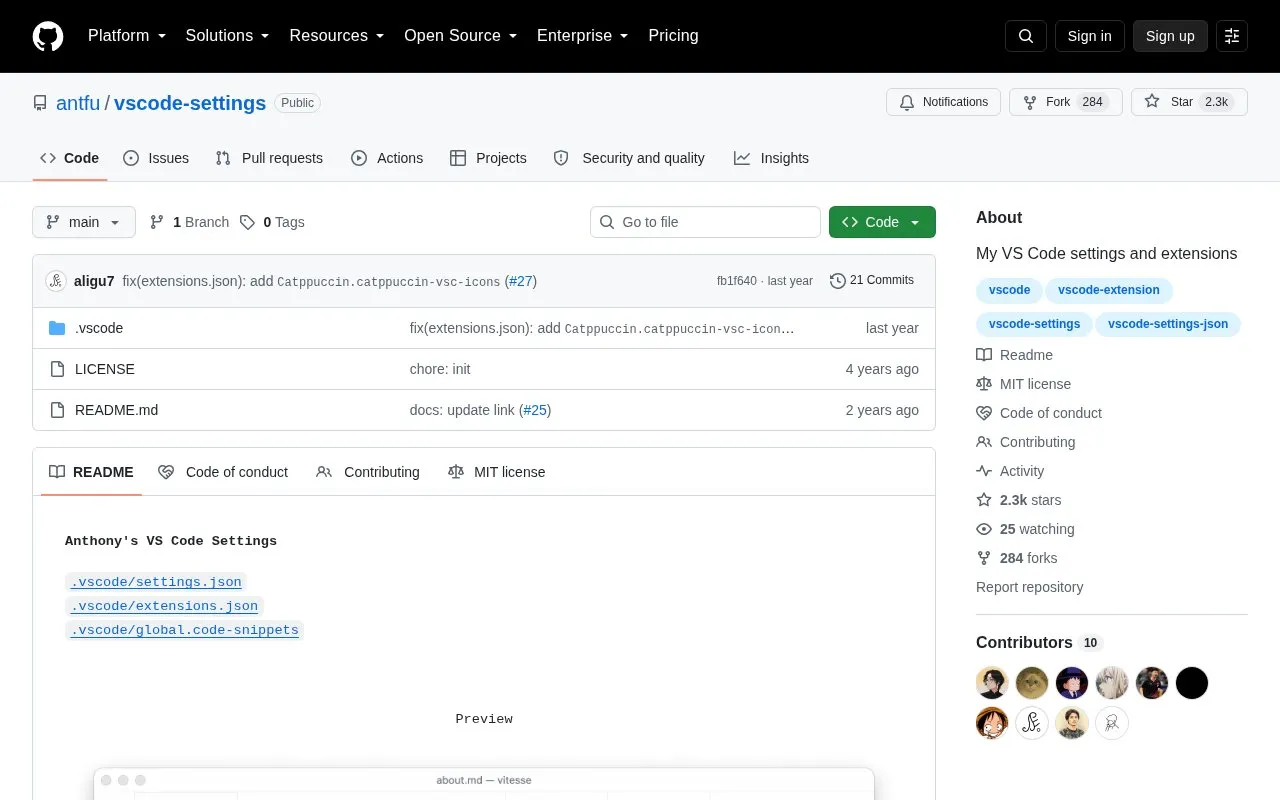
About vscode-settings
vscode-settings is a public GitHub repository holding one developer's VS Code configuration files. It includes .vscode/settings.json, .vscode/extensions.json and .vscode/global.code-snippets, so others can read or copy the settings and see which extensions accompany them. The repository also shows a preview of the editor appearance: Vitesse Theme, Input Mono as the font, Catppuccin Icons for file icons and Carbon for product icons.
The collection is released under the MIT license and is meant to be browsed or reused as a reference for a personal editor setup. It is not a tool, extension or installer; applying any of it means manually copying files or settings into your own VS Code configuration.
Key features
- settings.json with the author's VS Code settings
- extensions.json listing recommended VS Code extensions
- global.code-snippets file with global code snippets
- Preview of theme, font and icon choices
- Vitesse Theme, Input Mono, Catppuccin Icons, Carbon product icons
- MIT-licensed files on GitHub
Best for: Developers looking for a reference VS Code configuration they can read and adapt to their own editor setup.
Good for
- Published under the MIT license
- Separate files for settings, extensions and snippets
- Shows concrete theme, font and icon choices
Watch out for
- Reflects one person's preferences rather than general recommendations
- Not an installer or extension; settings must be applied manually
vscode-settings at a glance
- Category
- Development › Developer Tools
- Type
- Open-source project
- Pricing
- Not confirmed. Check the site
- Open source
- Yes · Source code
- Language
- English
- Last checked
- Oct 6, 2026 · Online when checked
- Listed
- Oct 5, 2026
Guides for Developer Tools


vscode-settings alternatives
Tools and sites you could use instead, ranked by how closely they match.

Browse large JSONL, Parquet, and CSV datasets in VS Code with the Bread Dataset Viewer extension.
Open source
24 alternatives
Claude Usage Tracker is a browser extension for viewing Claude usage information.
Open source
24 alternatives
Browse a list of tools and programs for developers, DevOps teams, system administrators, and others.
Open source
24 alternatives
Browse a gallery of interesting Jupyter notebooks on this project wiki, with examples from notebook users.
Open source
24 alternatives
PrivacyFlash Pro analyzes iOS app code and libraries to help generate a privacy policy for the app.
Open source
24 alternatives
Images of source code and terminal output can be generated with Freeze.
Open source
24 alternativesPopular in Developer Tools
Well-known listings from the same topic.
AppDevToolsappdevtools.comCommand Not Foundcommand-not-found.comTestFlighttestflight.apple.com/join/A8GwCnq8Sourcegraphabout.sourcegraph.comProject Wallaceprojectwallace.comCarbon Calculatorwebsitecarbon.com


vscode-settings FAQ
What files does the repository contain?
The repository lists .vscode/settings.json, .vscode/extensions.json, .vscode/global.code-snippets, a LICENSE file and a README.
Which theme and font does the setup use?
The preview shows Vitesse Theme, the Input Mono font, Catppuccin Icons for file icons and Carbon for product icons.
How is the project licensed?
It is released under the MIT license.
Is something wrong or out of date?
Tell us and an editor will check it.
Own this website?
Claim this listing
Claim the listing and suggest updates yourself. An editor checks every claim first.