

Advanced Renamer
This Windows and macOS utility batch-renames files using metadata and patterns.
About Advanced Renamer
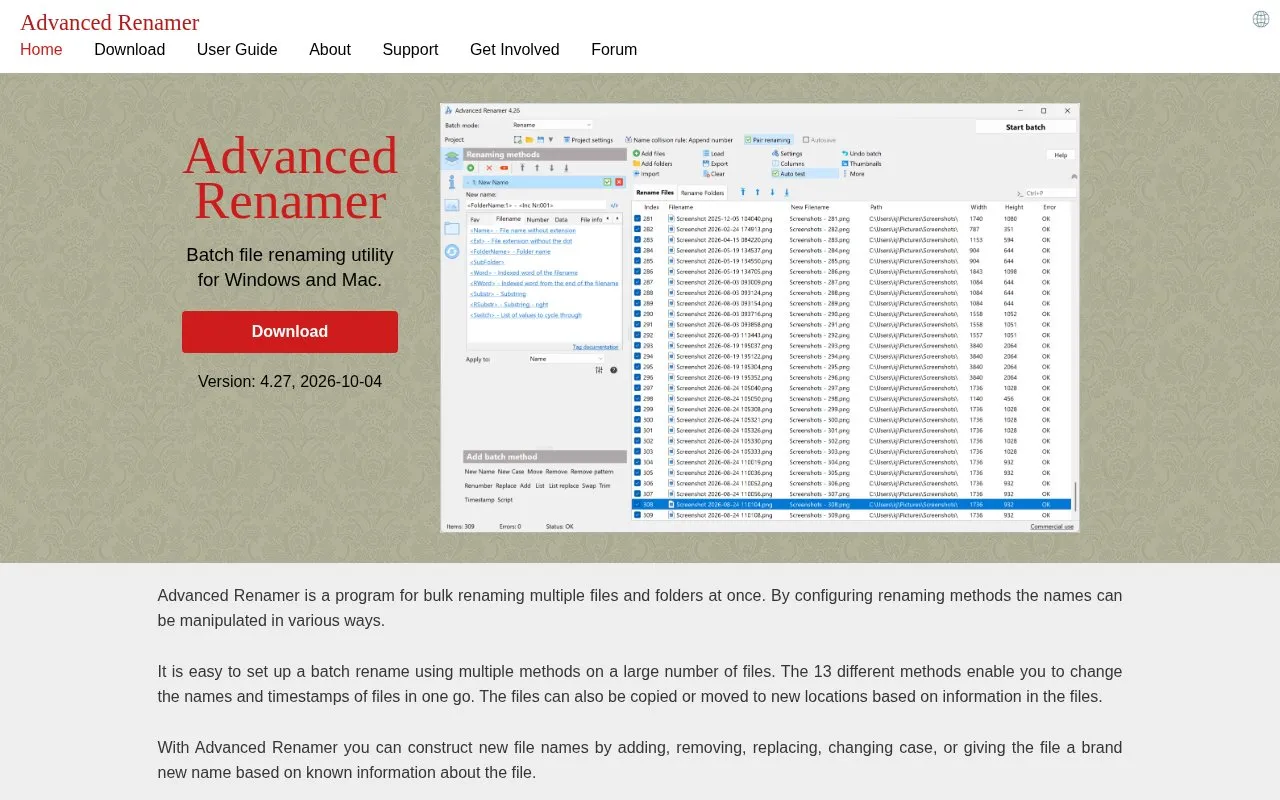
Advanced Renamer is a batch renaming utility for Windows and macOS. It renames multiple files and folders at once using configurable renaming methods. Users can build batch renames from 13 methods, change names and timestamps in one pass, and copy or move files to new locations based on information stored in the files. Before running a batch, users can check the output, and if a rename is unwanted, undo the complete batch.
The program can read metadata such as date, camera model, dimensions, artist, album, genre, codec, resolution, and frame rate, and use it to build new file names. Images with embedded GPS data can have the city, state, and country inserted into their names, using a database of over 100,000 cities. Some file formats are supported only through external tools.
Key features
- Preview new file names in real time before renaming
- Undo a previous batch of renames
- Extract EXIF, XMP, IPTC, and ID3 metadata to build file names
- Insert city, state, and country from embedded GPS data
- Use regular expressions, wildcards, and JavaScript to generate names
- Run batches in rename, copy, or move mode, with a command line runner
Best for: People who need to rename large collections of photos, music, videos, or documents using information stored in the files.
Good for
- Undo a complete batch after renaming
- Check the output of a batch before running it
- Reads metadata from many image, audio, video, and document formats
Watch out for
- Some file formats are supported only through external tools
- GPS-based place names apply only to files with embedded GPS information
Advanced Renamer at a glance
- Website
- advancedrenamer.com
- Category
- Software & Utilities › File Utilities
- Type
- Website
- Pricing
- Not confirmed. Check the site
- Platforms
- macOS, Web, Windows
- Open source
- Not stated
- Language
- English
- Last checked
- Oct 6, 2026 · Online when checked
- Listed
- Oct 5, 2026
Guides for File Utilities
Advanced Renamer alternatives
Tools and sites you could use instead, ranked by how closely they match.
Remove EXIF, GPS, PDF, Office, ebook, and audio metadata in a browser using Metadata Remover, which lists supported file types.

MediaPeek inspects media metadata from a URL and describes a partial-fetching method that reads only the bytes needed.
FilesMD extracts metadata and EXIF fields from uploaded files, including timestamps, software versions, authors, and GPS locations.

Metadata2Go shows metadata from audio, video, document, ebook, and image files, and lists tools for editing and removing metadata.
Free
13 alternatives
PrivMeta removes metadata from supported image, video, audio, PDF, and document files directly in the browser, without uploads or an account.
View file metadata online with ExtractMetadata, a tool that supports different file types.
Popular in File Utilities
Well-known listings from the same topic.
SDeletelearn.microsoft.com/en-us/sysinternals/downloa…PowerRenamelearn.microsoft.com/en-us/windows/powertoys/po…robocopylearn.microsoft.com/windows-server/administrat…VERTvert.shNanaZipnanazip.orgPhotonphotondev.netlify.app


Advanced Renamer FAQ
Can I undo a batch rename?
Yes. The program can undo a previous batch, reverting the complete set of changes.
Which file formats can it read metadata from?
The source lists supported image, video, audio, and document formats, including JPEG, PNG, HEIC, MP4, MKV, MP3, FLAC, PDF, and DOCX. Some formats, such as DOC and XLS, are supported only through external tools.
Is something wrong or out of date?
Tell us and an editor will check it.
Own this website?
Claim this listing
Claim the listing and suggest updates yourself. An editor checks every claim first.