
Check whether network ports are open and test port forwarding or router connectivity with PortCheckers.
CanYouSeeMe
CanYouSeeMe checks whether an internet connection has an open port and verifies port forwarding.
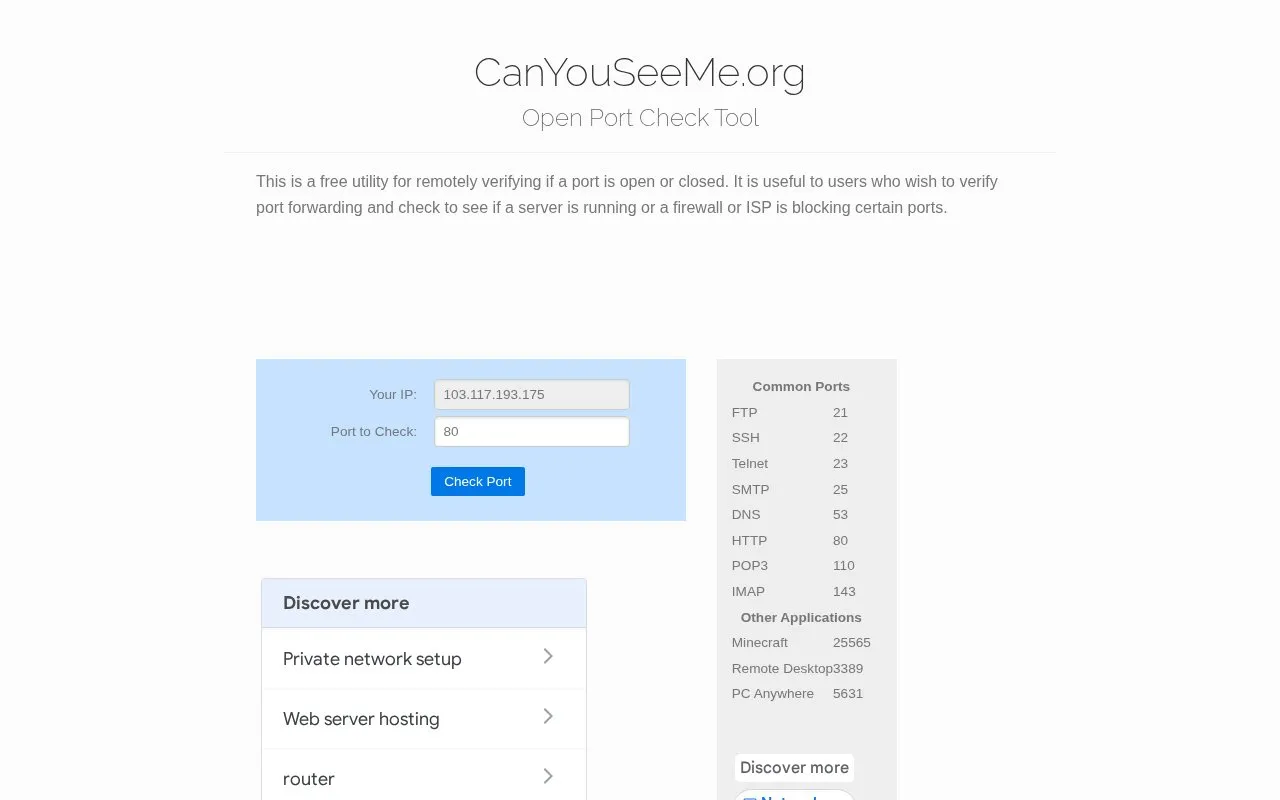
About CanYouSeeMe
CanYouSeeMe is a browser-based open port check tool. It remotely verifies whether a specified port on an internet connection appears open or closed, which helps users confirm that port forwarding on a router is configured correctly and that a server or service is reachable from outside the local network. The site also helps distinguish router or firewall problems from ports blocked by an internet service provider. The homepage describes it as a free utility and notes that, in most residential networks, the router holds the public IP address while internal machines use private addresses, so a forwarded port tells the router where to send traffic. Setting up forwarding is done on the router itself; the site directs users to their router manual or manufacturer for that step, and states that its information is for informational purposes only and that users are responsible for obeying applicable laws.
Key features
- Remotely checks whether a given port appears open or closed
- Presets for common ports such as FTP 21, SSH 22 and HTTP 80
- Presets for applications including Minecraft 25565 and Remote Desktop 3389
- Helps verify router port forwarding and detect firewall or ISP blocking
- Explains why residential ISPs commonly block ports 80 and 25
Best for: People running a web, game or other server behind a router who need to confirm that port forwarding actually works.
Good for
- Described on the homepage as a free utility that runs in the browser
- Includes ready-made presets for common service and application ports
- Provides background on port forwarding and on commonly blocked ports
Watch out for
- Reports only whether a port is reachable; router forwarding must be configured elsewhere
- Users are referred to their router manual or manufacturer for setup help
- The site states its information is informational only and assumes no liability
CanYouSeeMe at a glance
- Website
- canyouseeme.org
- Category
- Development › Network Tools
- Type
- Online tool
- Pricing
- Not confirmed. Check the site
- Platforms
- Web
- Open source
- Not stated
- Last checked
- Oct 5, 2026 · Online when checked
- Listed
- Oct 5, 2026
CanYouSeeMe alternatives
Tools and sites you could use instead, ranked by how closely they match.

Port Checker tests whether ports are open and whether router port forwarding is configured.

Check for Cloudflare tests whether a domain uses Cloudflare DNS and checks global locations.

MyPublicWiFi turns a Windows computer into a wireless hotspot for sharing an internet connection.

Cloudflare Speed Test measures download, upload, latency, jitter, and packet loss for an internet connection.
Pick
24 alternativesNetBlocks Internet Performance Monitor checks network connectivity and performance issues.
Popular in Network Tools
Well-known listings from the same topic.
WiFi Analyzerapps.microsoft.com/store/detail/wifi-analyzer/…Check-Hostcheck-host.netis-a.devis-a.devHurricane Electricdns.he.netWiresharkwireshark.orgMAC Address Lookupmaclookup.app


CanYouSeeMe FAQ
What does this tool check?
It remotely verifies whether a port on your connection is open or closed, and is intended to help confirm port forwarding or a running server.
Why might a port still appear blocked after I forward it?
Many residential ISPs block ports, most commonly port 80 for HTTP and port 25 for mail.
What can I do if port 80 is blocked?
The site suggests running your web server on a non-standard port.
Is something wrong or out of date?
Tell us and an editor will check it.
Own this website?
Claim this listing
Claim the listing and suggest updates yourself. An editor checks every claim first.