
MultiClipBoardSlots extends the Windows clipboard with up to ten memory slots for text, pictures, and other objects.
Ditto
Ditto extends the Windows clipboard with a clipboard manager, according to its product page.
About Ditto
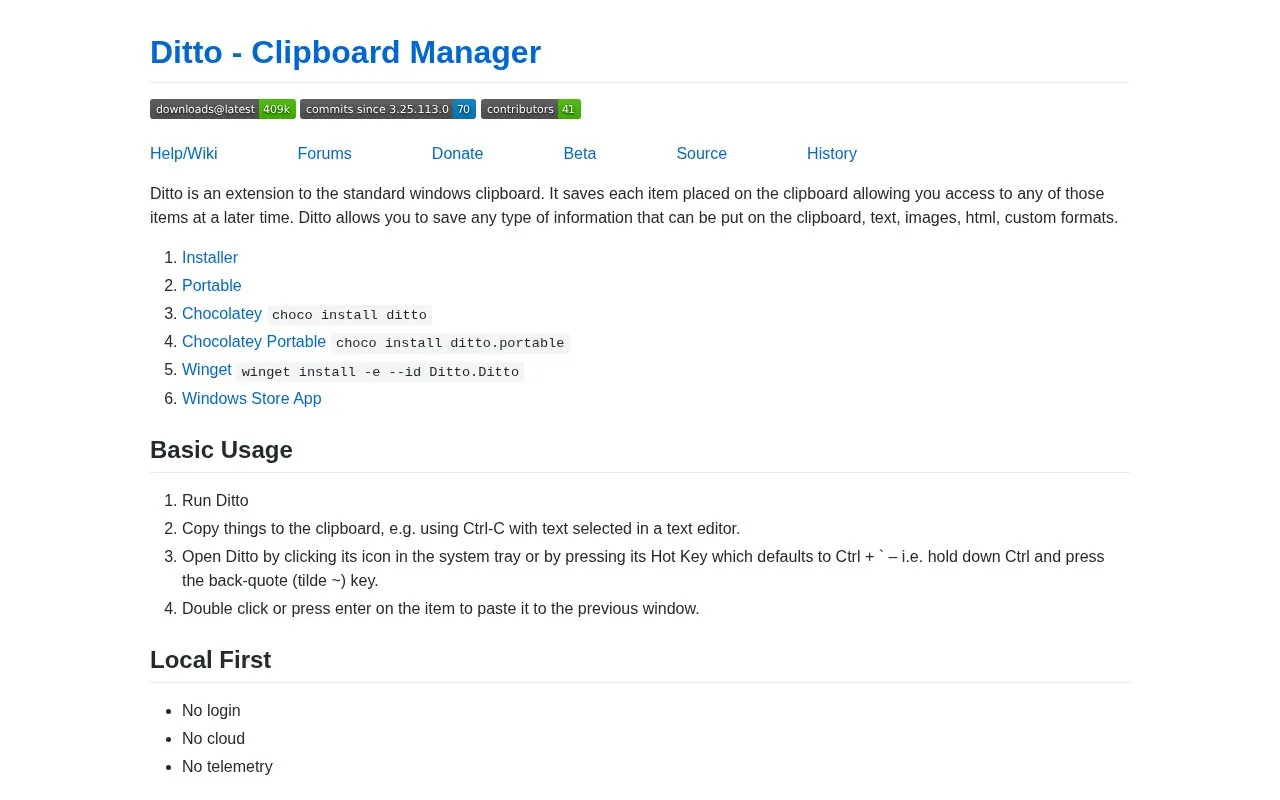
Ditto is a clipboard manager for the standard Windows clipboard. It saves each item placed on the clipboard so users can access those items later and paste them into a previous window. The homepage states it can store any clipboard content, including text, images, HTML, and custom formats, and that it is local-first with no login, no cloud, and no telemetry. It is available through several Windows installation options, including installer, portable, Chocolatey, Winget, and Windows Store App. Pricing is not stated on the homepage.
Key features
- Saves each item placed on Windows clipboard for later access.
- Supports text, images, HTML, and custom clipboard formats.
- Opens from system tray icon or default hot key Ctrl + `
- Pastes selected items by double-click or Enter to previous window.
- Available as installer, portable app, Chocolatey, Winget, and Windows Store App.
- Local-first operation with no login, cloud, or telemetry per homepage.
Best for: Windows users who want to save and later paste clipboard items such as text, images, HTML, or custom formats.
Good for
- Saves clipboard items for later access, including text, images, HTML, and custom formats.
- Opens from the system tray or with the default Ctrl + ` hot key.
- Homepage states local-first use with no login, cloud, or telemetry.
Watch out for
- Pricing is not stated on the homepage.
- Homepage states no cloud or login, so cloud sync and account-based access are not described.
- Product page targets the standard Windows clipboard; no macOS or Linux support is stated.
Ditto at a glance
- Website
- sabrogden.github.io/Ditto
- Category
- Software & Utilities › System Utilities
- Type
- Website
- Pricing
- Not confirmed. Check the site
- Platforms
- Web, Windows
- Open source
- Not stated
- Language
- English
- Last checked
- Oct 5, 2026 · Online when checked
- Listed
- Oct 5, 2026
Ditto alternatives
Tools and sites you could use instead, ranked by how closely they match.

PasteBar manages and organizes copied content as a clipboard manager for Mac and Windows.

PasteBar is a clipboard manager for Mac and Windows, according to its repository description.

CopyQ is a clipboard manager with editing and scripting features, according to its repository description.
Open source
24 alternativesPopular in System Utilities
Well-known listings from the same topic.
Phone Linkmicrosoft.com/windows/sync-across-your-devicesMicrosoft SDmicrosoft.com/en-us/software-downloadPowerToyslearn.microsoft.com/en-us/windows/powertoysWinWorldPCwinworldpc.comGeekUninstallergeekuninstaller.com0Install0install.net


Ditto FAQ
What can Ditto save?
The homepage says it saves any type of information that can be placed on the clipboard, including text, images, HTML, and custom formats.
How do I open Ditto?
Click its icon in the system tray or press its hot key, which defaults to Ctrl + ` (hold Ctrl and press the back-quote/tilde key).
How do I paste a saved item?
Double-click the item or press Enter to paste it to the previous window.
Is something wrong or out of date?
Tell us and an editor will check it.
Own this website?
Claim this listing
Claim the listing and suggest updates yourself. An editor checks every claim first.