

FreeConvert
FreeConvert converts files online across audio, image, video, ebook, document, and archive formats.
About FreeConvert
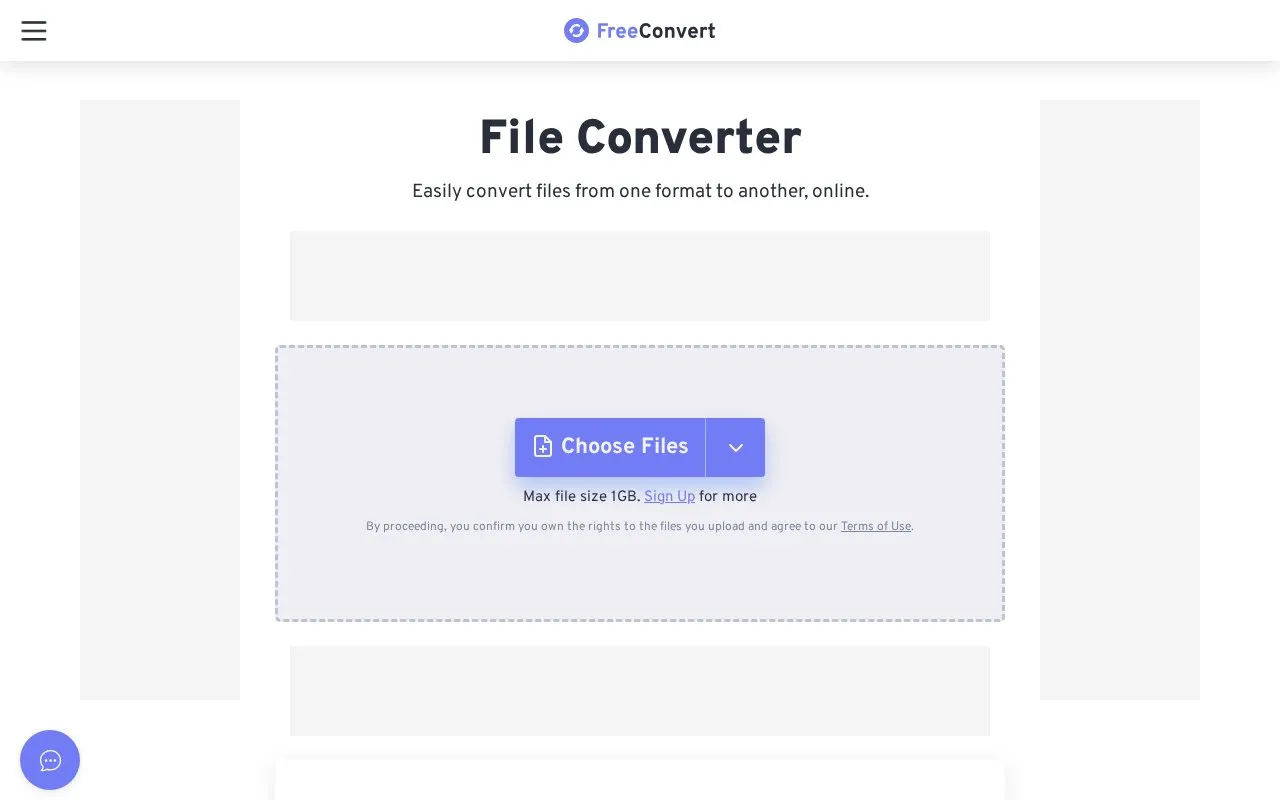
FreeConvert converts files online across audio, image, video, ebook, document and archive formats. It also lists tools to compress files, work with PDFs such as merging, splitting and rotating, edit images and video, and convert units. Files can be added from a device, Dropbox, Google Drive, OneDrive or by URL, with optional advanced settings.
The upload area lists a maximum file size of 1GB, with sign-up or upgrade noted for more capacity. The site states uploaded files are transferred with 256-bit SSL encryption and deleted after 8 hours, and notes an upgrade option to convert large files without a queue or ads.
Key features
- Convert audio, image, video, ebook, document and archive files online
- Upload from device, Dropbox, Google Drive, OneDrive or URL
- Compress video, audio, image, PDF and GIF files
- Merge, split, rotate, protect and extract content from PDFs
- Crop and trim video, resize and crop images
- File conversion and compression APIs for developers
Best for: People who need to convert or compress different file types online without installing software.
Good for
- No software to install; works on Windows, Mac, Linux and mobile devices
- Accepts files from cloud storage and URLs in addition to device uploads
- Provides optional advanced settings to adjust conversions
Watch out for
- Upload area lists a 1GB maximum, with sign-up or upgrade noted for more
- Large-file conversion without a queue or ads requires an upgrade
- Uploads require confirming ownership rights and agreement to Terms of Use
FreeConvert at a glance
- Website
- freeconvert.com
- Category
- Software & Utilities › File Utilities
- Type
- Website
- Pricing
- Not confirmed. Check the site
- Platforms
- Android, iOS, Web
- Open source
- Not stated
- Language
- English
- Last checked
- Oct 5, 2026 · Online when checked
- Listed
- Oct 5, 2026
Guides for File Utilities
FreeConvert alternatives
Tools and sites you could use instead, ranked by how closely they match.

Aconvert offers online conversion for document, ebook, image, icon, video, audio, and archive files.
Remove EXIF, GPS, PDF, Office, ebook, and audio metadata in a browser using Metadata Remover, which lists supported file types.

Convert and compress files from the Windows context menu with File Converter, including multiple files in one action.

ExampleFile provides sample files for testing, including PDF, image, ZIP, MP4, DOCX, JSON, and other formats.
Free
10 alternatives
AnyConv is an online converter for documents, images, video, and audio files, with file uploads processed through its website.
Free
9 alternatives
mat2 removes metadata from commonly used file formats and is written in Python, according to its repository description.
Open source
24 alternativesFeatured in
 8 sites


Best of
8 Best Free Video Converters for MP4 and Smaller Files
I'd start with HandBrake for a smaller, shareable video and Shutter Encoder for a job involving editing formats or a…
Popular in File Utilities
Well-known listings from the same topic.
SDeletelearn.microsoft.com/en-us/sysinternals/downloa…PowerRenamelearn.microsoft.com/en-us/windows/powertoys/po…robocopylearn.microsoft.com/windows-server/administrat…VERTvert.shNanaZipnanazip.orgPhotonphotondev.netlify.app


FreeConvert FAQ
What is the listed file size limit?
The upload area lists a maximum file size of 1GB, with sign-up or upgrade noted for more.
How does FreeConvert describe file handling?
The site states files are transferred with 256-bit SSL encryption and automatically deleted after 8 hours.
Where can I import files from?
Files can be chosen from a device, Dropbox, Google Drive, OneDrive, or by URL.
Is something wrong or out of date?
Tell us and an editor will check it.
Own this website?
Claim this listing
Claim the listing and suggest updates yourself. An editor checks every claim first.