

Tomb makes strong encryption easier for everyday use by creating locked folders that can be transported and hidden in a filesystem.
Free
24 alternativesgocryptfs provides file-based encryption through a mountable FUSE filesystem.
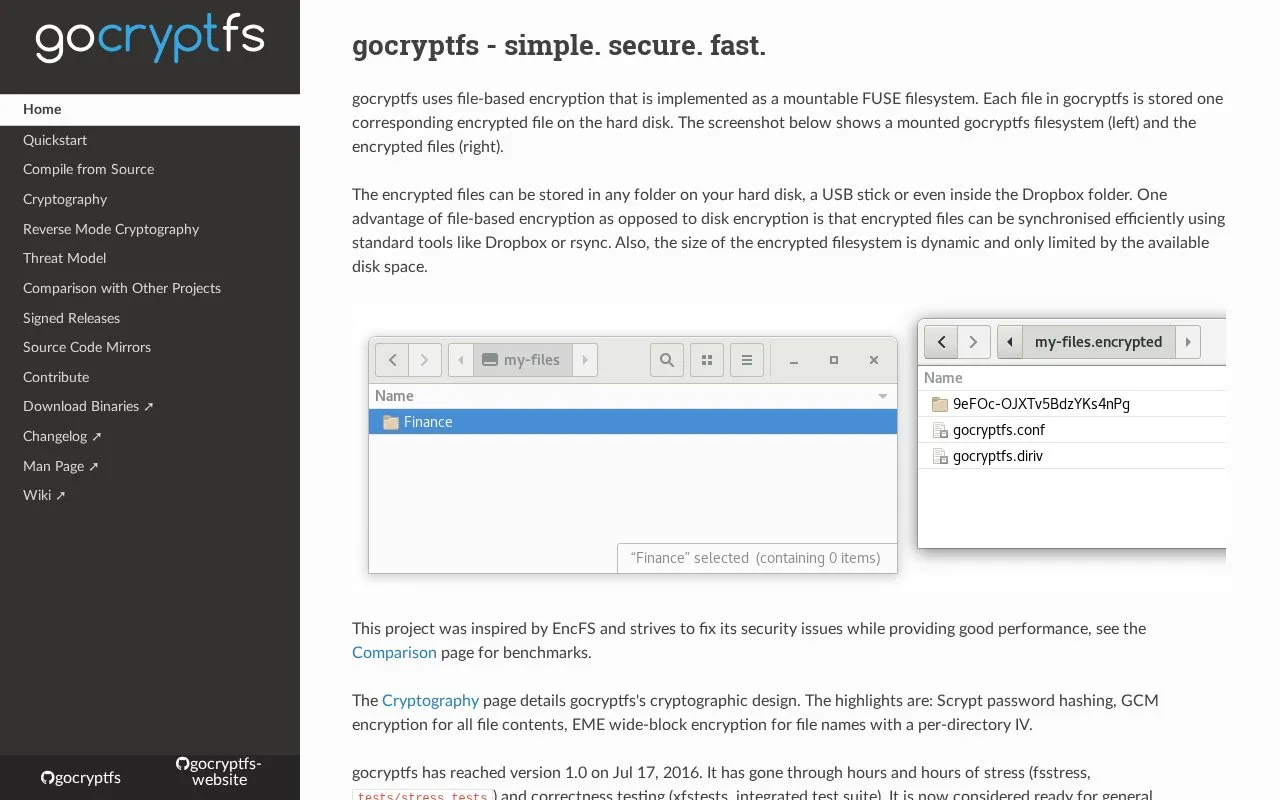
gocryptfs provides file-based encryption through a mountable FUSE filesystem. Each file is stored as one corresponding encrypted file on the hard disk, and those encrypted files can be kept in any folder, on a USB stick, or inside a Dropbox folder. Because encryption works per file rather than on the whole disk, the encrypted files can be synchronized with standard tools such as Dropbox or rsync, and the encrypted filesystem grows dynamically, limited only by available disk space.
The project was inspired by EncFS and aims to address its security issues. Its cryptographic design uses Scrypt password hashing, GCM encryption for file contents, and EME wide-block encryption for file names with a per-directory IV. Linux is fully supported; macOS support is beta quality, meaning things usually work but users may hit occasional issues. Third-party implementations exist for Windows (cppcryptfs), Android (DroidFS) and Python (gocryptfs-inspect). The site advises keeping backups of important data and a copy of the master key printed on mount, which allows access if the config file is damaged or the password is lost.
Tools and sites you could use instead, ranked by how closely they match.
Tomb makes strong encryption easier for everyday use by creating locked folders that can be transported and hidden in a filesystem.
Shufflecake is a Linux tool for creating multiple hidden filesystems with plausible deniability.
Detect possible macOS ransomware by monitoring file encryption activity with RansomWhere?.
Cryptsetup and LUKS provide open-source disk encryption, including full-disk encryption.
Stay for Safari lists userscripts and ad blocking among its features, with ratings and reviews available on the App Store.
Check file origin and cryptographic signing details from Finder with this macOS utility.
Well-known listings from the same topic.
Tell us and an editor will check it.
Claim the listing and suggest updates yourself. An editor checks every claim first.


