

View details about kernel modules loaded on macOS with KextViewr, a utility from Objective-See.
What's Your Sign?
Check file origin and cryptographic signing details from Finder with this macOS utility.
About What's Your Sign?
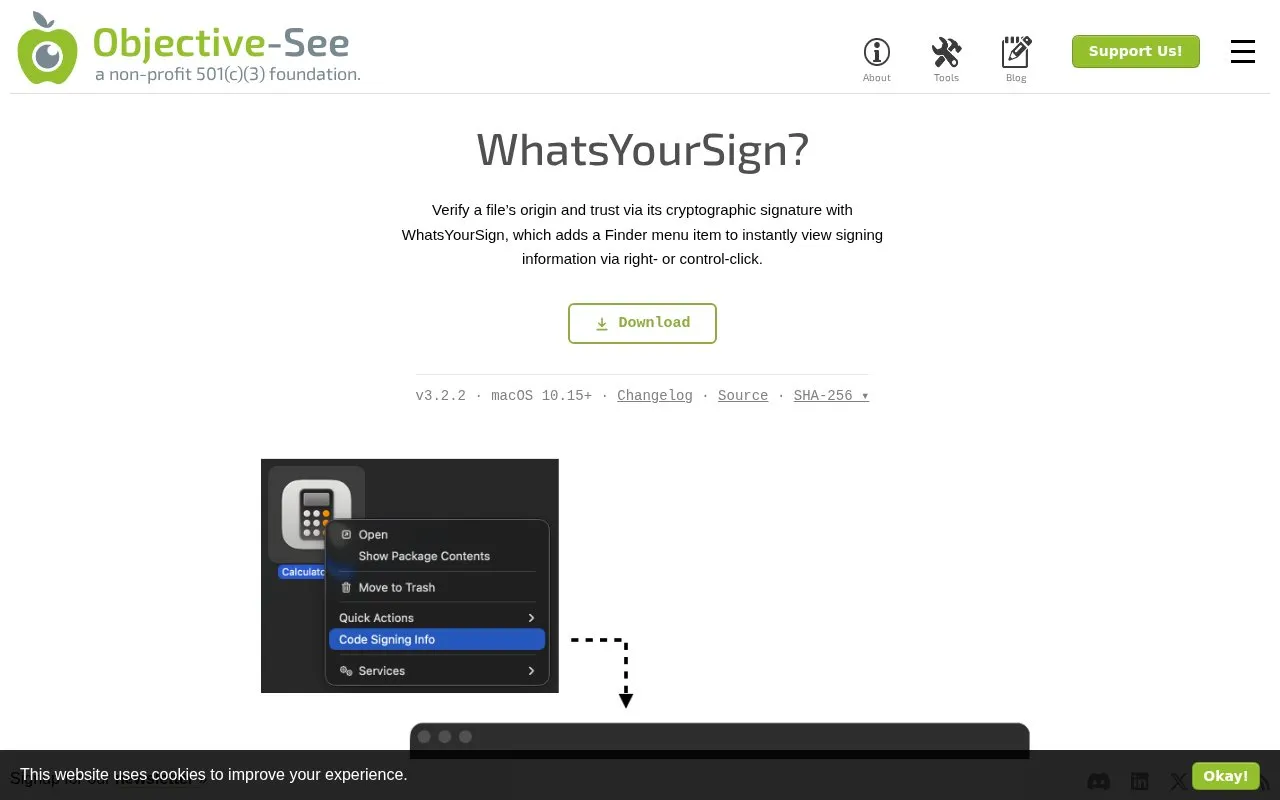
What's Your Sign? adds a "Code Signing Info" item to the Finder right-click menu on macOS 10.15 and later. Selecting it opens a window with the file's cryptographic signing information, using a green lock for Apple signatures, a black lock for other valid signatures such as Mac App Store or Developer ID, and a red unlock icon for unsigned files or revoked certificates.
The window can also list MD5, SHA1, SHA256 and CDHash values, and show entitlements when present. Coverage of external or mounted drives is off by default, and the menu item may need the extension to be toggled off and on in System Settings.
Key features
- Show code signing details from Finder right-click menu
- Use green, black, and red icons for signature status
- Calculate MD5, SHA1, SHA256, and CDHash values
- Display file entitlements through View Entitlements option
- Offer optional coverage for external and mounted drives
- Check for updates from the application in Applications
Best for: Mac users who want to check a file's signing information before trusting or opening it.
Good for
- Displays signing information directly in Finder via right-click menu
- Uses lock icons to distinguish Apple, third-party, and unsigned or revoked files
- Shows file hashes and entitlements in the same result window
Watch out for
- Requires macOS 10.15 or later
- Support for external or mounted drives is disabled by default
- Menu item may not appear until the extension is toggled in System Settings
What's Your Sign? at a glance
- Category
- Privacy & Security › Desktop & OS Privacy
- Type
- Website
- Pricing
- Not confirmed. Check the site
- Platforms
- macOS, Web
- Open source
- Not stated
- Last checked
- Oct 5, 2026 · Online when checked
- Listed
- Oct 5, 2026
What's Your Sign? alternatives
Tools and sites you could use instead, ranked by how closely they match.

Dylib Hijack Scanner is a utility that scans a computer for applications that may be vulnerable to dylib hijacking.

Collision checks file hashes on Linux, with installation available through Flathub.

uBlock Origin Lite by Raymond Hill is an App Store content blocker for iPhone, iPad and Mac with declarative filtering.
Pick
24 alternatives
Check which software is persistently installed on a Mac with KnockKnock, a tool for inspecting startup items.

Detect possible macOS ransomware by monitoring file encryption activity with RansomWhere?.
Popular in Desktop & OS Privacy
Well-known listings from the same topic.
wBlockapps.apple.com/app/wblock/id6746388723Stayapps.apple.com/app/stay-for-safari/id1591620171Lockdown Privacylockdownprivacy.comTor Browsertorproject.orgFirejailfirejail.wordpress.comHyphanethyphanet.org


Is something wrong or out of date?
Tell us and an editor will check it.
Own this website?
Claim this listing
Claim the listing and suggest updates yourself. An editor checks every claim first.