

BlockBlock monitors for malware that installs itself persistently to run automatically after a restart or login.
KnockKnock
Check which software is persistently installed on a Mac with KnockKnock, a tool for inspecting startup items.
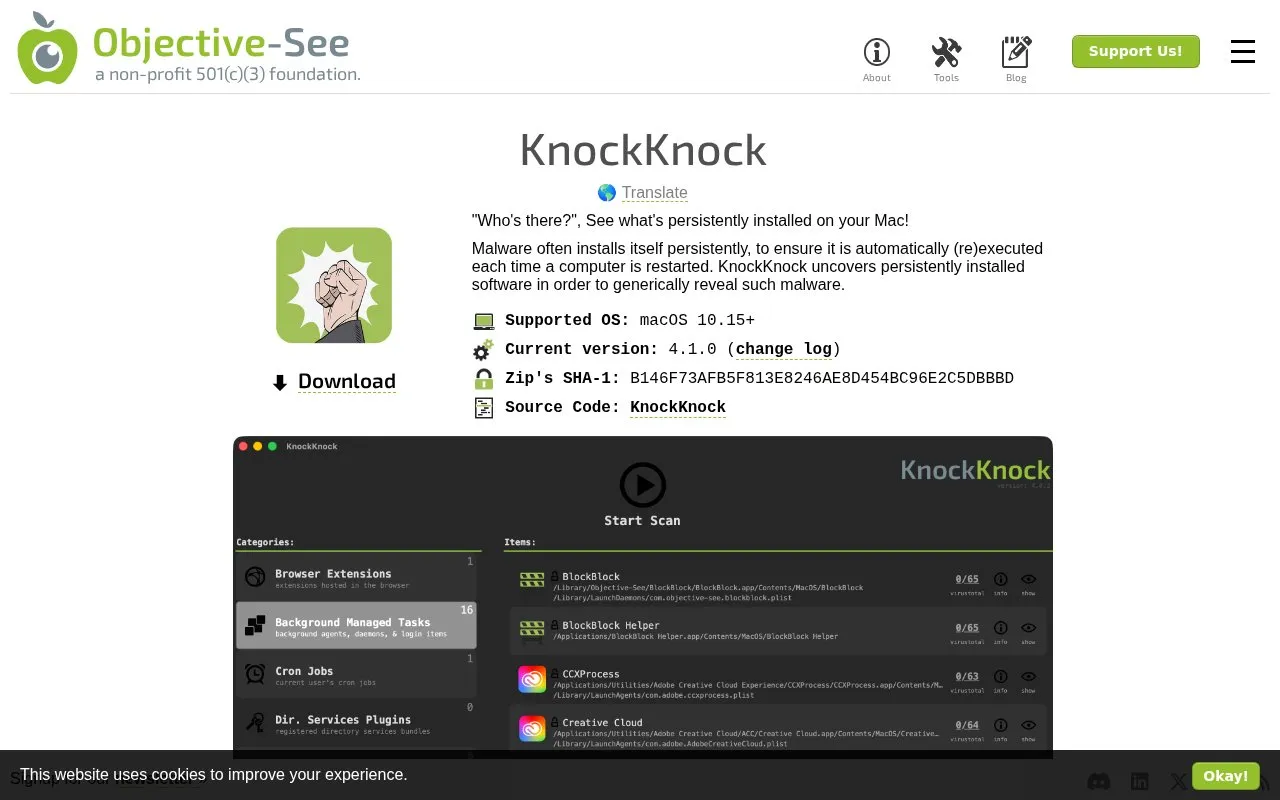
About KnockKnock
KnockKnock scans a Mac for software set to persist across restarts, listing items by persistence category with file path, signing status, and file details. It can check executable binaries against VirusTotal by hash and allow unknown items to be submitted to VirusTotal for analysis when a VirusTotal API key is provided. It requires macOS 10.15 or later and may need Full Disk Access to scan the full system. It lists legitimate third-party software alongside possible malware, so listed items are not necessarily malicious and require review.
Key features
- Scans known persistence locations for software set to auto-run
- Groups results by persistence category with item counts
- Shows signing status, path, and file information per item
- Checks executable hashes against VirusTotal
- Submits unknown items to VirusTotal for analysis
- Runs without installation; delete app to remove
Best for: Mac users who want to review persistent and startup software for unwanted items.
Good for
- Runs without installation from any location
- Filters signed Apple binaries by default
- Shows VirusTotal results and signing status per item
Watch out for
- Requires macOS 10.15 or later
- May require Full Disk Access to scan the entire computer
- Lists legitimate third-party software, so results require interpretation
KnockKnock at a glance
- Category
- Privacy & Security › Desktop & OS Privacy
- Type
- Website
- Pricing
- Not confirmed. Check the site
- Platforms
- macOS, Web
- Open source
- Not stated
- Last checked
- Oct 5, 2026 · Online when checked
- Listed
- Oct 5, 2026
KnockKnock alternatives
Tools and sites you could use instead, ranked by how closely they match.

Check file origin and cryptographic signing details from Finder with this macOS utility.

Collision checks file hashes on Linux, with installation available through Flathub.

Use a YubiKey challenge-response at system startup to open a LUKS-encrypted disk volume.
Open source
24 alternatives
Tunnelblick is free, open-source macOS software for controlling OpenVPN connections, with downloads and support information on its site.
The MailTrackerBlocker extension for macOS Apple Mail blocks email trackers, read receipts, and tracking pixels.
Popular in Desktop & OS Privacy
Well-known listings from the same topic.
wBlockapps.apple.com/app/wblock/id6746388723uBO Lite Safariapps.apple.com/app/ublock-origin-lite/id674534…Stayapps.apple.com/app/stay-for-safari/id1591620171Lockdown Privacylockdownprivacy.comTor Browsertorproject.orgFirejailfirejail.wordpress.com


KnockKnock FAQ
Does an item listed by KnockKnock mean it is malware?
No. KnockKnock lists persistently installed software, including legitimate third-party software, so items need review.
Do I need to install KnockKnock?
No. It can run from anywhere without installation, and you remove it by deleting the app.
What does a '?' mean for a VirusTotal result?
It means the binary is unknown to VirusTotal, often because it has not been submitted yet. You can select and submit unknown items to VirusTotal for analysis.
Is something wrong or out of date?
Tell us and an editor will check it.
Own this website?
Claim this listing
Claim the listing and suggest updates yourself. An editor checks every claim first.