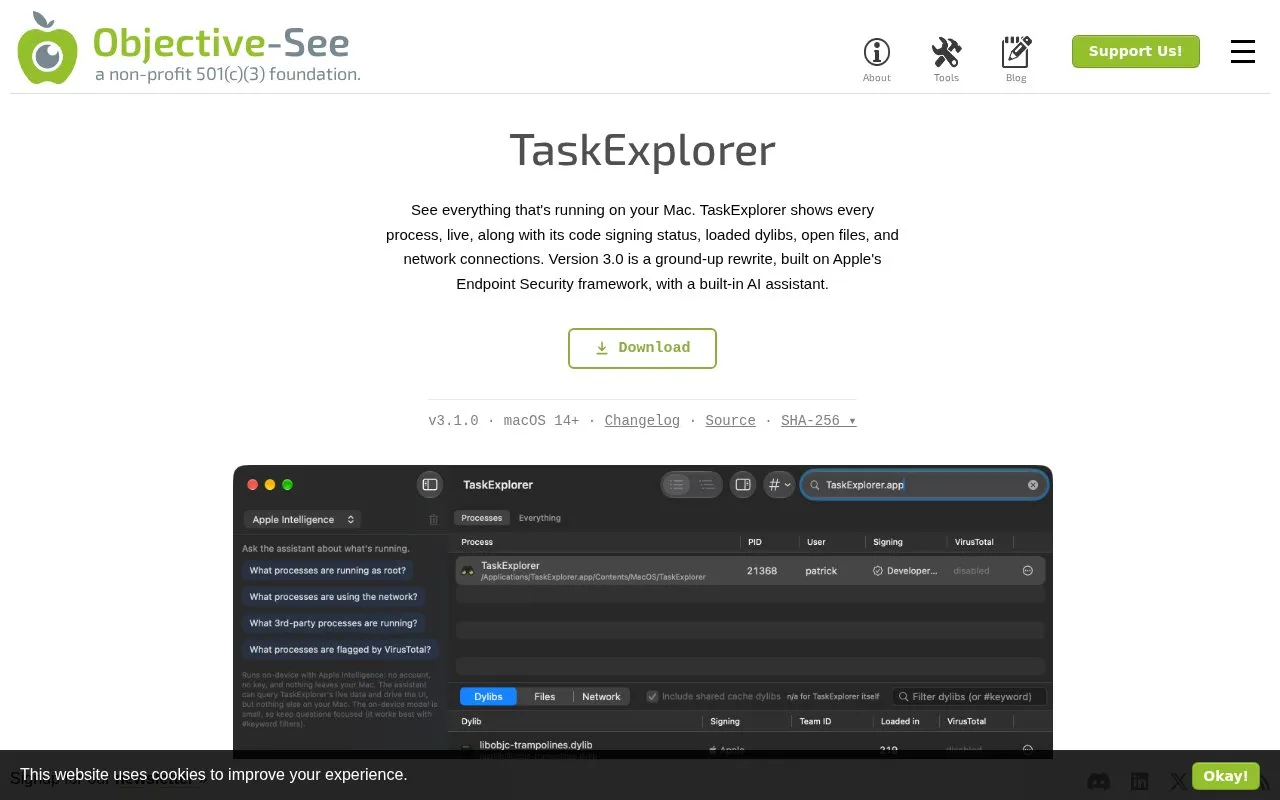
TaskExplorer displays running processes on Mac with live details including code signing status, loaded dylibs, open files, and network connections. It uses a system extension based on Apple's Endpoint Security framework to add and remove processes as they start and exit, and provides #keyword filtering, flat or tree views, an inspector pane, and JSON export from the app or command line.
Version 3.1.0 requires macOS 14 or newer and must run from /Applications with system extension approval and Full Disk Access. The built-in assistant runs on-device on macOS 26 with Apple Intelligence enabled on Apple silicon, or with a user-supplied Claude or ChatGPT API key; VirusTotal flagging requires an optional free key.
Key features
Live process list with pid, user, path and signing status
Shows loaded dylibs, open files, network connections per process
Filter with #keyword tokens including #everything global search
Flat or tree view with inspector pane for selected items
Export processes, dylibs, files, connections as JSON
Built-in assistant queries live data via on-device or API key
Best for: Mac users who want to examine running processes, their signing status, libraries, files, and network connections.
Good for
Monitors processes live and refreshes dylibs, files, and connections as they change
Flags VirusTotal detections in red in the process list
Saves full process data as JSON via app or command line
Watch out for
Requires macOS 14 or newer; version 2.1.0 is needed for macOS 11 to 13
Requires system extension approval and Full Disk Access to read processes and files
On-device assistant needs macOS 26 with Apple Intelligence on Apple silicon, otherwise needs own API key
macOS 14 or newer on Apple silicon or Intel, installed in /Applications, with the system extension allowed and Full Disk Access enabled for the extension.
How does the built-in AI assistant work?
It queries live data and can drive the UI. It runs on-device via Apple Intelligence on macOS 26 with Apple Intelligence enabled on Apple silicon, or with a user-supplied Anthropic or OpenAI key.
Is a VirusTotal key required?
No. Adding an optional free VirusTotal key lets TaskExplorer flag known malware, with flagged processes and loaded dylibs shown in red.
Is something wrong or out of date?
Tell us and an editor will check it.
Own this website?
Claim the listing and suggest updates yourself. An editor checks every claim first.