

SpaceFromSpace archives declassified Cold War satellite imagery and modern spaceport photographs on interactive maps.
GOES-16 Satellite Imagery
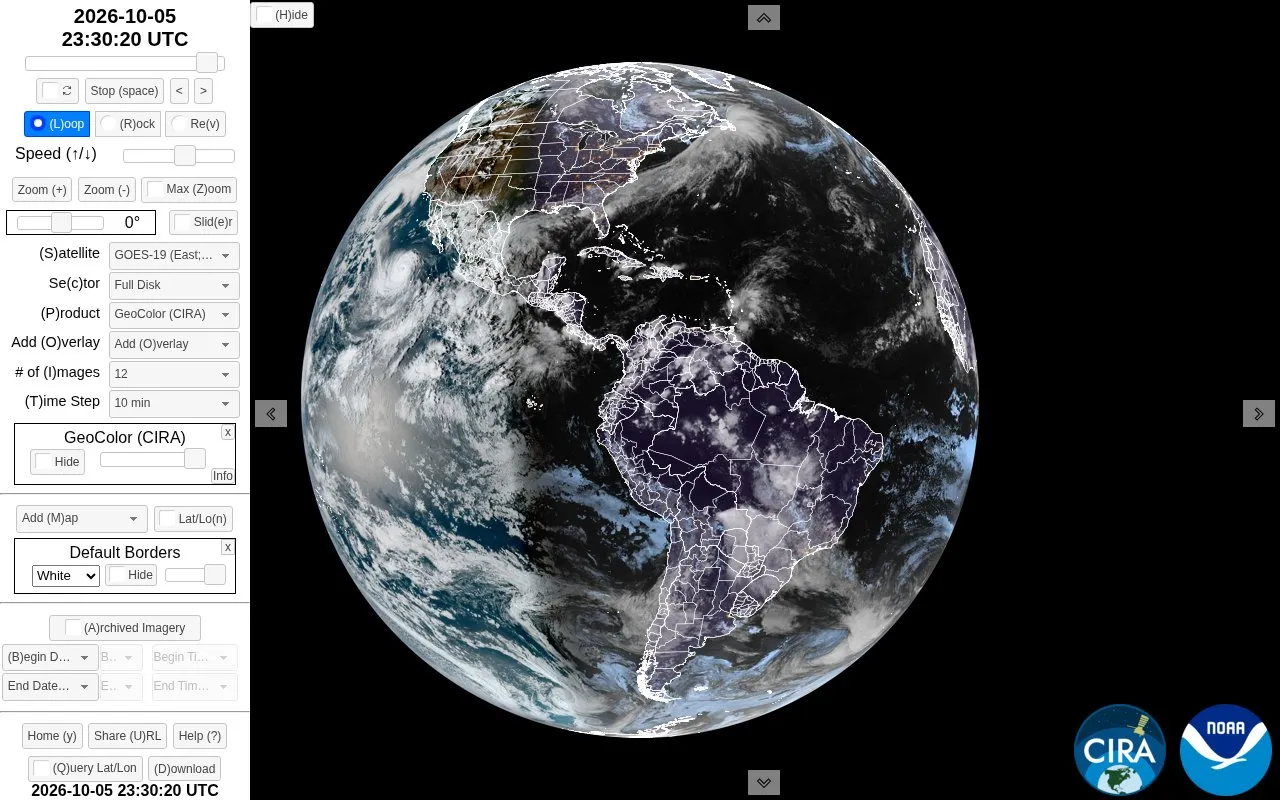
The SLIDER explorer displays satellite imagery from GOES-16 and Himawari-8 with interactive playback and overlays.
About GOES-16 Satellite Imagery
SLIDER by RAMMB/CIRA displays GOES-16 and Himawari-8 satellite imagery for interactive viewing. Users can select satellite, sector and product, control loop playback, speed, time step and zoom, and add map and data overlays. It also supports archived imagery by begin and end date and time, shareable URLs, latitude/longitude query, drawing tools, and downloads as animated PNG, animated GIF, or still PNGs.
Downloads have stated limits: saved images may appear darker than the on-screen view, side-by-side comparison and Follow Feature motion are not saved, animated loop creation does not work in Internet Explorer and Edge, and complex loops may take minutes to build or crash the browser.
Key features
- Display GOES-16 and Himawari-8 satellite imagery in interactive loops
- Choose satellite, sector, and product to change the view
- Adjust loop playback, speed, time step, and zoom level
- Add map and data overlays to satellite images
- Access archived imagery by selecting begin and end times
- Download loops as animated PNG, GIF, or separate PNGs
Best for: People who need to view, loop, and download weather satellite imagery for study or monitoring.
Good for
- Supports multiple imagery sources, including GOES-16 and Himawari-8
- Offers archived imagery selection and shareable URLs for specific loops
- Provides multiple download formats including animated PNG, GIF, and still images
Watch out for
- Downloaded imagery may appear darker than the on-screen display
- Side-by-side comparison and Follow Feature motion are not saved in downloads
- Creating animated PNGs or GIFs does not work in Internet Explorer and Edge
GOES-16 Satellite Imagery at a glance
- Category
- Education & Learning › Space & Astronomy
- Type
- Website
- Pricing
- Not confirmed. Check the site
- Platforms
- Web
- Open source
- Not stated
- Last checked
- Oct 5, 2026 · Online when checked
- Listed
- Oct 5, 2026
GOES-16 Satellite Imagery alternatives
Tools and sites you could use instead, ranked by how closely they match.
The COSMOS-Web DR1 viewer displays released NIRCam and MIRI images with overlays for photometric and spectroscopic data.

Planet presents satellite imagery of Earth, including a visualization of images captured across a single day.

Satellite Map tracks satellites in real time on an interactive 3D map.

NASA Worldview provides an interactive interface for browsing full-resolution daily satellite images from around the globe.

ViewSpace offers astronomy interactives, image tours, sliders, and videos for exploring the universe.
Popular in Space & Astronomy
Well-known listings from the same topic.
Imagesimages.nasa.govNASAnasa.govHistorynasa.gov/historyFirstMenOnTheMoonfirstmenonthemoon.comVisible Earthvisibleearth.nasa.govJPL Photojournalphotojournal.jpl.nasa.gov


GOES-16 Satellite Imagery FAQ
What download formats are available for loops?
Animated PNG, Animated GIF, Current Image in PNG format, and All Images Separately in PNG format. Animated PNG is lossless with larger file size and is not supported by PowerPoint and Twitter; Animated GIF uses limited colors with smaller file size.
What to do if downloaded imagery looks darker than in SLIDER?
Refresh the browser, which should return to the same loop, and try downloading again.
How to keep a feature in the same screen position while looping?
Move to an image with the feature and click it, move to a different image with the same feature and click it again. The feature will then stay in the same screen position while looping.
Is something wrong or out of date?
Tell us and an editor will check it.
Own this website?
Claim this listing
Claim the listing and suggest updates yourself. An editor checks every claim first.