
Jupyter Widgets official documentation
Jupyter Widgets provides interactive Python objects for notebook interfaces, including controls such as sliders and text boxes.
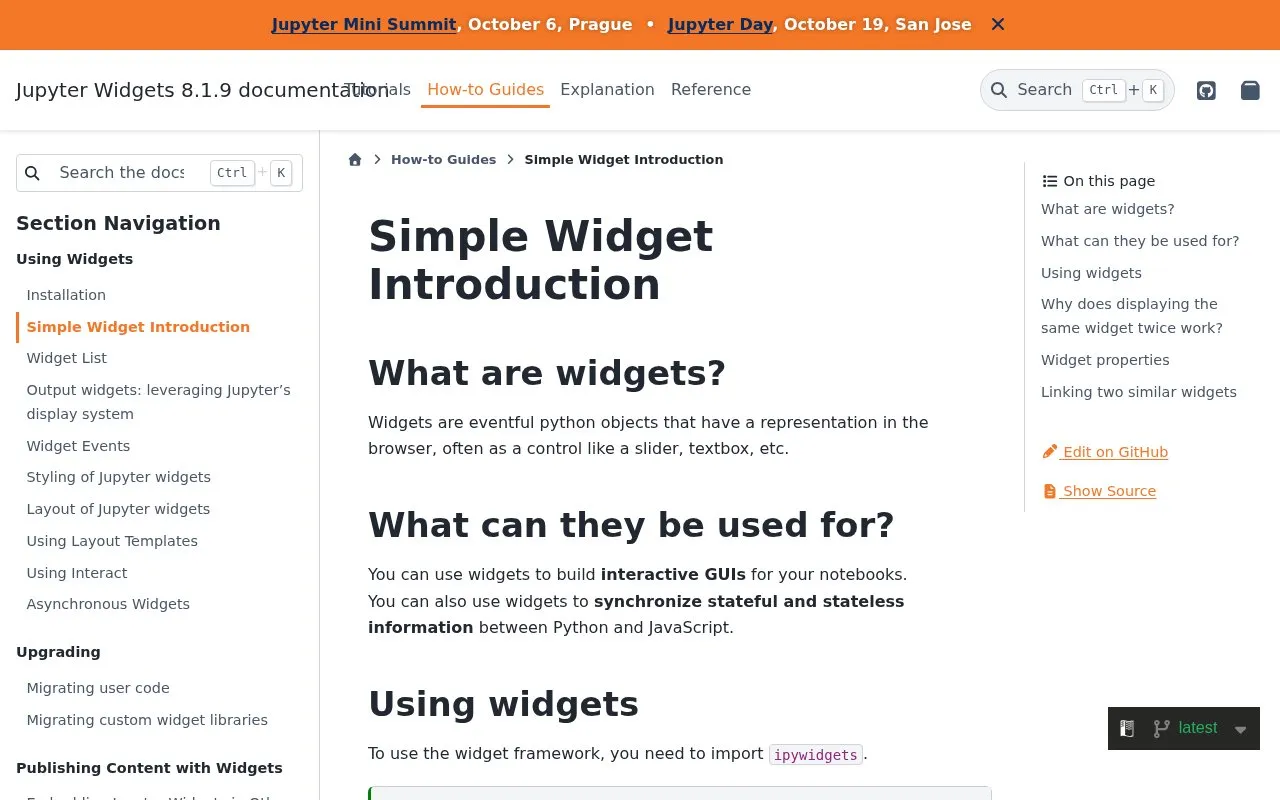
About Jupyter Widgets official documentation
This is the official documentation page for Jupyter Widgets, a Python library. It introduces widgets, which are Python objects with a representation in the browser, often shown as controls such as sliders and text boxes. The page explains that widgets can be used to build interactive graphical interfaces inside Jupyter notebooks and to pass state between Python and JavaScript.
The page covers basic usage. It shows how to import ipywidgets, display a widget, read and set its value, close it, set initial values in the constructor, and link two widgets together. Each topic includes short code examples. The page is described as a simple introduction, so it does not go beyond these basics.
Key features
- Python widget objects with browser controls such as sliders and text boxes
- Widgets display inside the notebook output area below the code cell
- Multiple displayed copies of one widget stay in sync with each other
- Linking two widget properties with link or jslink, and unlinking them
- Reading and setting widget values through the value property
- Listing a widget's synchronized properties with the keys property
Best for: Python users who build interactive controls in Jupyter notebooks and want an introduction to basic ipywidgets usage.
Good for
- Includes short code examples for displaying, setting, linking and unlinking widgets.
- Explains why displaying the same widget twice keeps the displayed copies in sync.
Watch out for
- The page is a simple introduction and does not cover advanced topics.
- Clearing a cell's output also removes the widget displayed in it.
Jupyter Widgets official documentation at a glance
- Category
- Development › Developer Tools
- Type
- Website
- Pricing
- Not confirmed. Check the site
- Platforms
- Web
- Open source
- Not stated
- Language
- English
- Last checked
- Oct 6, 2026 · Online when checked
- Listed
- Oct 5, 2026
Guides for Developer Tools


Jupyter Widgets official documentation alternatives
Tools and sites you could use instead, ranked by how closely they match.

Jupyter Notebook combines live code, equations, explanatory text, visualizations, and interactive computing in a web platform.

anywidget makes reusable widgets easier to build for notebooks and interactive applications.
Open source
24 alternatives
Jupytext lets users represent Jupyter notebooks as Markdown documents or Julia, Python, and R scripts.
Open source
24 alternatives
Build native interfaces with Slint, a declarative GUI toolkit for Rust, C++, JavaScript, and Python.

Julia-language backend combined with the Jupyter interactive environment.
Open source
24 alternatives
Build native user interfaces with Slint, an open-source declarative GUI toolkit for Rust, C++, JavaScript, and Python.
Open source
24 alternativesPopular in Developer Tools
Well-known listings from the same topic.
AppDevToolsappdevtools.comCommand Not Foundcommand-not-found.comTestFlighttestflight.apple.com/join/A8GwCnq8Sourcegraphabout.sourcegraph.comProject Wallaceprojectwallace.comCarbon Calculatorwebsitecarbon.com


Jupyter Widgets official documentation FAQ
What happens if the same widget is displayed twice?
Each display creates a view of the same back-end object, so the displayed instances in the front-end stay in sync.
How can two widgets be linked so their values match?
Use the link or jslink function with the two properties, for example widgets.jslink((a, 'value'), (b, 'value')). To remove the link, call unlink on the link object.
What happens to a widget when a cell's output is cleared?
The widget is removed along with the output area it was shown in.
Is something wrong or out of date?
Tell us and an editor will check it.
Own this website?
Claim this listing
Claim the listing and suggest updates yourself. An editor checks every claim first.