

ShareX
ShareX captures or records screen areas and shares them, and can upload images, text, and other files to selected destinations.
About ShareX
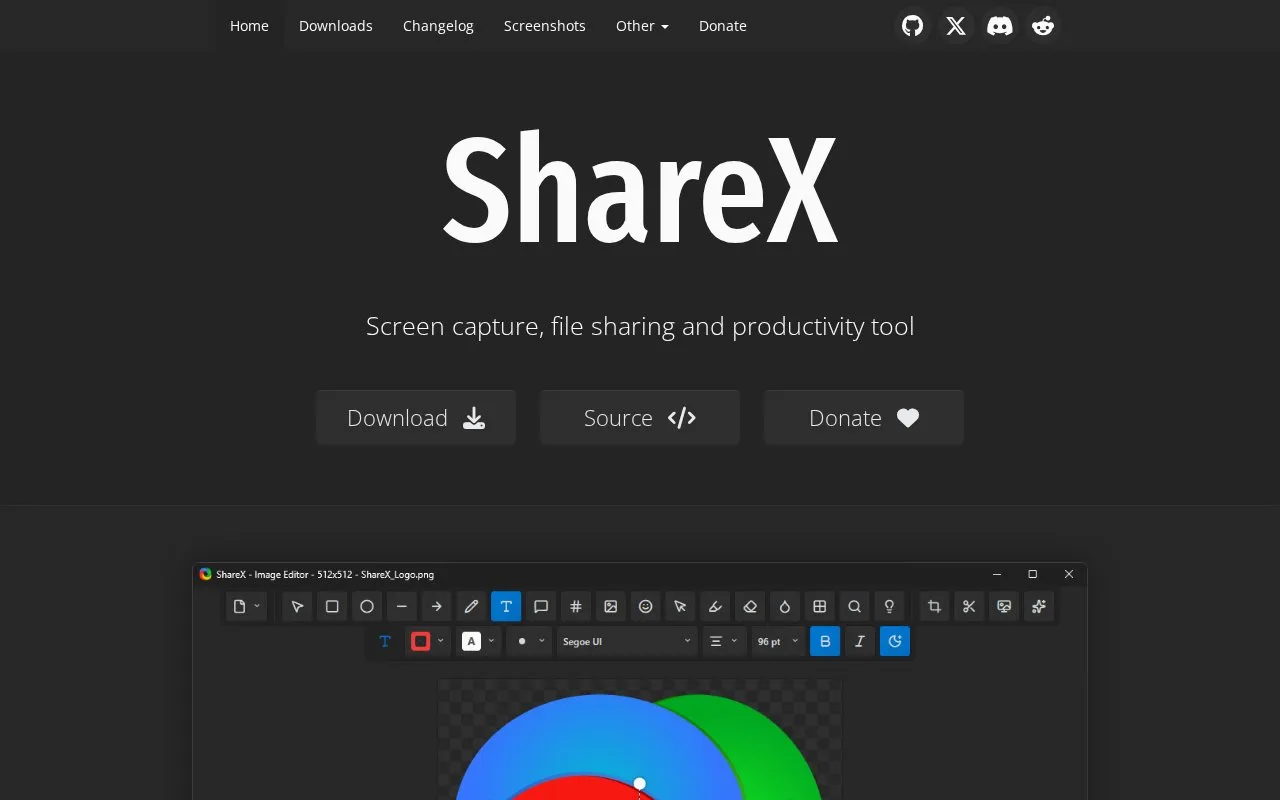
ShareX is a free and open source tool for Windows that captures or records areas of the screen and uploads images, text, and other files to selected destinations. It supports fullscreen, window, monitor, region, and scrolling captures, plus screen recording and GIF creation.
It provides annotation and image editing tools, OCR text recognition, QR code handling, and additional utilities for images, video, and text. No account is required.
Key features
- Capture fullscreen, active window, monitor, region, or scrolling page
- Record screen video and create animated GIFs
- Annotate screenshots with shapes, text, blur, pixelate, and highlight
- Upload images, files, folders, text, or URLs to selected destinations
- Recognize text in images with OCR and scan QR codes
- Edit images with crop, effects, resizing, combining, and watermarking
Best for: It suits Windows users who capture, annotate, and share screenshots and screen recordings without an account.
Good for
- Free and open source with source code available
- No account required to use
- No advertisements
ShareX at a glance
- Website
- getsharex.com
- Type
- Online tool
- Pricing
- Free
- Platforms
- Web, Windows
- Open source
- Yes · Source code
- Language
- English
- Last checked
- Oct 5, 2026 · Online when checked
- Listed
- Oct 5, 2026
Guides for Screen Recording & Streaming Tools
ShareX alternatives
Tools and sites you could use instead, ranked by how closely they match.

vokoscreenNG is a screencast creator for Windows and Linux that records the screen, an area, or a window (Linux only), with audio from multiple sources and built-in camera support.
Open source
24 alternatives
RePlays automatically records detected games and includes a clip editor for quickly sharing video highlights.
Open source
24 alternatives
Segra records gameplay through OBS and can automatically clip highlights across supported games; its page describes it as free and open source.
Open source
24 alternatives
OBS Studio is free, open source software for video recording and live streaming, with encoding for H.264 and AAC.
Open source
24 alternatives
Owncast is free, open source software for running a live video and web chat server with existing broadcasting software.
Open source
24 alternatives
gInk is Windows software for annotating the screen during presentations, demonstrations, or other work beside on-screen content.
Open source
24 alternativesShareX comparisons

Featured in
 8 sites


Best of
Best Free Screen Recorders for Tutorials and Quick Updates
The best free screen recorders fall into two groups: apps that save a video you control and services that make sharing…
 8 sites


Best of
Best Free Screenshot Tools for Clear Captures and Markup
The best free screenshot tools save more than a picture: they help the recipient see the exact button, error, or…
Popular in Screen Recording & Streaming Tools
Well-known listings from the same topic.
StreamElementsstreamelements.comStreamlabsstreamlabs.comStreamer.botstreamer.botAwesome Streaminggithub.com/juancarlospaco/awesome-streaming-to…VDO.Ninjavdo.ninjaStreamrecorderstreamrecorder.io


ShareX FAQ
Is ShareX free?
Yes, it is described as free forever and open source.
Do I need an account to use ShareX?
No, no account is required.
What can I upload with ShareX?
Images, files, folders, clipboard content, text, or URLs to a preferred destination.
Is something wrong or out of date?
Tell us and an editor will check it.
Own this website?
Claim this listing
Claim the listing and suggest updates yourself. An editor checks every claim first.