

SMTube
SMTube browses, searches, and plays YouTube videos through a media player such as SMPlayer.
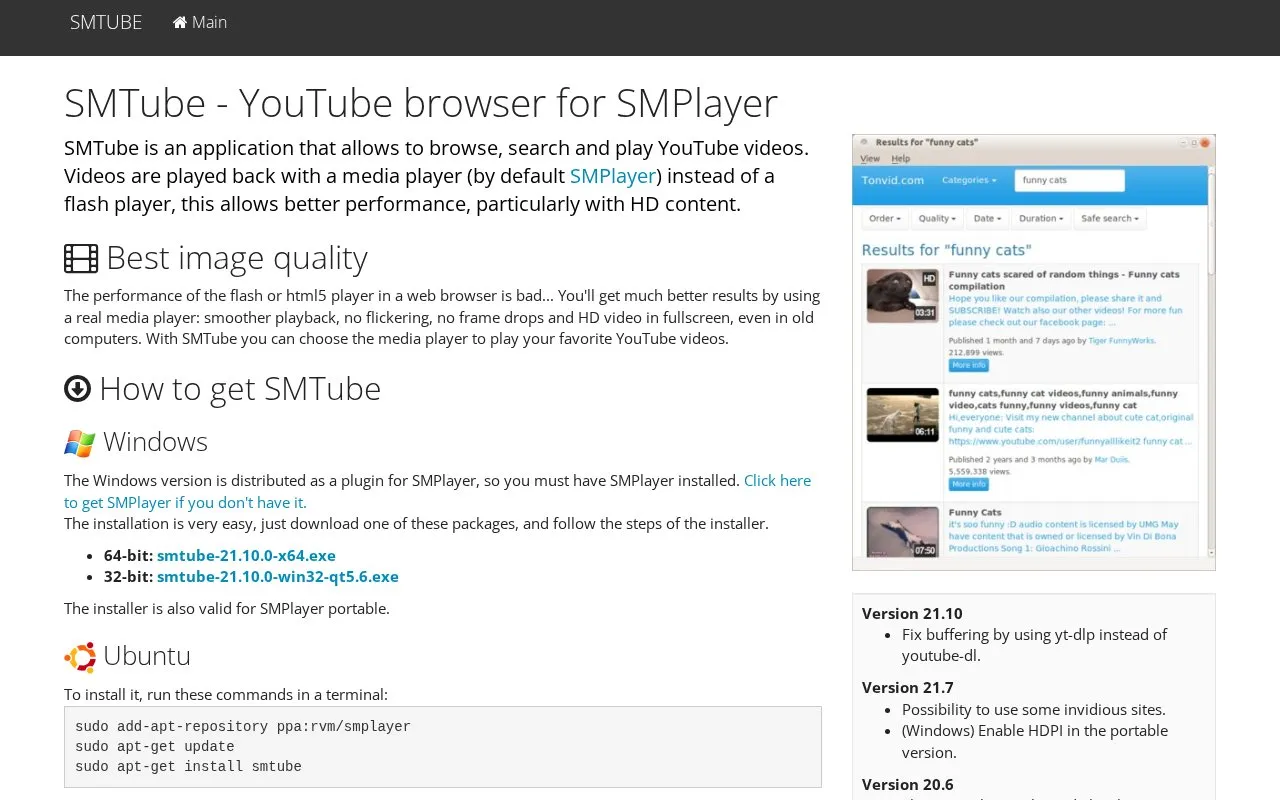
About SMTube
SMTube is a free, open-source GPL-licensed application that functions as a YouTube browser for media players, with default integration for SMPlayer. It allows users to browse, search, and play YouTube videos directly through their chosen media player, rather than relying on a web browser’s flash or HTML5 player.
The tool is designed to improve playback performance, particularly for HD content, delivering smoother playback, no flickering or frame drops, and fullscreen HD support even on older hardware. It is available for Windows (distributed as an SMPlayer plugin), multiple Linux distributions via package managers or source code, and web platforms, and also supports using select Invidious sites as YouTube alternatives.
Key features
- Browse, search, and play YouTube videos via a media player.
- Eliminates need for flash or browser-based HTML5 playback.
- Delivers smoother HD playback with no flickering or frame drops.
- Supports use of select Invidious sites as YouTube alternatives.
- Available for Windows, Linux, and web platforms.
- Lets users choose their preferred media player for playback.
Best for: Users who want smoother, higher-quality YouTube playback through their preferred media player, particularly on older computers.
Good for
- Free and open-source under the GPL license.
- Improves YouTube playback quality, especially for HD content.
- Supports multiple platforms including Windows, Linux, and web.
- Allows use of alternative Invidious sites for browsing.
Watch out for
- Windows version requires pre-installed SMPlayer to function.
- Relies on external tools to fetch YouTube video URLs, which may break with YouTube interface changes.
SMTube at a glance
- Website
- smtube.org
- Category
- Software & Utilities › Media Players & Servers
- Type
- Website
- Pricing
- Free
- Platforms
- Linux, Web, Windows
- Open source
- Not stated
- Language
- English
- Last checked
- Oct 5, 2026 · Online when checked
- Listed
- Oct 5, 2026
Guides for Media Players & Servers
SMTube alternatives
Tools and sites you could use instead, ranked by how closely they match.

YAMS provides a media server installation script described as easy to install through a Bash script.

CatNip provides a terminal audio visualizer for Linux, Unix, macOS, and Windows.
Open source
24 alternatives
Synchronize subtitles automatically for mpv with AutoSubSync MPV, which lists ffsubsync and alass as supported backends.
Open source
24 alternatives
VideoClip creates video and audio clips with mpv, saving them as MP4 or WebM and allowing subtitles to be embedded.
Open source
24 alternatives
Watch videos in sync with friends using SyncWatch, a browser extension that lists support for Firefox, Chrome, and Opera.
Open source
24 alternatives
Play audio and video formats with SMPlayer, a media player for Windows and Linux that includes built-in codecs.
Popular in Media Players & Servers
Well-known listings from the same topic.
Ampacheampache.orgAIMPaimp.ruXbox Kodiapps.microsoft.com/detail/9nblggh4t892Pasta Toolpastatool.comMuseeksmuseeks.ioCaracal Clubcaracal.club


SMTube FAQ
Is SMTube free to use?
Yes, SMTube is free and open-source software released under the GPL license.
What media players are compatible with SMTube?
SMTube works with SMPlayer by default, and users can select other preferred media players for playback.
Does SMTube support platforms other than Windows?
Yes, SMTube is available for Windows, multiple Linux distributions, and web platforms.
Can I use SMTube with sites other than YouTube?
Yes, as of version 21.7, SMTube supports select Invidious sites as YouTube alternatives.
Is something wrong or out of date?
Tell us and an editor will check it.
Own this website?
Claim this listing
Claim the listing and suggest updates yourself. An editor checks every claim first.