

suckless-cut
suckless-cut recreates selected LosslessCut features in the mpv video player through a Lua script.
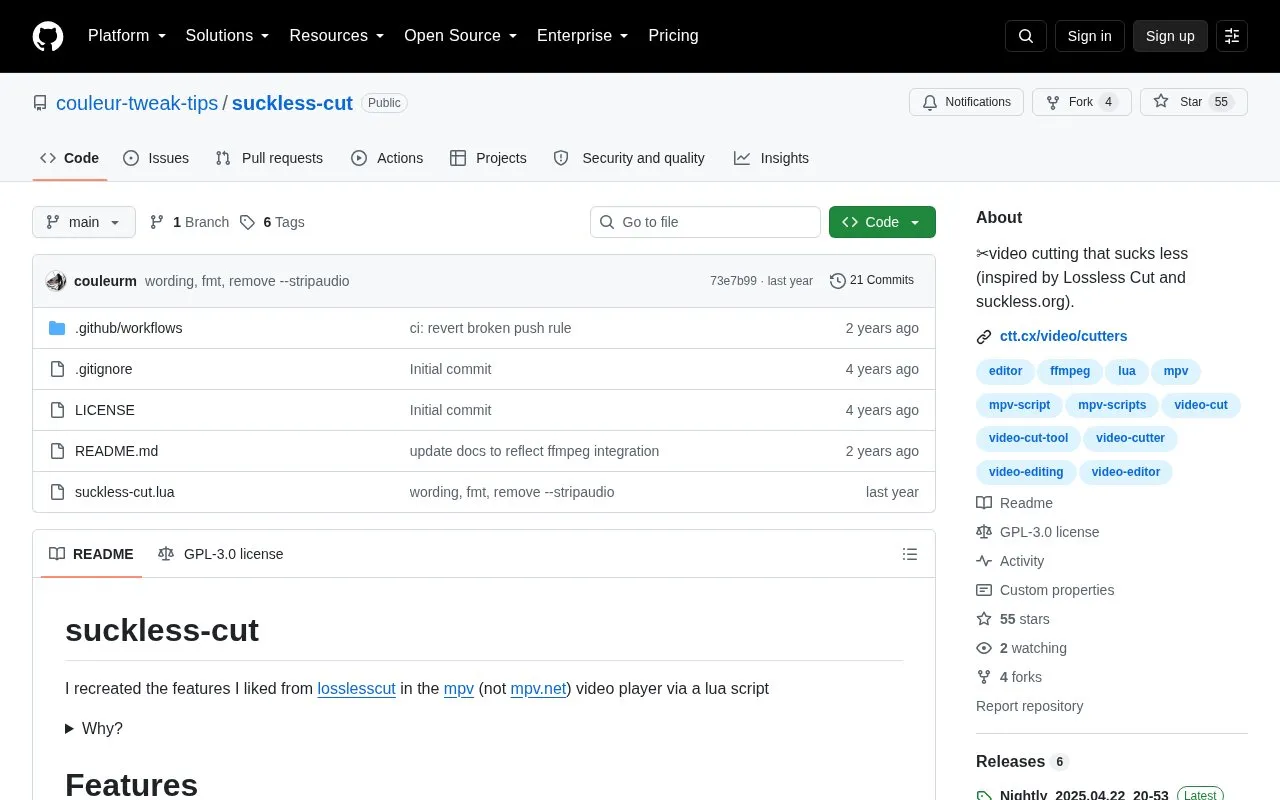
About suckless-cut
suckless-cut is an open-source Lua script for the mpv video player (not mpv.net) that recreates features its author liked from LosslessCut. It lets you set in and out points with the keyboard, collect them as "indexes," and then run an external program—smoothie or ffmpeg—to produce cut copies of the video. The script targets keyboard-driven workflows and avoids the loading times associated with a Chromium-based interface.
It supports multiple segments, playlists of simultaneously open files, and displays cut segments as fake chapters. Installation is manual: you place suckless-cut.lua in your mpv scripts folder or launch mpv with --script pointing at the file. Export mode is cycled between smoothie and ffmpeg, and cutting mode between split (separate files per cut) and trim (merging cuts per video). The source notes that smoothie exports do not contain audio, and that easy keyboard seeking across keyframes is still a to-do.
Key features
- Sets in and out points with keyboard shortcuts, not a mouse
- Stores multiple cut segments as navigable indexes
- Renders cuts by invoking external smoothie or ffmpeg processes
- Cycles cutting modes: split into separate files or trim and merge
- Supports playlists with several files open at once
- Displays cut segments as fake chapters in mpv
Best for: mpv users on Linux or Windows who prefer a keyboard-only, command-line-oriented video cutting workflow over a graphical editor.
Good for
- Entirely keyboard-controllable, with no Chromium or JavaScript involved
- Free and open source under the GPL-3.0 license
- Runs inside mpv, which the author describes as a snappier video player
Watch out for
- smoothie exports do not contain audio, so ffmpeg must be used first for those cuts
- Keyboard keybinds for seeking across keyframes are still listed as a to-do
- Requires mpv (not mpv.net) and manual placement of the Lua script
suckless-cut at a glance
- Category
- Design & Creative › Video Editing & Animation
- Type
- Open-source project
- Pricing
- Not confirmed. Check the site
- Platforms
- Linux, Windows
- Open source
- Yes · Source code
- Language
- English
- Last checked
- Oct 6, 2026 · Online when checked
- Listed
- Oct 5, 2026
Guides for Video Editing & Animation

suckless-cut alternatives
Tools and sites you could use instead, ranked by how closely they match.

LosslessCut edits video and audio without re-encoding, with the project source available on GitHub.
Open source
24 alternatives
VVCEasy provides prebuilt VVC encoder and player binaries for encoding and decoding video, according to its repository description.
Open source
24 alternatives
This Windows batch script sets up a MinGW-w64 compiler environment for building FFmpeg and other media tools.
Open source
24 alternatives
Edit and generate video clips with MoviePy, a Python library documented in its GitHub repository.
Open source
24 alternatives
FFmpeg Static Auto-Builds provides Windows and Linux builds of FFmpeg, with target platform and runtime requirements listed in its repository.
Open source
24 alternatives
Create motion graphics with Friction, a graphics application for animated visual content.
Open source
24 alternativesPopular in Video Editing & Animation
Well-known listings from the same topic.
Animakeranimaker.com8mb.video8mb.videoASM Lessonsgithub.com/FFmpeg/asm-lessonsCuttrcuttr.inVideo Cuttervideo-cutter-js.comMotionPlacesmotionplaces.com


suckless-cut FAQ
How do I install suckless-cut?
Place suckless-cut.lua in your mpv scripts folder, or run mpv with --script="/path/to/suckless-cut.lua". The scripts folder location depends on your mpv configuration, and on Windows an mpv install via Scoop puts it under %USERPROFILE%\scoop\apps\mpv\current\portable_config.
Which export programs can it use?
smoothie and ffmpeg. Ctrl+r runs your default export program on the current indexes, and K cycles export modes. Note that smoothie exports contain no audio.
How can I cut at keyframes?
Move your cursor over the seekbar and use the mouse scroll wheel to seek across keyframes, then set start and end points there. The README notes that finding or adding keyboard keybinds for this is still a to-do.
Is something wrong or out of date?
Tell us and an editor will check it.
Own this website?
Claim this listing
Claim the listing and suggest updates yourself. An editor checks every claim first.