

VERNAM
VERNAM encrypts files in the browser using a passphrase and supports opening .vrn files, according to its page.
About VERNAM
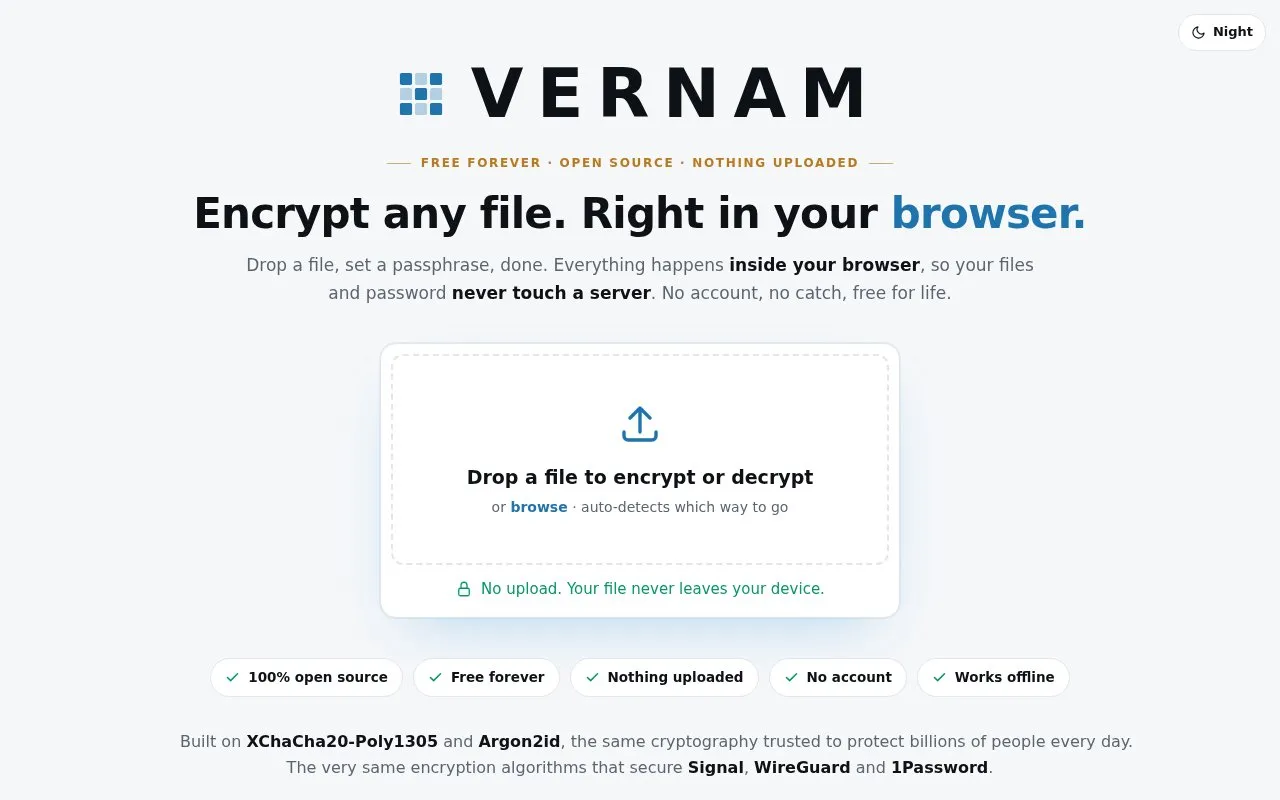
VERNAM is a free web tool for encrypting and decrypting files with a passphrase. You drop a file onto the page, and the tool detects whether to encrypt or decrypt it. Encryption and decryption run in the browser using WebAssembly. According to the homepage, the file and passphrase are not sent to a server, and no account is required. The directory describes the tool as able to open .vrn files, which is the format VERNAM produces.
The passphrase is the only key. The tool does not store it and offers no recovery. If the passphrase is lost, the file cannot be decrypted, and a wrong passphrase simply fails. Key derivation uses Argon2id, and the page notes that it can take a moment. A higher-cost "high security" mode is available, which the page says is not recommended for low-RAM devices. The homepage describes the cipher as XChaCha20-Poly1305, which the page says detects any changes to the file.
Key features
- Encrypts and decrypts files in the browser using a passphrase
- Automatically detects whether a dropped file should be encrypted or decrypted
- Built-in passphrase generator that creates six words from the BIP39 wordlist
- Optional high security mode with heavier Argon2id key derivation
- Uses XChaCha20-Poly1305 to encrypt files in chunks and detect tampering
- Opens .vrn files encrypted by VERNAM and restores the original file
Best for: People who want to encrypt individual files locally in a browser without creating an account, and who can store their passphrase safely.
Good for
- No account is required, according to the homepage
- The homepage states that files and passphrases are processed locally and not sent to a server
- Decryption fails if the file has been changed, so modified files are detected
Watch out for
- If the passphrase is lost, the file cannot be recovered
- The high security mode is not recommended for low-RAM devices, according to the homepage
- Key derivation can take a moment, especially for larger workloads
VERNAM at a glance
- Website
- vernam.app
- Category
- Software & Utilities › File Utilities
- Type
- Website
- Pricing
- Free
- Platforms
- Web
- Open source
- Not stated
- Language
- English
- Last checked
- Oct 6, 2026 · Online when checked
- Listed
- Oct 5, 2026
Guides for File Utilities
VERNAM alternatives
Tools and sites you could use instead, ranked by how closely they match.

VERNAM encrypts files in the browser; its project says processing happens client-side and files are not uploaded.

Encrypt files for cloud storage with Cryptomator, an open-source tool listed for services including Dropbox and Google Drive.
Freemium
13 alternatives
Use WinRAR on Windows to compress and encrypt files, open RAR and ZIP archives, and process other formats.

Picocrypt-NG encrypts files, with its project describing the tool as small and simple.
Open source
24 alternatives
Encrypt files with age, a tool and Go library that uses small explicit keys and avoids configuration options.
Open source
24 alternatives
TangoShare transfers files between devices peer to peer with end-to-end encryption, without accounts or registration.
Popular in File Utilities
Well-known listings from the same topic.
SDeletelearn.microsoft.com/en-us/sysinternals/downloa…PowerRenamelearn.microsoft.com/en-us/windows/powertoys/po…robocopylearn.microsoft.com/windows-server/administrat…VERTvert.shNanaZipnanazip.orgPhotonphotondev.netlify.app


VERNAM FAQ
What happens if I forget my passphrase?
The file cannot be decrypted. The tool has no backdoor or recovery option, so the passphrase should be stored somewhere safe. The built-in generator can create one.
How do I open a .vrn file?
Drop the .vrn file into VERNAM at privacytools.io/encrypt or vernam.app, then enter the passphrase it was encrypted with. The tool decrypts it in the browser.
How does the passphrase generator work?
It creates a six-word passphrase from the 2048-word BIP39 list, using the browser's cryptographic random generator. The homepage states that the words are chosen locally and that the process gives about 66 bits of entropy.
Is something wrong or out of date?
Tell us and an editor will check it.
Own this website?
Claim this listing
Claim the listing and suggest updates yourself. An editor checks every claim first.