

UniGetUI provides a graphical interface for Windows package managers, including Winget, Chocolatey, and Scoop, to install, update, and uninstall software.
Browse
winstall browses the winget repository and helps users bulk-install Windows apps through Windows Package Manager.
About Browse
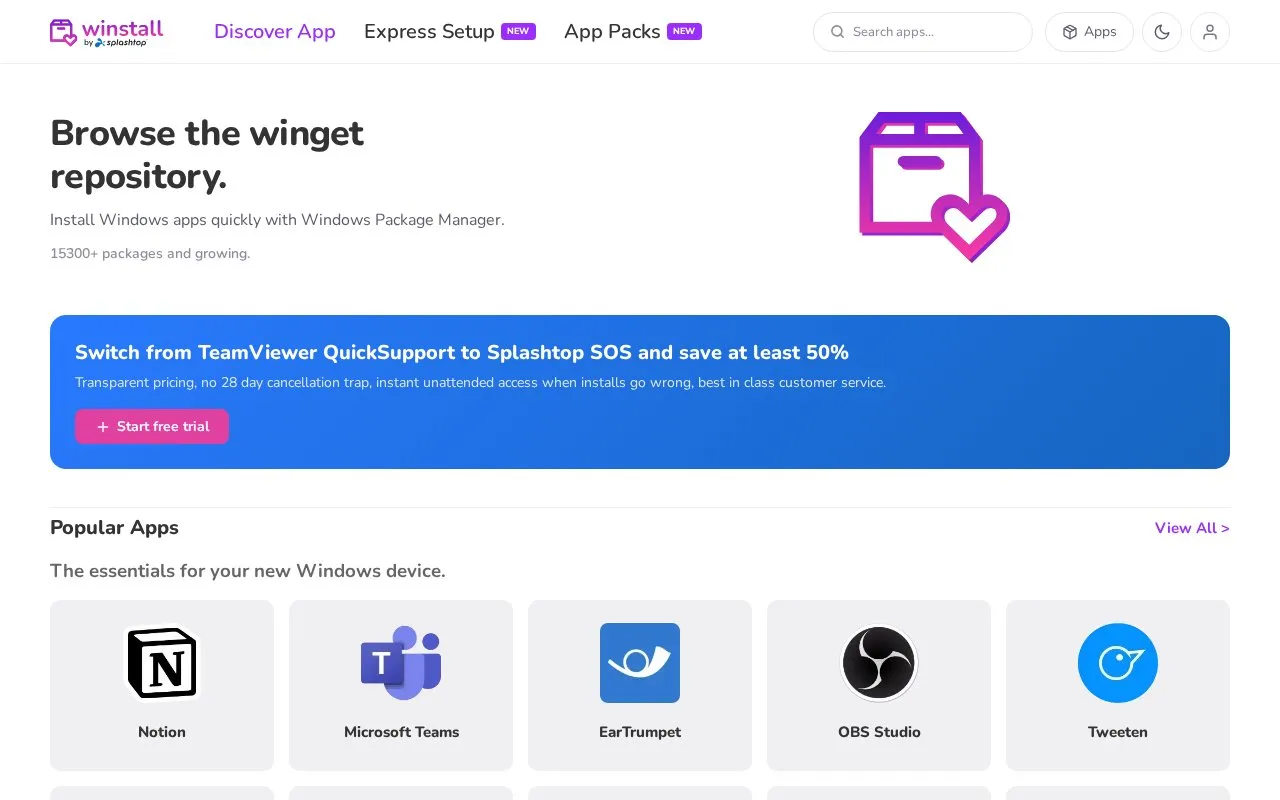
winstall is a website for browsing the winget repository. It helps users install Windows apps with Windows Package Manager. The site lists 15300+ packages and notes the catalog is growing. It is accessed on the web and is intended for Windows users.
You can browse available packages, look through Popular Apps, and find essentials for a new Windows device. The interface includes a Popular Apps section with a View All option. The site is for bulk installation, so multiple apps can be handled together through Windows Package Manager.
It suits people setting up or resetting a Windows device, and anyone who prefers selecting apps on the web rather than searching one by one. It is a service by Splashtop Inc. The site also provides About and Help pages, plus Privacy Policy information.
Key features
- Browse winget repository through a web interface
- Bulk install Windows apps with Windows Package Manager
- Browse Popular Apps selection with View All option
- Find essentials for a new Windows device
Best for: People setting up a Windows device who want to select and install multiple apps together.
Good for
- Web-based browsing of winget packages
- Supports bulk installation via Windows Package Manager
- Includes Popular Apps list for discovery
Watch out for
- Only relevant for Windows users
- Requires Windows Package Manager for installation
Browse at a glance
- Website
- winstall.app
- Category
- Software & Utilities › System Utilities
- Type
- Website
- Pricing
- Not confirmed. Check the site
- Platforms
- Web, Windows
- Open source
- Not stated
- Language
- English
- Last checked
- Oct 5, 2026 · Online when checked
- Listed
- Oct 5, 2026
Browse alternatives
Tools and sites you could use instead, ranked by how closely they match.

WinGet is the Windows Package Manager command-line interface, with PowerShell modules and related tools in the project.
Open source
24 alternatives
WinGet discovers, installs, upgrades, removes, and configures applications from the command line.

Baulk provides a minimal package manager for Windows, according to its repository description.
Open source
24 alternatives
Hok reimplements Scoop as a command-line package manager written in Rust; its repository notes that development is ongoing.
Open source
24 alternatives
UniGetUI provides a graphical interface for managing package managers, according to its repository description.
Open source
24 alternativesPopular in System Utilities
Well-known listings from the same topic.
Phone Linkmicrosoft.com/windows/sync-across-your-devicesMicrosoft SDmicrosoft.com/en-us/software-downloadPowerToyslearn.microsoft.com/en-us/windows/powertoysWinWorldPCwinworldpc.comGeekUninstallergeekuninstaller.com0Install0install.net


Browse FAQ
What is winstall?
winstall is a website for browsing the winget repository and bulk-installing Windows apps with Windows Package Manager.
Who operates winstall?
The site states it is a service by Splashtop Inc.
Do I need Windows to use winstall?
Yes. It is for finding and installing Windows apps on Windows devices through Windows Package Manager.
Is something wrong or out of date?
Tell us and an editor will check it.
Own this website?
Claim this listing
Claim the listing and suggest updates yourself. An editor checks every claim first.