
Plugins
KeePass lists plugins and extensions for its password manager, including backup plugins and links to plugin framework guidance.
About Plugins
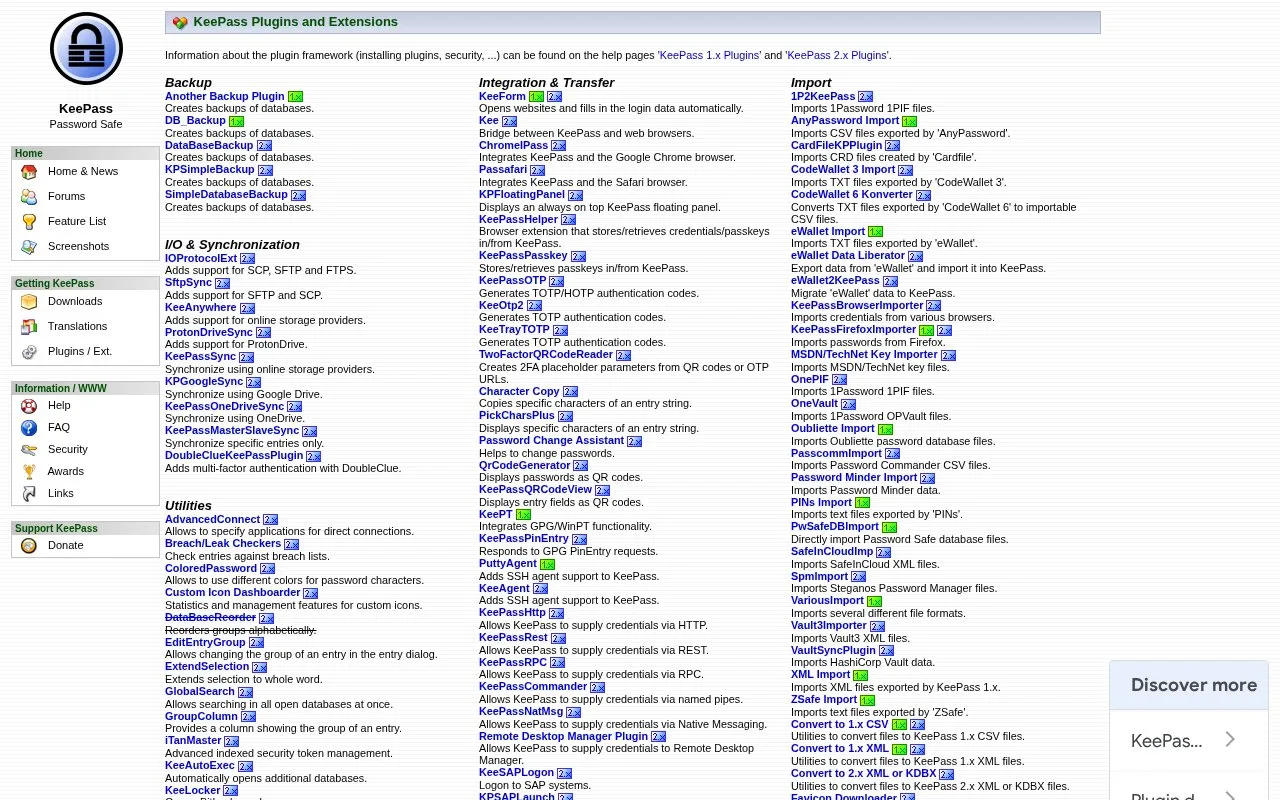
This page lists plugins and extensions for KeePass. It organizes them into areas such as backup, I/O and synchronization, utilities, automation and scripting, and integration and transfer, and points to help pages about installing plugins and security for KeePass 1.x and 2.x.
Listed plugins include tools that create database backups, add support for SCP, SFTP, FTPS and online storage providers, check entries against breach lists, generate TOTP codes, and connect KeePass with web browsers.
Key features
- Creates backups of databases
- Adds support for SCP, SFTP and FTPS
- Synchronizes using online storage providers including Google Drive and OneDrive
- Generates TOTP and HOTP authentication codes
- Checks entries against breach lists
- Connects KeePass with web browsers for login filling
Best for: KeePass users who want to add backup, synchronization, or browser integration functions.
Good for
- Covers multiple plugin types including backup, synchronization, utilities, and integration
- Links to help pages on installing plugins and security for KeePass 1.x and 2.x
- Includes synchronization options for several online storage providers
Plugins at a glance
- Website
- keepass.info/plugins.html
- Category
- Privacy & Security › Password Managers
- Type
- Website
- Pricing
- Not confirmed. Check the site
- Platforms
- Web
- Open source
- Not stated
- Language
- English
- Last checked
- Oct 5, 2026 · Online when checked
- Listed
- Oct 5, 2026
Guides for Password Managers
Plugins alternatives
Tools and sites you could use instead, ranked by how closely they match.

Use KeePass autofill in Chrome or Firefox with Tusk, an open-source browser extension.
Free
24 alternatives
KeyPass provides an offline password manager project for storing and managing passwords, described as an open-source application.
Open source
24 alternatives
Access KeePass password databases on iOS and macOS with KeePassium, including autofill and synchronization features.
FreemiumOpen source
24 alternatives
The 2FA Directory lists websites and services that support two-factor authentication, including options such as SMS, email, calls, and security keys.
Free
24 alternatives
OTPClient manages desktop TOTP and HOTP tokens with a GTK4 interface, QR and URI import, and command-line integration.
Open source
24 alternatives
Store, sync, and autofill passwords, passkeys, and email aliases with Proton Pass, an end-to-end encrypted password manager.
FreePick
24 alternativesPopular in Password Managers
Well-known listings from the same topic.
Bitwardenbitwarden.comgopassgopass.pwStratumstratumauth.comKeeWebkeeweb.infoAuthPassauthpass.app2FAS2fas.com


Is something wrong or out of date?
Tell us and an editor will check it.
Own this website?
Claim this listing
Claim the listing and suggest updates yourself. An editor checks every claim first.