

Stats monitors macOS system activity from the menu bar, with installation instructions provided in its repository.
Open source
24 alternativesStats displays CPU, GPU, memory, disk, and other system information in the macOS menu bar.
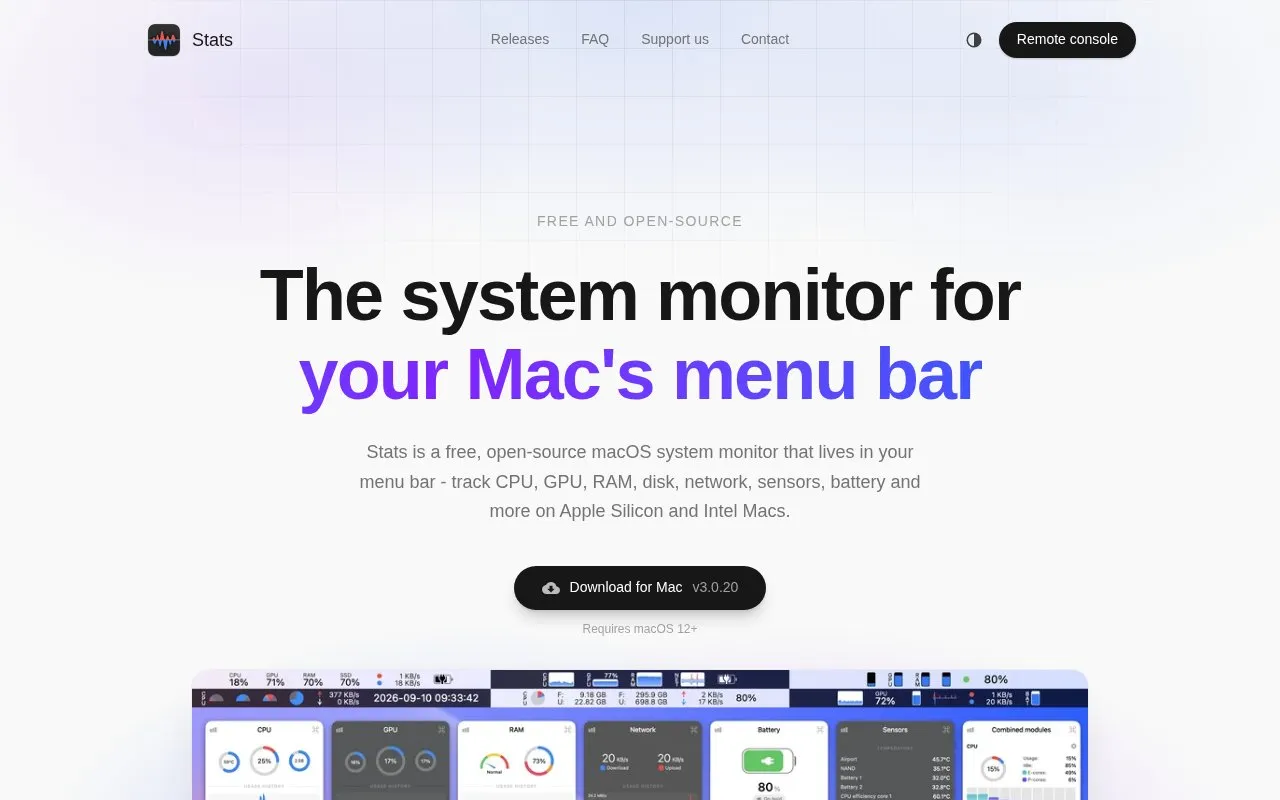
Stats is a macOS system monitor that displays CPU, GPU, memory, disk, network, sensor, battery and Bluetooth device readings in the menu bar. Each module can be shown as a chart, number, gauge or dot, and widgets can be combined, reordered and recoloured. The homepage says it supports both Apple Silicon and Intel Macs.
The app requires macOS 12 or later. The homepage also describes System Stats, a web dashboard for monitoring a Mac from another location, but gives little detail about it beyond a single sentence.
Tools and sites you could use instead, ranked by how closely they match.
Stats monitors macOS system activity from the menu bar, with installation instructions provided in its repository.
Itsycal displays a calendar from the macOS menu bar and lists downloads for current and older systems.
TopNotch makes the macOS menu bar black to hide the notch and supports Dynamic Desktop wallpapers and multiple displays.
Hot displays the CPU speed limit caused by thermal issues in the macOS menu bar.
SoundSeer displays the current song in the macOS menu bar and lets users skip tracks or open the song directly.
AirBattery displays battery levels for connected devices in the Mac Dock, menu bar, or widgets.
Well-known listings from the same topic.
Tell us and an editor will check it.
Claim the listing and suggest updates yourself. An editor checks every claim first.


