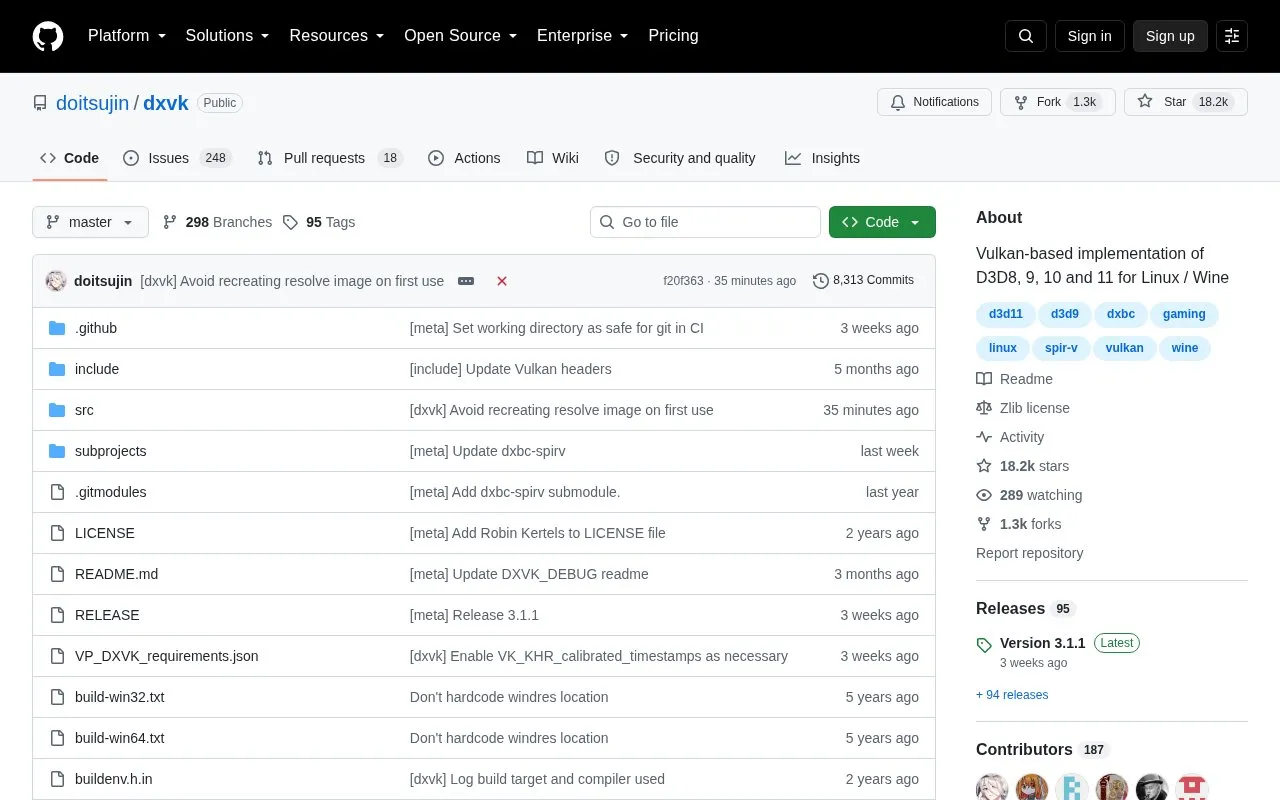
DXVK is an open-source Vulkan-based translation layer for Direct3D 8, 9, 10 and 11. It allows 3D applications to run on Linux using Wine. The project is hosted on GitHub as a repository, with source code, releases, and development builds. It is relevant to Linux and Windows platforms according to directory.
To use a DXVK release, users install its DLLs into a Wine prefix, copy or link them into system32 and syswow64 directories, then open winecfg and add native DLL overrides for d3d8, d3d9, d3d10core, d3d11 and dxgi. DLL dependencies vary by API. Tools such as Steam Play, Lutris, Bottles, and Heroic Launcher can handle setup automatically when enabled.
DXVK includes a HUD controlled by DXVK_HUD, showing options like devinfo, fps, frametimes, memory, and more. It logs messages to stderr and can create log files with DXVK_LOG_PATH. The repository notes that manipulating Direct3D libraries in multiplayer games may be considered cheating and can lead to account bans, including some single-player games with multiplayer portions. It suits Linux users running Windows 3D games through Wine.
Key features
Translates Direct3D 8, 9, 10 and 11 to Vulkan for Linux/Wine.
Runs 3D applications on Linux through Wine.
Install into Wine prefix by copying DLLs and adding native overrides.
HUD options show FPS, frametimes, memory, draw calls and more.
Logs to stderr and optional files via DXVK_LOG_PATH.
Used with tools like Steam Play, Lutris, Bottles and Heroic Launcher.
Best for: Linux users who want to run Direct3D 8 through 11 games and 3D applications through Wine.
Good for
Open-source translation layer for Direct3D 8 through 11 on Vulkan.
Can be installed manually into a Wine prefix or handled by gaming tools.
Provides HUD and logging options for monitoring and debugging.
Available as releases and development builds from the GitHub repository.
Watch out for
Installing manually requires copying DLLs and setting native overrides in winecfg.
Manipulating Direct3D libraries in multiplayer games may be considered cheating and risk account bans.
Requires a recent enough Vulkan driver for your hardware before reporting issues.
DXVK translates Direct3D 8, 9, 10 and 11 to Vulkan, allowing 3D applications to run on Linux through Wine.
Is DXVK free?
The homepage does not state pricing. DXVK is an open-source project hosted on GitHub, with releases and development builds available.
How do I install DXVK in a Wine prefix?
Copy or symlink the provided DLLs into the appropriate system32/syswow64 folders, then use winecfg to add native DLL overrides for d3d8, d3d9, d3d10core, d3d11 and dxgi. Some launchers handle this automatically.
Can using DXVK get me banned in multiplayer games?
The repository warns that manipulation of Direct3D libraries in multiplayer games may be considered cheating and can get your account banned, including some single-player games with multiplayer portions.
Is something wrong or out of date?
Tell us and an editor will check it.
Own this website?
Claim the listing and suggest updates yourself. An editor checks every claim first.