
Md5 Decrypt & Encrypt
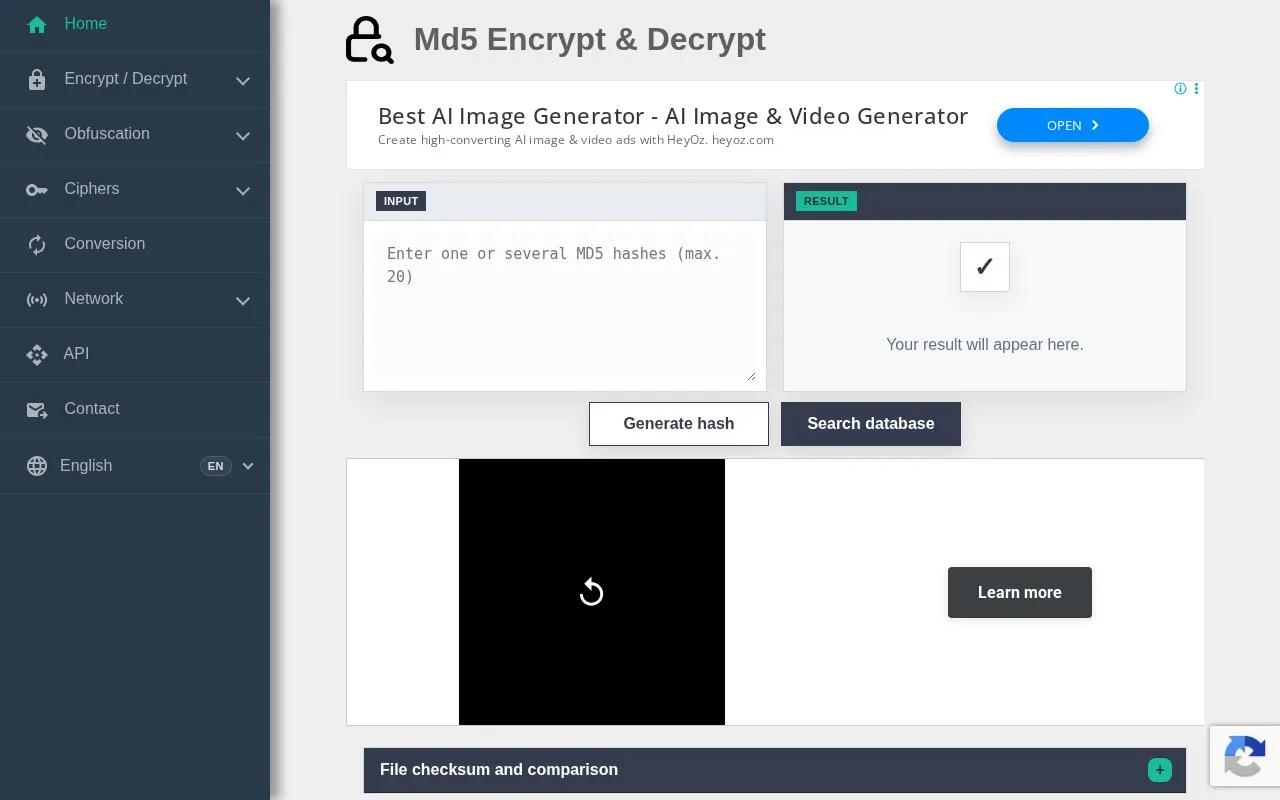
Md5 Decrypt & Encrypt searches an MD5 hash database and can generate MD5 values from input text.
About Md5 Decrypt & Encrypt
Md5 Decrypt & Encrypt searches a database of previously calculated MD5 hashes for a matching plaintext and can generate MD5 digests from input text. It also provides hashing, encoding and security information, and advises using only authorized data and avoiding unnecessary secrets.
Lookup only compares a submitted digest with previously indexed matches and does not reverse MD5 mathematically. Salted, long, random, or absent values may return no result, and MD5 should not be used for new signatures or password storage.
Key features
- Search stored MD5 hashes for a matching plaintext
- Generate 32-character MD5 digest from input text
- Re-check unmatched hashes after periodic brute-force attempts
- Access additional hashing, encoding and security tools
Best for: People who need to identify a legacy MD5 digest or check an old file with a published MD5 value.
Good for
- Database holds billions of hashes, with 46,905,802 found since 2015 at a 64.07% match rate
- States that lookup finds prior matches and does not reverse MD5
- Most of the database remains free, with only the rarest matches requiring a one-time unlock
Watch out for
- Cannot mathematically reverse MD5; only previously indexed plaintext can be returned
- Salted, encoded differently, very long, or random values may return no result
- MD5 should not be used for new security signatures or password storage
Md5 Decrypt & Encrypt at a glance
- Website
- md5decrypt.net/en
- Category
- Privacy & Security › Password Managers
- Type
- Website
- Pricing
- Not confirmed. Check the site
- Platforms
- Web
- Open source
- Not stated
- Language
- English
- Last checked
- Oct 5, 2026 · Online when checked
- Listed
- Oct 5, 2026
Guides for Password Managers
Md5 Decrypt & Encrypt alternatives
Tools and sites you could use instead, ranked by how closely they match.

HashMob provides a community for password recovery and hash auditing, where members can share related information and tools.

The KeePassXC getting started guide covers installation, interface basics, settings, and operations such as creating and storing a password database.
Store passwords in an encrypted local database protected by a master key with KeePass.

Use 2FAuth, a web app, to manage two-factor authentication accounts and generate security codes.
Open source
24 alternatives
Store, sync, and autofill passwords, passkeys, and email aliases with Proton Pass, an end-to-end encrypted password manager.
FreePick
24 alternatives
Keepass2Android, an Android password manager, that stores passwords and sensitive information in a protected database file, with sync options.
Open source
24 alternativesPopular in Password Managers
Well-known listings from the same topic.
Bitwardenbitwarden.comgopassgopass.pwStratumstratumauth.comKeePassiumkeepassium.comKeeWebkeeweb.infoAuthPassauthpass.app


Md5 Decrypt & Encrypt FAQ
How many characters are in an MD5 hash?
An MD5 digest contains 32 hexadecimal characters, representing 128 bits.
Can MD5 really be decrypted?
No. The service searches for a previously calculated hash-to-plaintext match and does not mathematically reverse MD5.
Why was my hash not found?
The plaintext may be absent from the corpus, salted, encoded differently, very long or random. A miss does not mean the hash is invalid.
Is something wrong or out of date?
Tell us and an editor will check it.
Own this website?
Claim this listing
Claim the listing and suggest updates yourself. An editor checks every claim first.