

Web
Edit Markdown in the browser with a live GFM preview, diagrams, export, and sharing options, without logging in.
About Web
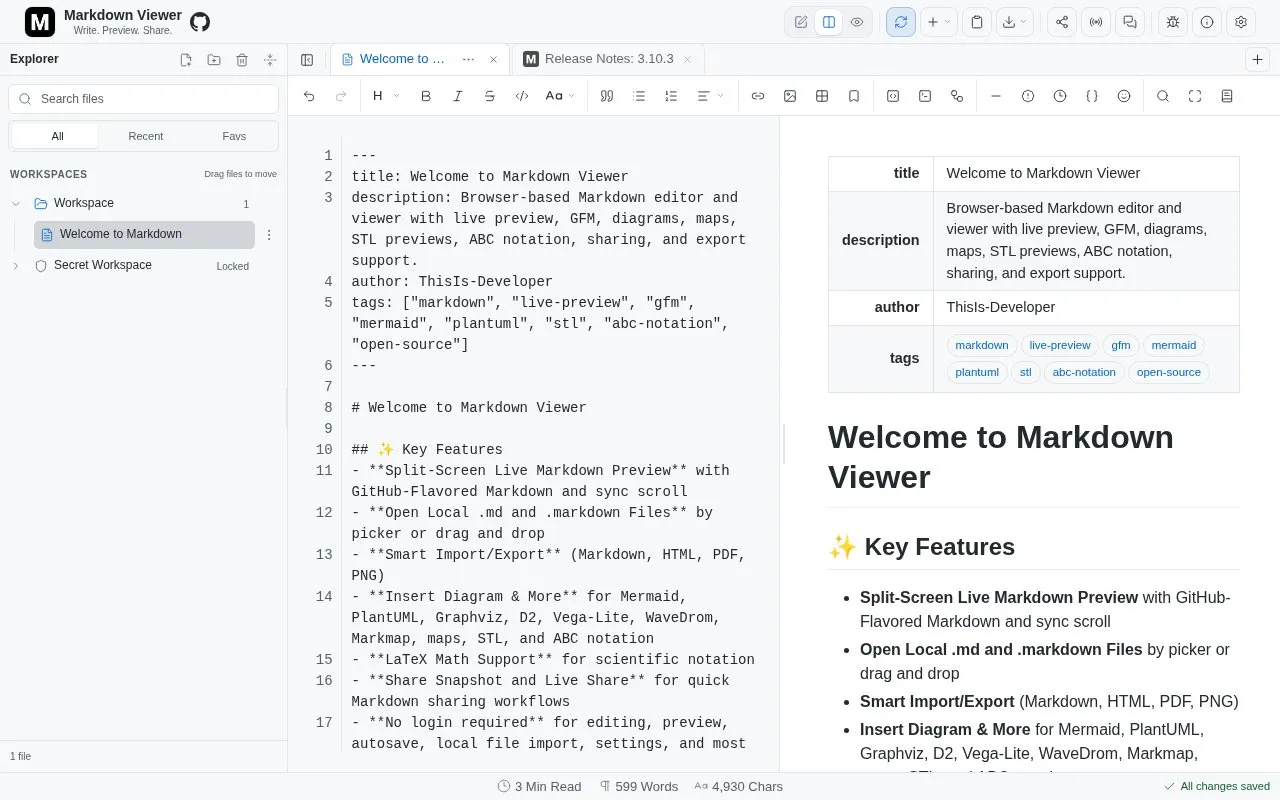
Web is a browser-based Markdown editor with live GFM preview that works without logging in. It offers Editor, Split, and Preview modes with sync scrolling in Split view, plus formatting tools, tables, Mermaid diagrams, and equations.
It can export documents to PDF, HTML, and images with light or dark styling, and share via Share Snapshot and Live Share. Documents are stored in the browser; small snapshots stay encoded in the URL while large ones use temporary Cloudflare KV for up to 90 days, deleted files remain in Trash for 30 days, and clearing browser data removes documents immediately.
Key features
- Live GFM preview with Editor, Split, and Preview modes
- Sync scrolling to keep editor and preview aligned in Split view
- Mermaid diagrams, math equations, tables, and code blocks
- Export to PDF, HTML, and image with light or dark styling
- Share Snapshot with URL encoding or temporary storage up to 90 days
- Workspace backup to ZIP and restore with encrypted secure files
Best for: People who need to draft, preview, and share Markdown documents in a browser without logging in.
Good for
- No login required to edit and preview documents.
- Offers Editor, Split, and Preview modes with sync scrolling.
- Provides PDF, HTML, and image export with light and dark appearance options.
Watch out for
- Clearing the site's browser data removes documents and Trash immediately.
- Importing a backup permanently replaces the current workspace and its settings.
- Large shared documents use temporary storage and are available for up to 90 days.
Web at a glance
- Website
- markdownviewer.pages.dev
- Category
- Software & Utilities › Text Editors
- Type
- Website
- Pricing
- Not confirmed. Check the site
- Platforms
- Web
- Open source
- Not stated
- Language
- English
- Last checked
- Oct 5, 2026 · Online when checked
- Listed
- Oct 5, 2026
Guides for Text Editors

Web alternatives
Tools and sites you could use instead, ranked by how closely they match.

This Markdown editor provides live preview, diagrams, LaTeX, syntax highlighting, PDF export, and multi-tab support.
Open source
24 alternatives
Whimsical provides a collaborative whiteboard for diagrams, interface wireframes, and product documentation, with team and AI features.

Dillinger offers online Markdown editing with live preview, HTML or PDF export, and sync options for GitHub, Dropbox, and Google Drive.

Write Markdown with a live rendered preview and export documents to PDF, Word, or HTML using this browser editor.

Browser-based Markdown editor with live preview, offline storage and sync or export to Google Drive, Dropbox and GitHub. Free and open source.
FreeOpen source
16 alternatives
Markdown Tools offers browser-based editing, conversion, formatting, preview, and export tools for Markdown.
Popular in Text Editors
Well-known listings from the same topic.
Google Docsgoogle.com/docs/aboutProton Docsproton.me/drive/docsVertex42vertex42.comNotepad++notepad-plus-plus.orgLibreOfficelibreoffice.orgSublime Textsublimetext.com


Web FAQ
How does Share Snapshot handle different document sizes?
Small documents stay encoded in the URL, while large documents use temporary Cloudflare KV for up to 90 days.
How long do deleted files remain in Trash?
Deleted files stay in Trash for 30 days before permanent deletion; clearing browser data removes them immediately.
What happens when I import a workspace backup?
Importing a backup permanently replaces the current workspace, including files, folders, settings, and Secret Workspace data.
Is something wrong or out of date?
Tell us and an editor will check it.
Own this website?
Claim this listing
Claim the listing and suggest updates yourself. An editor checks every claim first.