

MarkLiveEdit
Write Markdown with a live rendered preview and export documents to PDF, Word, or HTML using this browser editor.
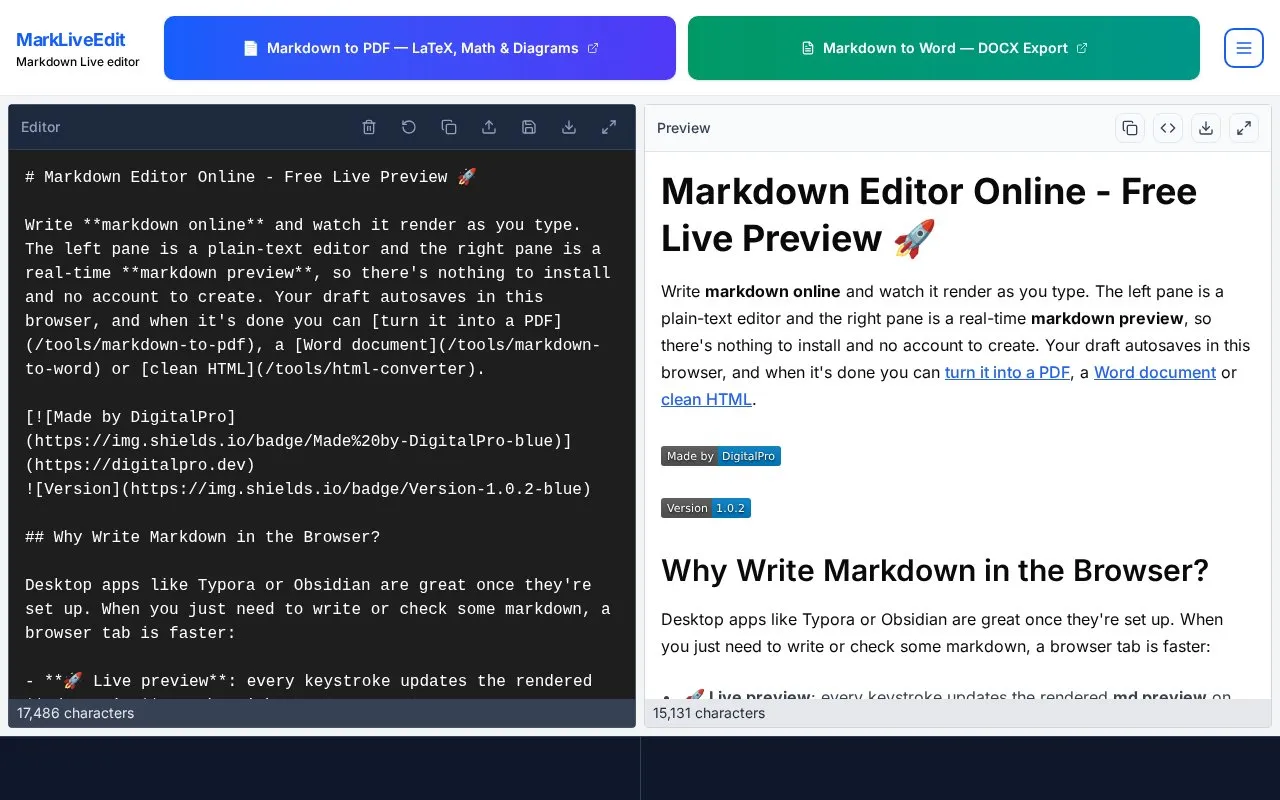
About MarkLiveEdit
MarkLiveEdit is a browser-based Markdown editor. The left pane is a plain-text editor and the right pane shows a live rendered preview that updates as you type. According to the homepage, no installation or account is required, and drafts autosave in the browser between visits.
When a document is finished, it can be converted to PDF, Word, or HTML using separate conversion tools linked from the site. The homepage also links to a Markdown file viewer for reading existing .md files, a cheat sheet, and table and README generator tools.
Key features
- Live rendered preview that updates with each keystroke
- Upload and continue editing existing .md files
- LaTeX rendering for inline and display math equations
- Mermaid flowcharts and sequence diagrams written as plain text
- Syntax highlighting for fenced code blocks in 50+ languages
- Conversion to PDF, Word, or HTML through linked tools
Best for: Writers, students, and developers who need to write, check, or convert Markdown quickly in a browser without installing software.
Good for
- No installation or account is required, according to the homepage.
- Works in a browser on Windows, Mac, Linux, tablets, and phones.
- Drafts autosave in the browser between visits.
Watch out for
- Autosaved work stays in the browser, and the homepage does not describe syncing across devices.
MarkLiveEdit at a glance
- Website
- markdownlivepreview.dev
- Category
- Software & Utilities › Text Editors
- Type
- Website
- Pricing
- Not confirmed. Check the site
- Platforms
- Linux, Web, Windows
- Open source
- Not stated
- Language
- English
- Last checked
- Oct 6, 2026 · Online when checked
- Listed
- Oct 5, 2026
Guides for Text Editors

MarkLiveEdit alternatives
Tools and sites you could use instead, ranked by how closely they match.

Dillinger offers online Markdown editing with live preview, HTML or PDF export, and sync options for GitHub, Dropbox, and Google Drive.

Write Markdown in MarkD’s live editor, which includes writing and preview panes with synchronized scrolling.

Edit Markdown in the browser with a live GFM preview, diagrams, export, and sharing options, without logging in.

Browser-based Markdown editor with live preview, offline storage and sync or export to Google Drive, Dropbox and GitHub. Free and open source.
FreeOpen source
16 alternatives
This Markdown editor provides live preview, diagrams, LaTeX, syntax highlighting, PDF export, and multi-tab support.
Open source
24 alternatives
NotesOnline provides a browser notepad with rich text, tabs, autosave, and TXT, Markdown, or HTML exports.
Popular in Text Editors
Well-known listings from the same topic.
Google Docsgoogle.com/docs/aboutProton Docsproton.me/drive/docsVertex42vertex42.comNotepad++notepad-plus-plus.orgLibreOfficelibreoffice.orgSublime Textsublimetext.com


MarkLiveEdit FAQ
Do I need to create an account to use the editor?
No. The homepage states that no login or account is required; you open the page and start typing.
Can I open an existing Markdown file?
Yes. You can upload a .md file and continue editing it in the editor.
Does the editor support math equations?
Yes. LaTeX math is supported, with inline and display equations rendered in the preview.
Is something wrong or out of date?
Tell us and an editor will check it.
Own this website?
Claim this listing
Claim the listing and suggest updates yourself. An editor checks every claim first.