

MarkdownTools
Markdown Tools offers browser-based editing, conversion, formatting, preview, and export tools for Markdown.
About MarkdownTools
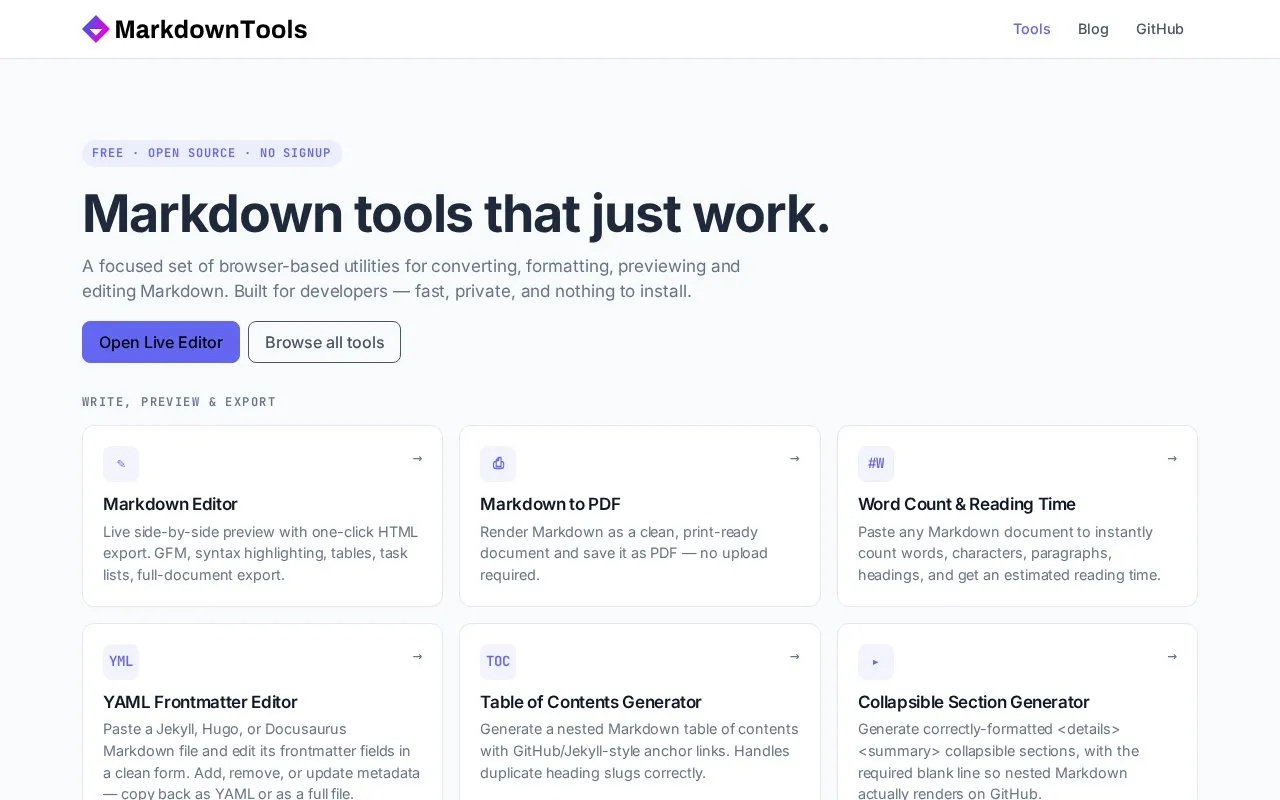
MarkdownTools is a website of browser-based tools for writing, checking, formatting, converting, and exporting Markdown. The homepage describes it as requiring no signup. Its editor shows a live side-by-side preview and can export HTML, and separate tools cover tables, lists, callouts, collapsible sections, task lists, math, Mermaid diagrams, and footnotes.
The site also converts Markdown to and from formats used on other platforms, including HTML, Word, CSV, JSON, Slack, Jira, Confluence, Notion, and email HTML. Some conversions need a file upload: Word to Markdown requires a .docx file, and Excel to Markdown requires an .xlsx or .xls file. Jira and Confluence output must be pasted into each platform's own editor. The homepage does not state pricing.
Key features
- Live side-by-side Markdown editor with one-click HTML export
- Markdown to PDF rendering with no upload required
- YAML frontmatter editor for Jekyll, Hugo, and Docusaurus files
- Table of contents generator with GitHub and Jekyll-style anchor links
- Mermaid diagram preview with SVG or PNG export
- Markdown conversion to Slack, Jira, Confluence, Notion, and email HTML
Best for: Writers and developers who prepare Markdown documents for GitHub, GitLab, Obsidian, or other platforms with different syntax requirements.
Good for
- No signup is required to use the tools, according to the homepage.
- The Markdown to PDF tool states that no upload is required.
- Several tools provide live previews before content is pasted into another platform.
Watch out for
- Word to Markdown requires uploading a .docx file.
- Excel to Markdown requires uploading an .xlsx or .xls file.
- Jira and Confluence output must be pasted into each platform's text or wiki editor mode.
MarkdownTools at a glance
- Website
- markdowntools.com
- Category
- Software & Utilities › Text Editors
- Type
- Website
- Pricing
- Not confirmed. Check the site
- Platforms
- Web
- Open source
- Not stated
- Last checked
- Oct 6, 2026 · Online when checked
- Listed
- Oct 5, 2026
Guides for Text Editors

MarkdownTools alternatives
Tools and sites you could use instead, ranked by how closely they match.

Edit Markdown in the browser with a live GFM preview, diagrams, export, and sharing options, without logging in.

Dillinger offers online Markdown editing with live preview, HTML or PDF export, and sync options for GitHub, Dropbox, and Google Drive.

Write Markdown with a live rendered preview and export documents to PDF, Word, or HTML using this browser editor.

Browser-based Markdown editor with live preview, offline storage and sync or export to Google Drive, Dropbox and GitHub. Free and open source.
FreeOpen source
16 alternatives
This Markdown editor provides live preview, diagrams, LaTeX, syntax highlighting, PDF export, and multi-tab support.
Open source
24 alternatives
Edit Markdown on Windows with Markdown Monster, which includes live preview, syntax highlighting, weblog publishing, and Git integration.
Free trial
16 alternativesPopular in Text Editors
Well-known listings from the same topic.
Google Docsgoogle.com/docs/aboutProton Docsproton.me/drive/docsVertex42vertex42.comdDocsdocs.fileverse.ioNotepad++notepad-plus-plus.orgLibreOfficelibreoffice.org


MarkdownTools FAQ
Do I need to sign up to use MarkdownTools?
No. The homepage states that no signup is required.
Can I save a Markdown document as a PDF without uploading it?
The Markdown to PDF tool renders the document as a print-ready file and saves it as PDF, and the homepage states that no upload is required.
Can I use Mermaid diagrams on platforms that cannot render Mermaid?
The Mermaid preview tool can export a diagram as SVG or PNG for platforms that cannot render Mermaid.
Is something wrong or out of date?
Tell us and an editor will check it.
Own this website?
Claim this listing
Claim the listing and suggest updates yourself. An editor checks every claim first.